
SigurdSnake - Minecraft Skins & Skin History
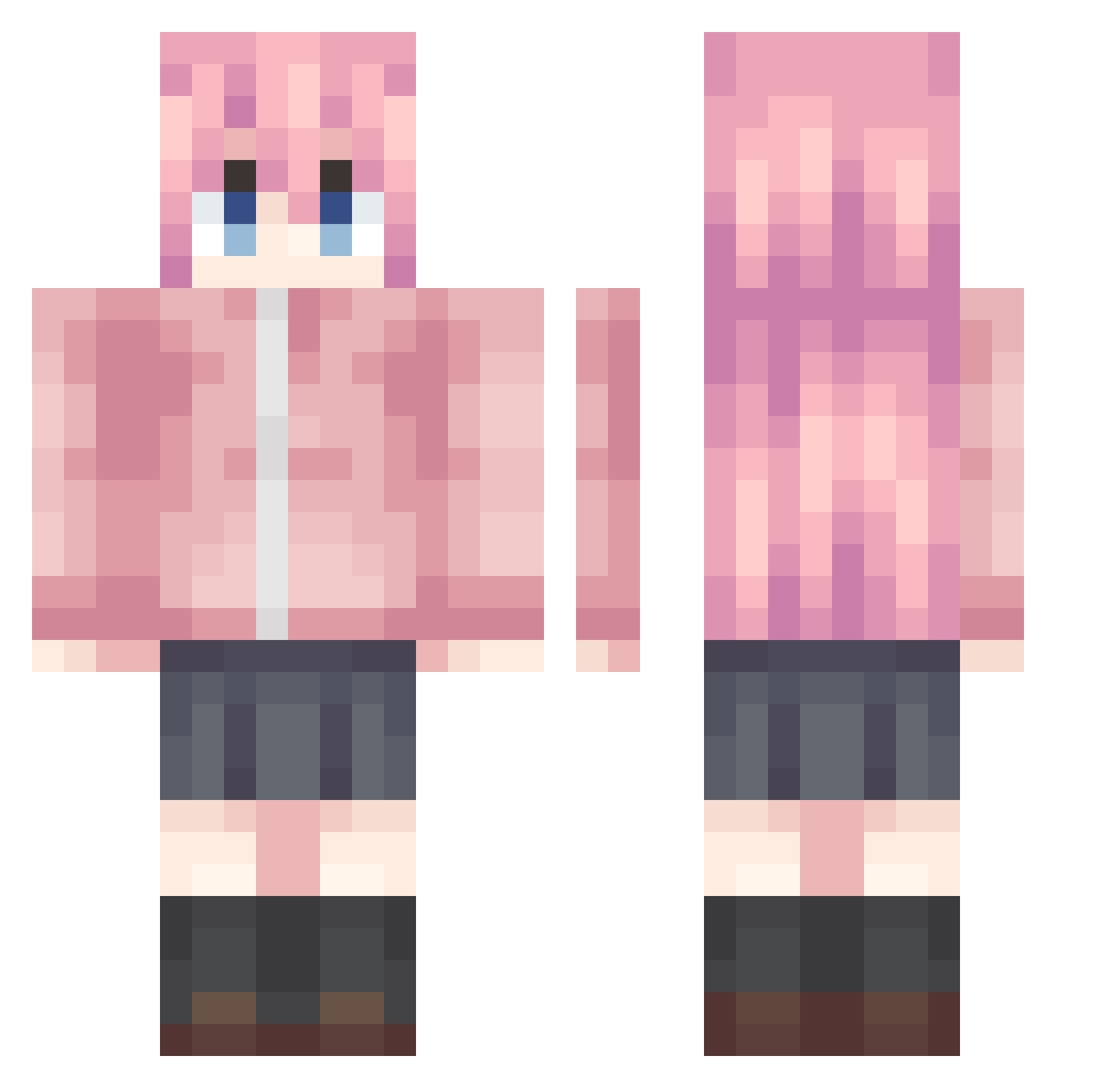
Current Minecraft skin of the player SigurdSnake, loaded from the official Mojang API. Rotate the 3D model with your mouse or finger, then download the skin as a PNG file and use it in Minecraft: Bedrock Edition or Java Edition for free. When SigurdSnake changes their skin, this page updates automatically and the old skin stays in the history below.
Other players with this skin (992)
SigurdSnake was the 630th player we have seen with this skin, first spotted on 01.10.2026. The same skin was seen on these players. Open a nickname to see their current skin and skin history.
 Aha__ guowang520 hiddentrolle KAR4SHi0523 King_Jie kocokocomi InducedLlama285 Wissendorf VignetteKing SADbocchi chen_yu0309 thcoldcoldwinter Ogamizu dk223 ALLB12345 Colina02 LeGiT_Gyrke Nanami214 NOEINTAT Hidnoob Malapikeke 3baifree qwdtc DanerAGED XIANER10086 Jasonxuvv raidenmegumi Therkots EulAlan zouxin123 Momanada drazsekee ZERIIBAKO SkypeWise ghostperezbp Mazapz lSHTAR YHTyht132 SEIBAHHHH xiaosuo_ Baxiacool lililililililith kail123 ranran77 Themeng_ YKYRBQ Mellatino Anna_Yanam1 Littlefoolwin PawerX LyLouis zouanning Shennoter Mycoal_49 puckJoestar Shinjungbin xiaoxie815 9xiao_feng23 ji_mi_ha_ha Kana____
More Bocchi Minecraft skins
How to install the SigurdSnake skin
- Press the Download button above to save the skin as a PNG file.
- Minecraft: Bedrock Edition (PE): open the Dressing Room from the main menu (or tap your character → Edit Character), go to Classic Skins → Owned, press the + (new skin) button, choose the downloaded PNG and pick the Classic (Steve) model. Works on PC and mobile; consoles cannot import custom skins.
- Minecraft: Java Edition: open the Minecraft Launcher, go to the Skins tab, click New Skin, load the PNG, pick the Classic (Steve) model and press Save & Use. You can also upload it at minecraft.net → Profile → Change Skin.
The skin does not show up after import - what should I do?
Restart Minecraft and open the Dressing Room again - imported skins sometimes appear only after a restart. Also make sure you selected the imported skin and picked the Classic (Steve) model.
Which model should I choose, Classic or Slim?
This skin is designed for the Classic (Steve) model. If you pick the wrong model, the arms of the skin will look stretched or squeezed.
Is the skin of SigurdSnake free to download?
Yes. Press Download, save the PNG file and use it in Minecraft: Bedrock Edition or Java Edition - no payment or registration needed. The skin also works on multiplayer servers and Realms.
More skins
Looking for more? Go back to all Minecraft skins and check the top skins of the week, month and all time, or find any player's skin by nickname.