
Sigmaboy187 - Minecraft Skins & Skin History
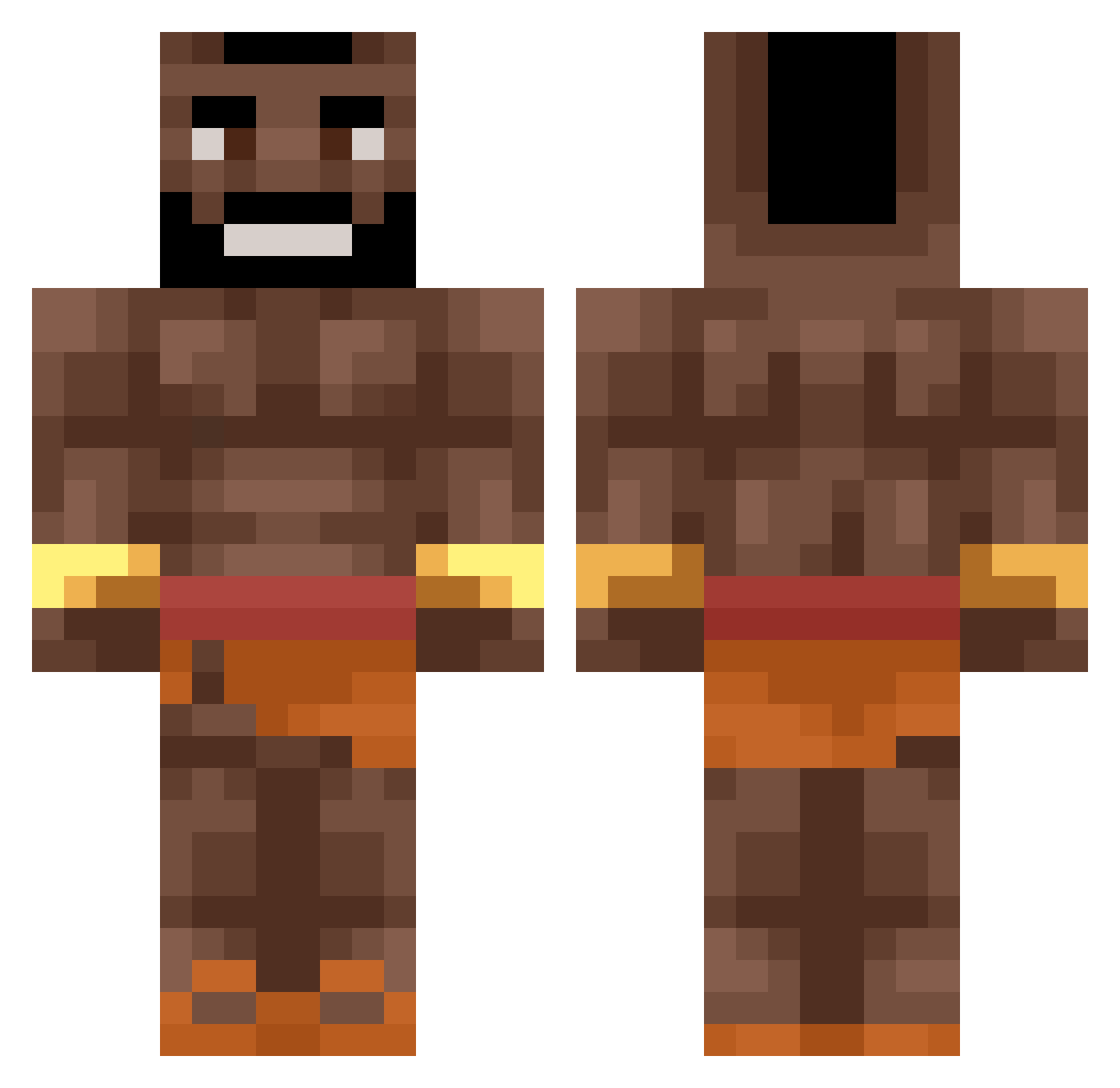
Current Minecraft skin of the player Sigmaboy187, loaded from the official Mojang API. Rotate the 3D model with your mouse or finger, then download the skin as a PNG file and use it in Minecraft: Bedrock Edition or Java Edition for free. When Sigmaboy187 changes their skin, this page updates automatically and the old skin stays in the history below.
Other players with this skin (476)
Sigmaboy187 was the 319th player we have seen with this skin, first spotted on 28.09.2026. The same skin was seen on these players. Open a nickname to see their current skin and skin history.
 N4TE_RIVER MrManolo08 Pitbul_Ia_Ia kigepigs ErMagnifico10 macdoceo Wemebi Halfdan_dk Tiul REdR0bInYUMM Furkankinngg teddylor2010 Duck_King76 TheWakefulBread TheDiabeats Onur15 LouisVyton DocterEkko Earthyeeter Pigson1337 shu4226 Y4QB3K xXS41k00uG4m3rXx cusKTS Revelmonger LucaHJ Wxven Iteroni KevBevv kqtekqrin Borizowski NightFa11 brungutt sraczka2115 Defedoj AvTouch Zwimpiee Picolov2 Valen_Ortiz03 Rein2beat ABOFALEH21 Brennxn Pabloob SnowFoxy400 Youboy0908 Dragonstriker83 ttv_Raven WobbinBlobbin BeavusMan Permanox Yosha21 Domicaj sld_Littleboy JollyBib Eloliasos1234 Makkaaaa Nathan_SMG OskarFalba SuperPootato Dbonora23
More Actor Minecraft skins
How to install the Sigmaboy187 skin
- Press the Download button above to save the skin as a PNG file.
- Minecraft: Bedrock Edition (PE): open the Dressing Room from the main menu (or tap your character → Edit Character), go to Classic Skins → Owned, press the + (new skin) button, choose the downloaded PNG and pick the Classic (Steve) model. Works on PC and mobile; consoles cannot import custom skins.
- Minecraft: Java Edition: open the Minecraft Launcher, go to the Skins tab, click New Skin, load the PNG, pick the Classic (Steve) model and press Save & Use. You can also upload it at minecraft.net → Profile → Change Skin.
The skin does not show up after import - what should I do?
Restart Minecraft and open the Dressing Room again - imported skins sometimes appear only after a restart. Also make sure you selected the imported skin and picked the Classic (Steve) model.
Which model should I choose, Classic or Slim?
This skin is designed for the Classic (Steve) model. If you pick the wrong model, the arms of the skin will look stretched or squeezed.
Is the skin of Sigmaboy187 free to download?
Yes. Press Download, save the PNG file and use it in Minecraft: Bedrock Edition or Java Edition - no payment or registration needed. The skin also works on multiplayer servers and Realms.
More skins
Looking for more? Go back to all Minecraft skins and check the top skins of the week, month and all time, or find any player's skin by nickname.