
Sidy - Minecraft Skins & Skin History
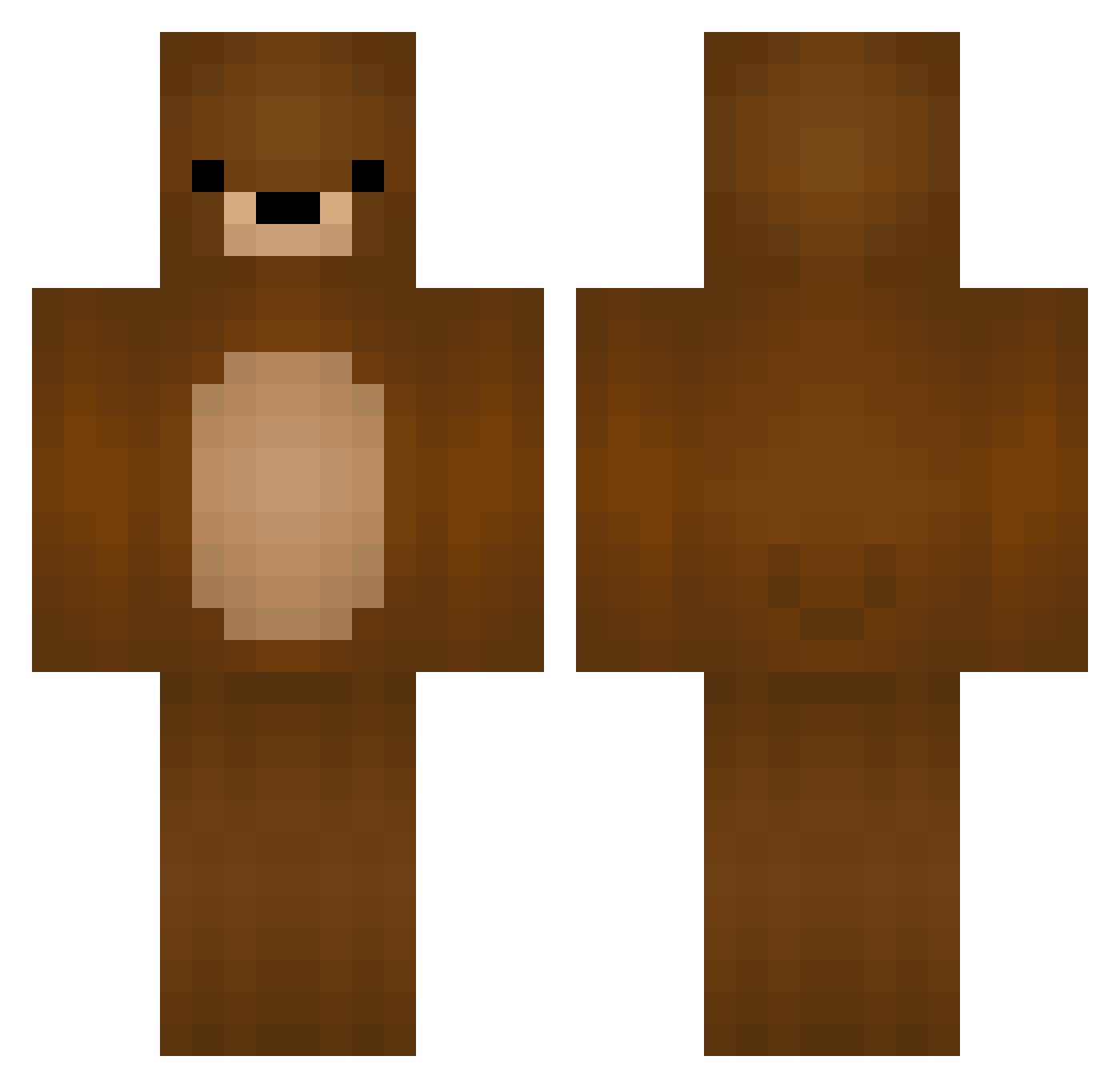
Current Minecraft skin of the player Sidy, loaded from the official Mojang API. Rotate the 3D model with your mouse or finger, then download the skin as a PNG file and use it in Minecraft: Bedrock Edition or Java Edition for free. When Sidy changes their skin, this page updates automatically and the old skin stays in the history below.
Other players with this skin (74)
Sidy was the 50th player we have seen with this skin, first spotted on 04.10.2026. The same skin was seen on these players. Open a nickname to see their current skin and skin history.
 Shiretoko_3 Cedar FrigolitBarn Vagron720 fabulous_mr_fox BrandonL_UK _Bxnt Dinowzzo MistakenOG Diyaraboy Generalspanky0 Crafter2203 nihaokeai_OAO mellis03 Vitanyaa mdway04 Fate_Orey Manololo HatlessHunter FMUSZUMA pinki_ affenpups13 maclookback _xtheBazinga HustleBear BlankAlt24 VloneForever FreshColaPop Roooooooolex Tchourscky sippori Hiyo_Toru iDeat Its_Nicolas George549 Fibour toxichin ZiniMini31 LouisCraft2011 LordGaritos Walkkerit Luminatix83 chihiromai dehellbrun KaffeeAutomat Rektnator Ray11234 Major_Heartfire Yamada_ GrizzlyGwen IronBear Sibbedibbe03 _KnockSy_ azarasi_mk kuriz0oo TheBear20 ItsJackYT Jannix3 ZhuBiyuan Zeeatz
More Teddy Bear Minecraft skins
How to install the Sidy skin
- Press the Download button above to save the skin as a PNG file.
- Minecraft: Bedrock Edition (PE): open the Dressing Room from the main menu (or tap your character → Edit Character), go to Classic Skins → Owned, press the + (new skin) button, choose the downloaded PNG and pick the Classic (Steve) model. Works on PC and mobile; consoles cannot import custom skins.
- Minecraft: Java Edition: open the Minecraft Launcher, go to the Skins tab, click New Skin, load the PNG, pick the Classic (Steve) model and press Save & Use. You can also upload it at minecraft.net → Profile → Change Skin.
The skin does not show up after import - what should I do?
Restart Minecraft and open the Dressing Room again - imported skins sometimes appear only after a restart. Also make sure you selected the imported skin and picked the Classic (Steve) model.
Which model should I choose, Classic or Slim?
This skin is designed for the Classic (Steve) model. If you pick the wrong model, the arms of the skin will look stretched or squeezed.
Is the skin of Sidy free to download?
Yes. Press Download, save the PNG file and use it in Minecraft: Bedrock Edition or Java Edition - no payment or registration needed. The skin also works on multiplayer servers and Realms.
More skins
Looking for more? Go back to all Minecraft skins and check the top skins of the week, month and all time, or find any player's skin by nickname.