
Shykty - Minecraft Skins & Skin History
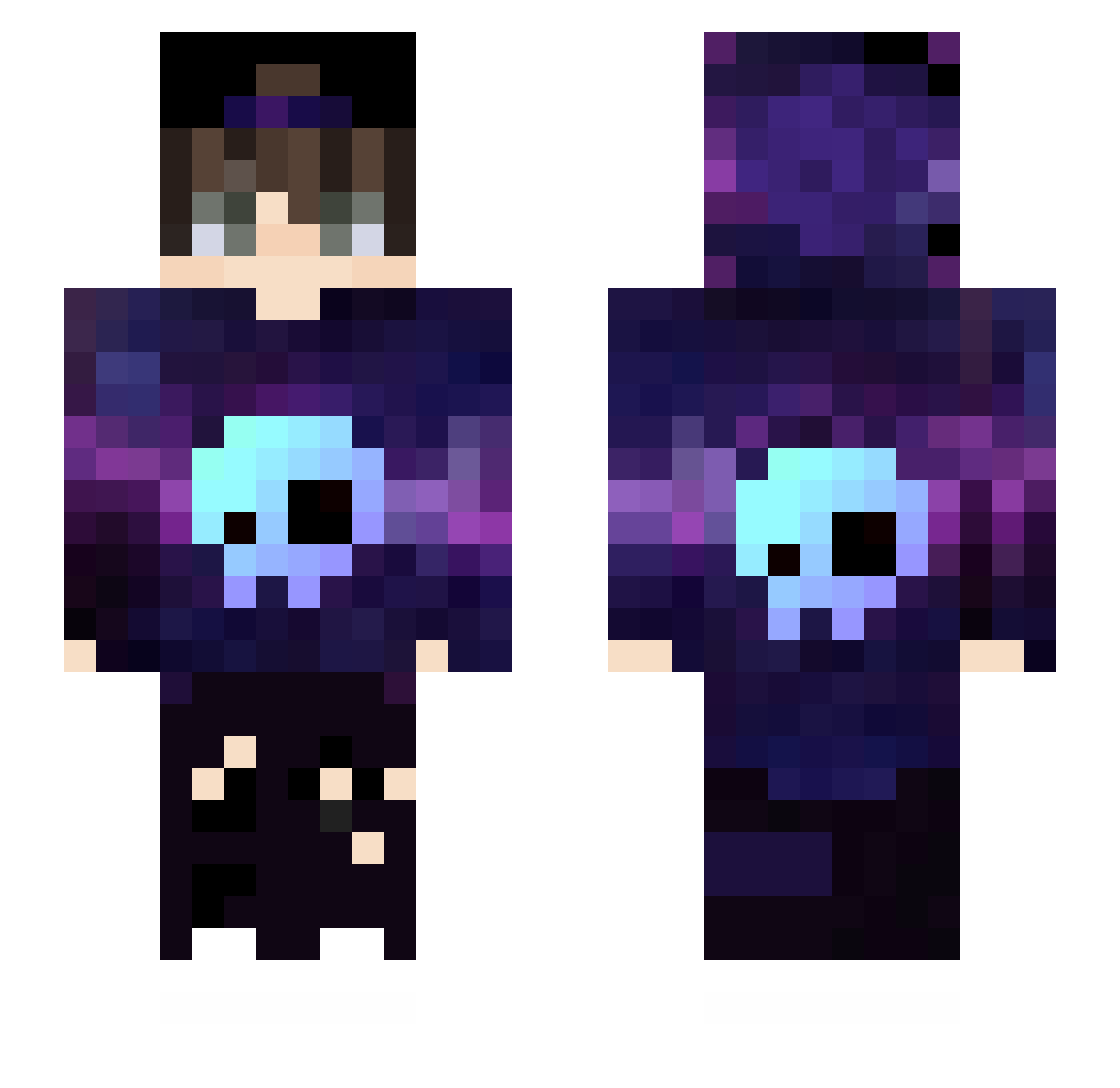
Current Minecraft skin of the player Shykty, loaded from the official Mojang API. Rotate the 3D model with your mouse or finger, then download the skin as a PNG file and use it in Minecraft: Bedrock Edition or Java Edition for free. When Shykty changes their skin, this page updates automatically and the old skin stays in the history below.
Other players with this skin (432)
Shykty was the 160th player we have seen with this skin, first spotted on 29.08.2026. The same skin was seen on these players. Open a nickname to see their current skin and skin history.
 Jason630517 JING_066 dfqxyfy Im_Zakaria Keksior Ifail05 k3Kko15 Alejolead Napstable EnemyJanJan MagicMust FluffigHD Sesemic AyTelic oOr1 PoloBlu Luvinc2 TheBriian10 Wanter69 Nico123gpYT Habble_alt JVmarquesT DinokerX jubileu5 LyraAdidas sena54919 Belgos iiWael_GO Davie_9 xXaks3lsXx jdelass Jeforie Mattiaas87 Cicci_007 void_35 Zielarek9562 Artic_Patrik nocho_ itsALB lolo_tayr MattMg04 Koffsi 83OO shigezo711 Fantik365 IceFirEarth Freeman710 BorisSan Lenwesterr Boro574 lunox_VN PROGAMER_ALFA123 Feel3214C4x4 brabruder Flightcommander4 NaitoChan TrakxHs MAferoo1547 AhmetYK12 z_xob
More Skull Minecraft skins
How to install the Shykty skin
- Press the Download button above to save the skin as a PNG file.
- Minecraft: Bedrock Edition (PE): open the Dressing Room from the main menu (or tap your character → Edit Character), go to Classic Skins → Owned, press the + (new skin) button, choose the downloaded PNG and pick the Slim (Alex) model. Works on PC and mobile; consoles cannot import custom skins.
- Minecraft: Java Edition: open the Minecraft Launcher, go to the Skins tab, click New Skin, load the PNG, pick the Slim (Alex) model and press Save & Use. You can also upload it at minecraft.net → Profile → Change Skin.
The skin does not show up after import - what should I do?
Restart Minecraft and open the Dressing Room again - imported skins sometimes appear only after a restart. Also make sure you selected the imported skin and picked the Slim (Alex) model.
Which model should I choose, Classic or Slim?
This skin is designed for the Slim (Alex) model. If you pick the wrong model, the arms of the skin will look stretched or squeezed.
Is the skin of Shykty free to download?
Yes. Press Download, save the PNG file and use it in Minecraft: Bedrock Edition or Java Edition - no payment or registration needed. The skin also works on multiplayer servers and Realms.
More skins
Looking for more? Go back to all Minecraft skins and check the top skins of the week, month and all time, or find any player's skin by nickname.