
Shrukan67 - Minecraft Skins & Skin History
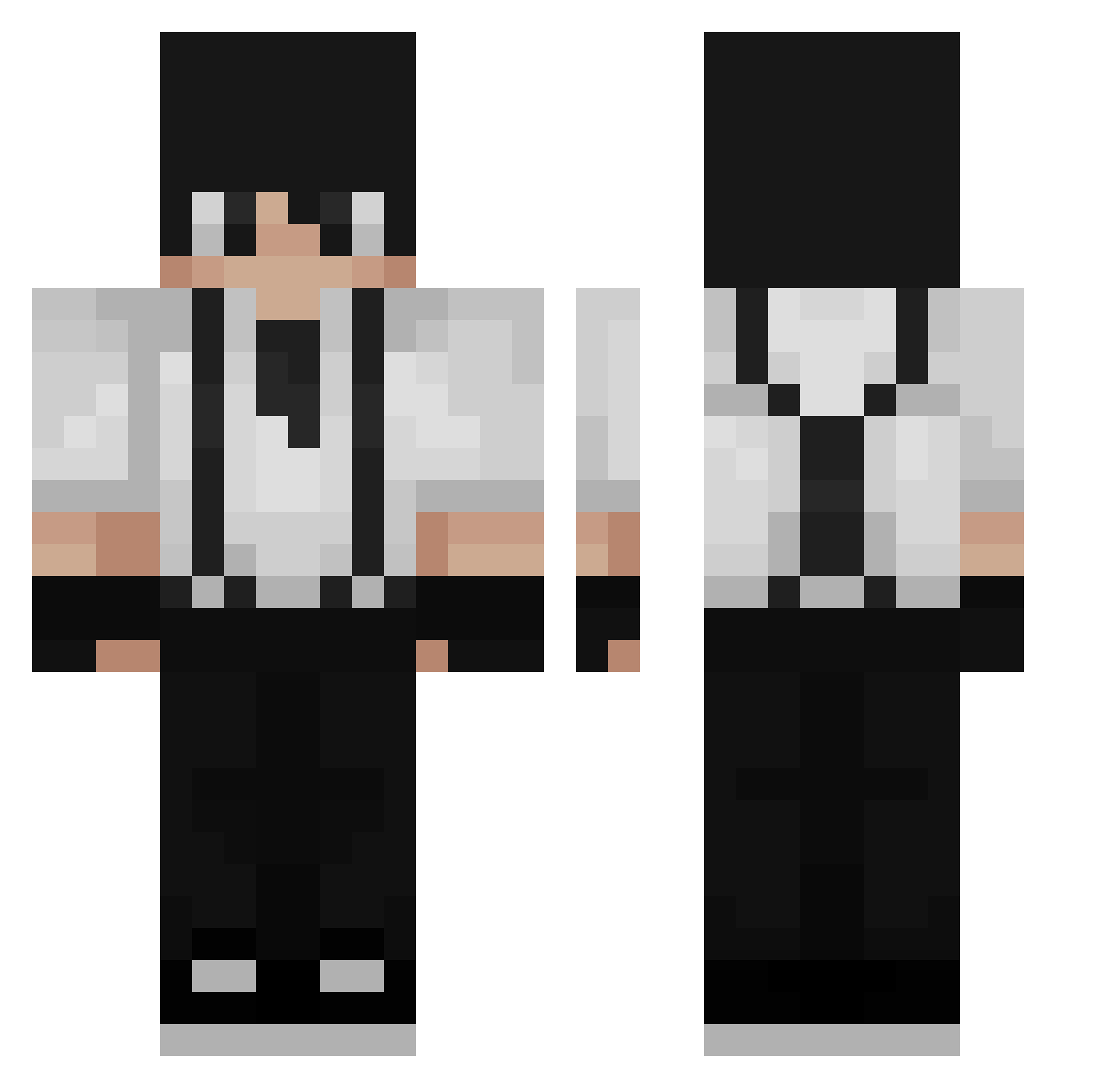
Current Minecraft skin of the player Shrukan67, loaded from the official Mojang API. Rotate the 3D model with your mouse or finger, then download the skin as a PNG file and use it in Minecraft: Bedrock Edition or Java Edition for free. When Shrukan67 changes their skin, this page updates automatically and the old skin stays in the history below.
Other players with this skin (197)
Shrukan67 was the 132nd player we have seen with this skin, first spotted on 23.09.2026. The same skin was seen on these players. Open a nickname to see their current skin and skin history.
 Misakamika MgaowanC whosqdennys ZMALQP0099 KrostedFlakes07 joaoval3 diesprache Sarwat2838 yVoid3 grass_0505 I3onkers _YanghoTTi HANSONXDXD DO_KIM 3ABDX nikolas320 Alejox743 ZxSergioxZ ESTRenx pegasnaminhabola ZeSyrex Dyzar12345 Khazur xRUKK loickgodin UberGoober JupeLL KingDennis49 Tomsmata MaGkc okayjames Morning123 _tkswg_ Legalstory5 IsaSimp aull0_0 Wilkamson ArtyKun Endosxn raideN_SF Nebzei yariktwink Papachang460 SkyDieHD Rexphel KSDHKSKS6626 C07ER __Ad4m DiamondGooseRat ScaryQG EndlessLime CokieAndCreams Vionte16 PetioSUM Arashy_ tom25sk HORTZ251 Lucas497 LeFraudeur KayooYT
How to install the Shrukan67 skin
- Press the Download button above to save the skin as a PNG file.
- Minecraft: Bedrock Edition (PE): open the Dressing Room from the main menu (or tap your character → Edit Character), go to Classic Skins → Owned, press the + (new skin) button, choose the downloaded PNG and pick the Classic (Steve) model. Works on PC and mobile; consoles cannot import custom skins.
- Minecraft: Java Edition: open the Minecraft Launcher, go to the Skins tab, click New Skin, load the PNG, pick the Classic (Steve) model and press Save & Use. You can also upload it at minecraft.net → Profile → Change Skin.
The skin does not show up after import - what should I do?
Restart Minecraft and open the Dressing Room again - imported skins sometimes appear only after a restart. Also make sure you selected the imported skin and picked the Classic (Steve) model.
Which model should I choose, Classic or Slim?
This skin is designed for the Classic (Steve) model. If you pick the wrong model, the arms of the skin will look stretched or squeezed.
Is the skin of Shrukan67 free to download?
Yes. Press Download, save the PNG file and use it in Minecraft: Bedrock Edition or Java Edition - no payment or registration needed. The skin also works on multiplayer servers and Realms.
More skins
Looking for more? Go back to all Minecraft skins and check the top skins of the week, month and all time, or find any player's skin by nickname.