
Shoeman75 - Minecraft Skins & Skin History
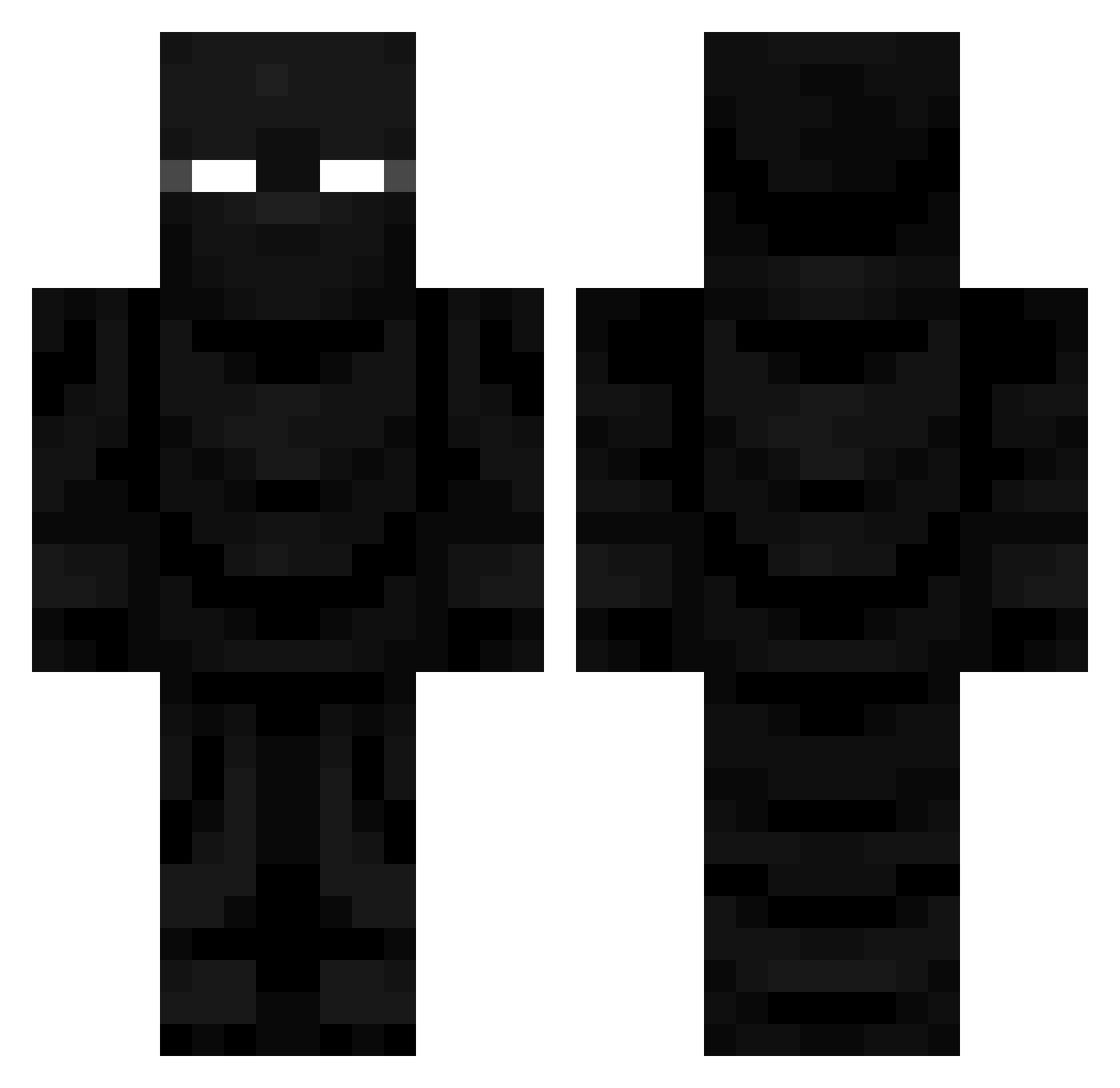
Current Minecraft skin of the player Shoeman75, loaded from the official Mojang API. Rotate the 3D model with your mouse or finger, then download the skin as a PNG file and use it in Minecraft: Bedrock Edition or Java Edition for free. When Shoeman75 changes their skin, this page updates automatically and the old skin stays in the history below.
Other players with this skin (715)
Shoeman75 was the 597th player we have seen with this skin, first spotted on 20.10.2026. The same skin was seen on these players. Open a nickname to see their current skin and skin history.
 TheStranded23 VizXile epicgamer696720 ZeNeX_sss jimmy1604 JPUDDIN r4hhh HanSchoenjr jkisor101 san974 N3ONC4T laslime julmath991 OppaBear Devonthekid10 OperationDogg0 ChronosOfChaos Kaer_Eredin EVELYN_ENJOYER kinggimmli TheCrowOfContent Awesom_El Shadowdante1 EmeraldWarriorG Cwalkk18 opa_elmo KewToe Price0fPower Sinz4Daz Alcven meeraa_8 BeanCTM ohFavian MrVigry darkreaperss Sir_Squiggles Jenova90 kristianscott1 CZjedou Lupiaka_ SrMirq SameFloor outcicle XIII17 MRkroket poopninja0605 coolman255201 _HASINO_ Tossablez NC_Ghouly Astaroth_black Modinzerker DeinozeDino MightyNetwork ChubbyDonuts washerman D3m0nicZ3ro Bannyscrame WizardOfOof cardman28
More Ninja Minecraft skins
How to install the Shoeman75 skin
- Press the Download button above to save the skin as a PNG file.
- Minecraft: Bedrock Edition (PE): open the Dressing Room from the main menu (or tap your character → Edit Character), go to Classic Skins → Owned, press the + (new skin) button, choose the downloaded PNG and pick the Classic (Steve) model. Works on PC and mobile; consoles cannot import custom skins.
- Minecraft: Java Edition: open the Minecraft Launcher, go to the Skins tab, click New Skin, load the PNG, pick the Classic (Steve) model and press Save & Use. You can also upload it at minecraft.net → Profile → Change Skin.
The skin does not show up after import - what should I do?
Restart Minecraft and open the Dressing Room again - imported skins sometimes appear only after a restart. Also make sure you selected the imported skin and picked the Classic (Steve) model.
Which model should I choose, Classic or Slim?
This skin is designed for the Classic (Steve) model. If you pick the wrong model, the arms of the skin will look stretched or squeezed.
Is the skin of Shoeman75 free to download?
Yes. Press Download, save the PNG file and use it in Minecraft: Bedrock Edition or Java Edition - no payment or registration needed. The skin also works on multiplayer servers and Realms.
More skins
Looking for more? Go back to all Minecraft skins and check the top skins of the week, month and all time, or find any player's skin by nickname.