
Shmigelooney - Minecraft Skins & Skin History
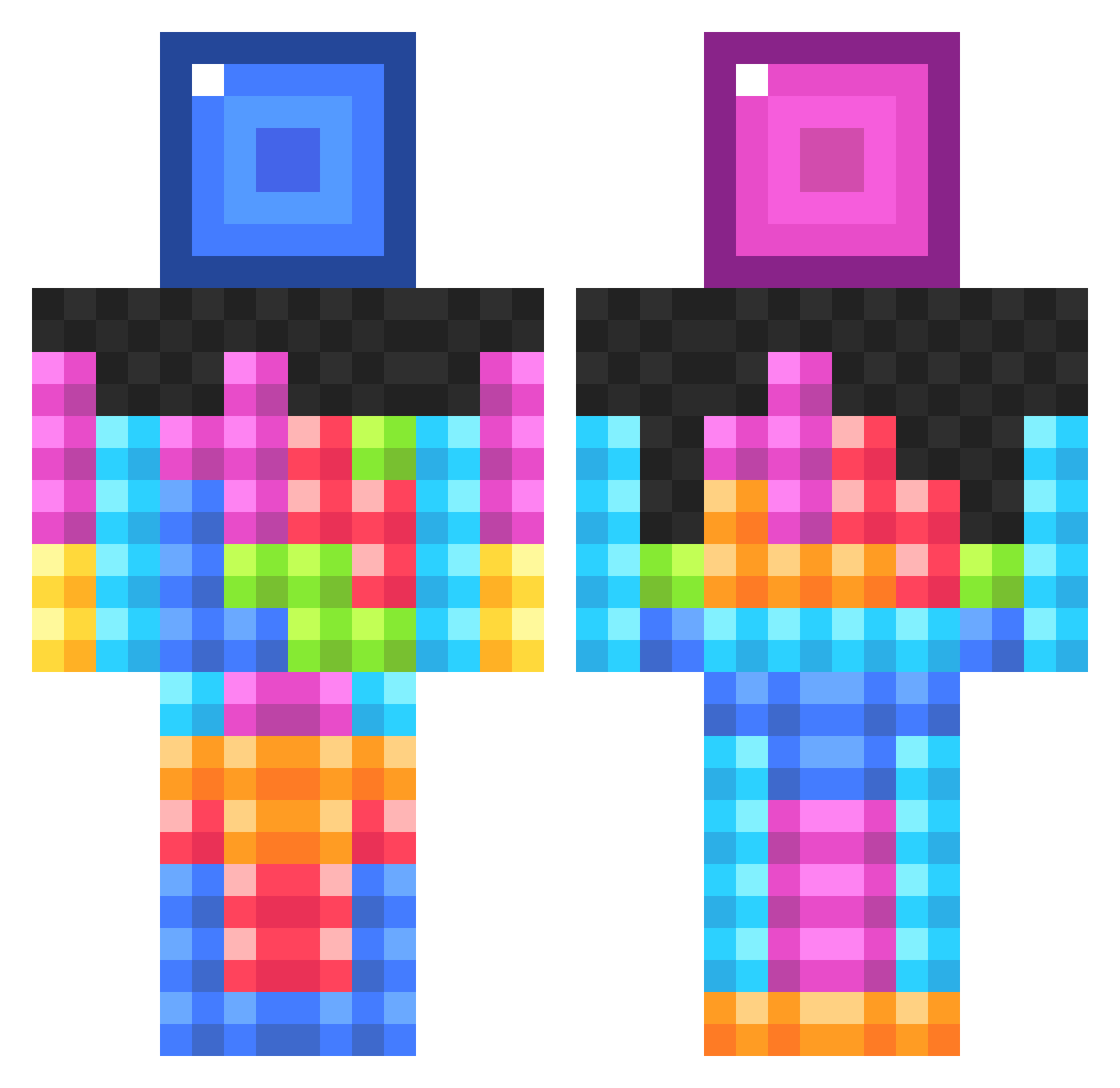
Current Minecraft skin of the player Shmigelooney, loaded from the official Mojang API. Rotate the 3D model with your mouse or finger, then download the skin as a PNG file and use it in Minecraft: Bedrock Edition or Java Edition for free. When Shmigelooney changes their skin, this page updates automatically and the old skin stays in the history below.
Other players with this skin (1027)
Shmigelooney was the 883rd player we have seen with this skin, first spotted on 05.11.2026. The same skin was seen on these players. Open a nickname to see their current skin and skin history.
 Varcast zenithboys twinsrock186 Jared722 Shubban478 GeorgeSmith123 BilboFraggins101 OSMTomano butterMemo gwenefar maxandjosh Borat504 siibs Thecrazy101 Mickey_0218 RonstaMonsta malibujones0 Elmo7125 Joey_93 Infirisios Tetrixer KingBerre SuperMCCrazi vozed olekristian9 squishyblob benc198 xHDBladesx Pixel_Rush mtwitt HENRYJAMES503 Juko02 D10B7 iXi_Kizzy_iXi DnRick Joperdeflop numi84 Callum9827 GadaL57 Beliq greengrasses nicolasw48 JohnCleo demonly48 sam_BaTson ellis7b Tunque DOMINIQUE_64 minemapa slatecreator pizzarolls10 MadisonIan05 christianmoller Brokaah captinfootball BamWhat69 booyahman1 mrfrizzyhd Glacier777 Neon_Revolver
More Tetris Minecraft skins
How to install the Shmigelooney skin
- Press the Download button above to save the skin as a PNG file.
- Minecraft: Bedrock Edition (PE): open the Dressing Room from the main menu (or tap your character → Edit Character), go to Classic Skins → Owned, press the + (new skin) button, choose the downloaded PNG and pick the Classic (Steve) model. Works on PC and mobile; consoles cannot import custom skins.
- Minecraft: Java Edition: open the Minecraft Launcher, go to the Skins tab, click New Skin, load the PNG, pick the Classic (Steve) model and press Save & Use. You can also upload it at minecraft.net → Profile → Change Skin.
The skin does not show up after import - what should I do?
Restart Minecraft and open the Dressing Room again - imported skins sometimes appear only after a restart. Also make sure you selected the imported skin and picked the Classic (Steve) model.
Which model should I choose, Classic or Slim?
This skin is designed for the Classic (Steve) model. If you pick the wrong model, the arms of the skin will look stretched or squeezed.
Is the skin of Shmigelooney free to download?
Yes. Press Download, save the PNG file and use it in Minecraft: Bedrock Edition or Java Edition - no payment or registration needed. The skin also works on multiplayer servers and Realms.
More skins
Looking for more? Go back to all Minecraft skins and check the top skins of the week, month and all time, or find any player's skin by nickname.