
ShitHead21 - Minecraft Skins & Skin History
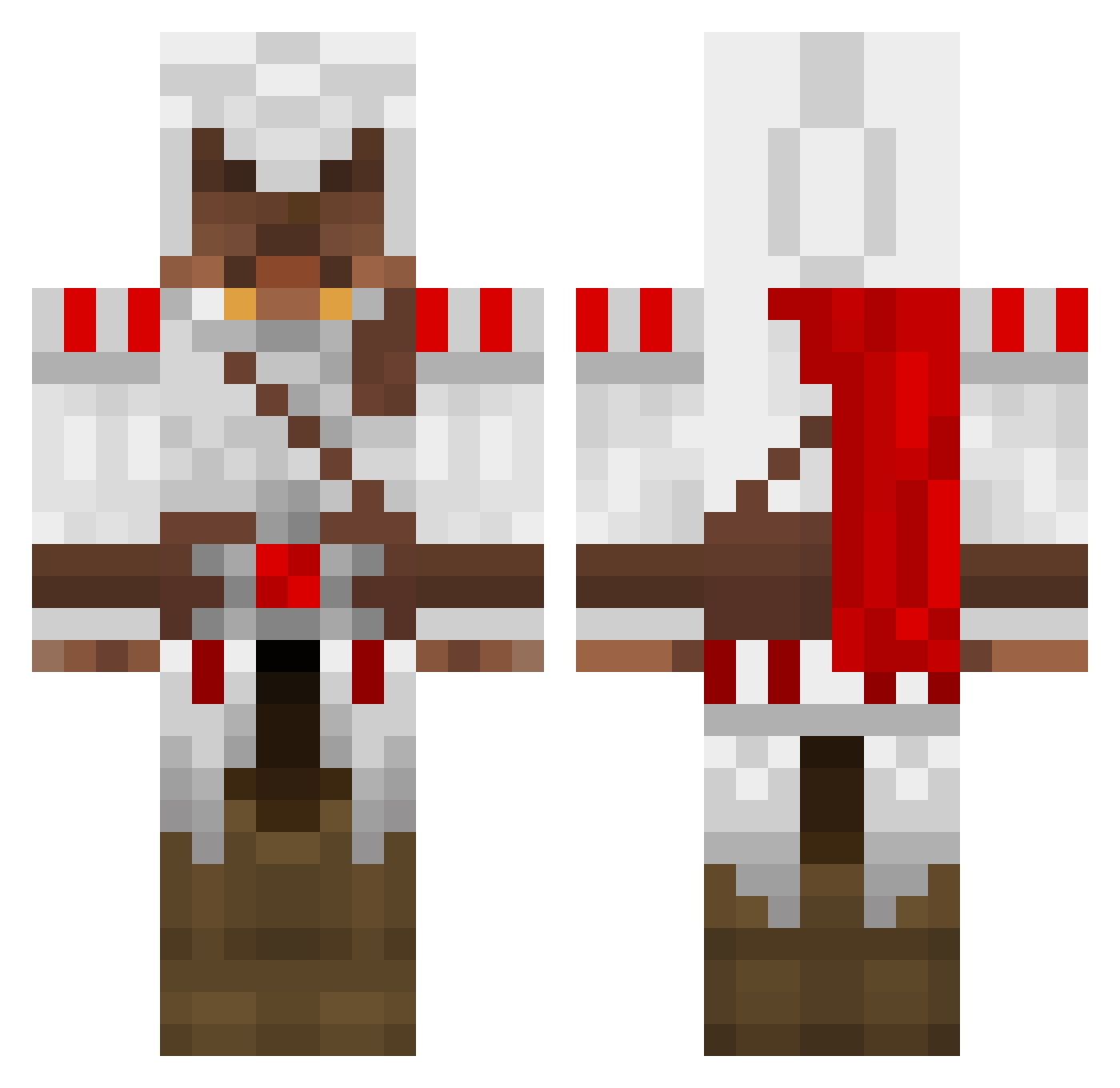
Current Minecraft skin of the player ShitHead21, loaded from the official Mojang API. Rotate the 3D model with your mouse or finger, then download the skin as a PNG file and use it in Minecraft: Bedrock Edition or Java Edition for free. When ShitHead21 changes their skin, this page updates automatically and the old skin stays in the history below.
Other players with this skin (1326)
ShitHead21 was the 851st player we have seen with this skin, first spotted on 29.09.2026. The same skin was seen on these players. Open a nickname to see their current skin and skin history.
 Erk15 cvbb MPrymo ohst99 HikeThe46 BestViktor aanvik n4sturino fuyutsuki C6IsBad The_Garc pilot4407 DiogoFreire cyberboy5 treeguy12 S1L3NT_STR1K3R FaccoPc Wayne_19 H_Scorpio SanSkyy Nurallaerel bosoxs10 moningstar Luzifer1993 Chewbaka8159 mattadam1927 binkipie99 sniper811 MoonDog99 JMDUK Magu17 franck563 bootywarrior dhunter_jj kraked9x9 Sgflo ape_escape Decimatrix12 FlyingCrows97 MellowMario6 CWB theninjaman235 Corvo_64 Deathomo Jeroen123216535 Rockstar226 StealthAssassin4 Draeius nuclearporsche jeppe1188 SpayCe_91 PTgildarts Krizan1996 shadowslayer1015 slevin2214 Black76480 Pand3r westwardfalcon Colonel100 2Finn8
More Altair Ibn La Ahad Minecraft skins
See all 187 Altair Ibn La Ahad skins
How to install the ShitHead21 skin
- Press the Download button above to save the skin as a PNG file.
- Minecraft: Bedrock Edition (PE): open the Dressing Room from the main menu (or tap your character → Edit Character), go to Classic Skins → Owned, press the + (new skin) button, choose the downloaded PNG and pick the Classic (Steve) model. Works on PC and mobile; consoles cannot import custom skins.
- Minecraft: Java Edition: open the Minecraft Launcher, go to the Skins tab, click New Skin, load the PNG, pick the Classic (Steve) model and press Save & Use. You can also upload it at minecraft.net → Profile → Change Skin.
The skin does not show up after import - what should I do?
Restart Minecraft and open the Dressing Room again - imported skins sometimes appear only after a restart. Also make sure you selected the imported skin and picked the Classic (Steve) model.
Which model should I choose, Classic or Slim?
This skin is designed for the Classic (Steve) model. If you pick the wrong model, the arms of the skin will look stretched or squeezed.
Is the skin of ShitHead21 free to download?
Yes. Press Download, save the PNG file and use it in Minecraft: Bedrock Edition or Java Edition - no payment or registration needed. The skin also works on multiplayer servers and Realms.
More skins
Looking for more? Go back to all Minecraft skins and check the top skins of the week, month and all time, or find any player's skin by nickname.