
Shiroyasha15 - Minecraft Skins & Skin History
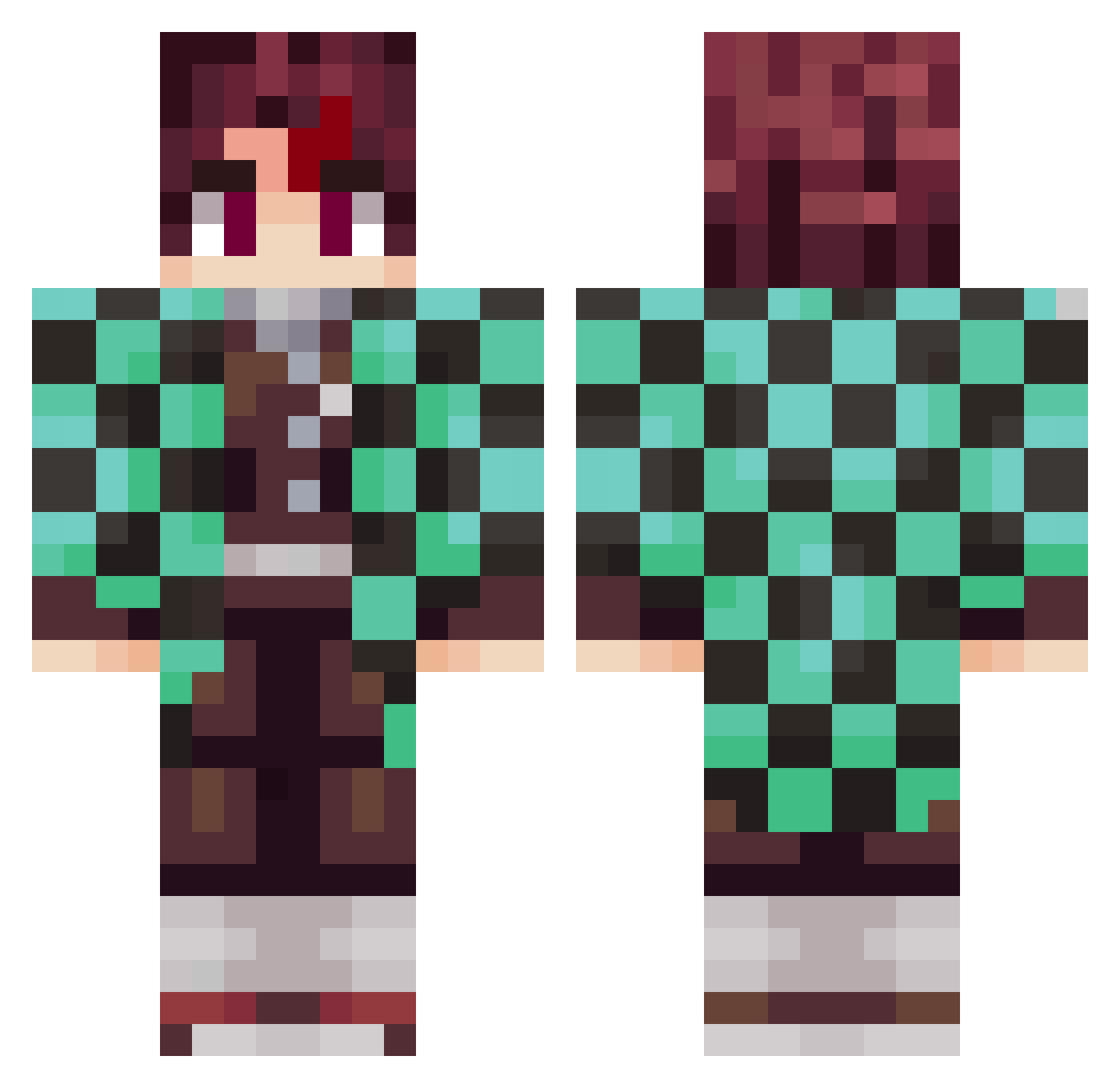
Current Minecraft skin of the player Shiroyasha15, loaded from the official Mojang API. Rotate the 3D model with your mouse or finger, then download the skin as a PNG file and use it in Minecraft: Bedrock Edition or Java Edition for free. When Shiroyasha15 changes their skin, this page updates automatically and the old skin stays in the history below.
Other players with this skin (797)
Shiroyasha15 was the 370th player we have seen with this skin, first spotted on 11.09.2026. The same skin was seen on these players. Open a nickname to see their current skin and skin history.
 M4rkitossl gpakouua T0rnavidaEge skylo_zap none_2 E11_Fabmay ayydxn Lucs539 Loomgui MaskedLeviathan
 toxic_homie IBM_Wind ind6376 junoue ShirouKain PPANYA mequetrefe8435 dorkomorko PhoNinja deathclown117 Bantass alexermejor TIAGOLAS99 DeoTTi GarfielddeBirita pommesder3 kogsi18 RedFF121 Modern_Doctor Zohasu SnazaroN187 AZsaif Mikeysalcumbe JUSTCH40T1C 6d1p ednzom LoganTheSamurai Imperiali FDNihal9 DenFedHvalros_DK Yxng_Otaku15 LILJOSE01 Rocio_Mila LKT_coco77600 raimei19 OneandOnlyGunny OGLixur AkiSammy NaemoR Agentsnoots Studrab Kintous brababar _SABAGAMI_ Ceesry BananaBrendan JP_Rabello JocaLR2
 HoppelHase07 live59690
More Tanjiro Kamado Minecraft skins
See all 388 Tanjiro Kamado skins
How to install the Shiroyasha15 skin
- Press the Download button above to save the skin as a PNG file.
- Minecraft: Bedrock Edition (PE): open the Dressing Room from the main menu (or tap your character → Edit Character), go to Classic Skins → Owned, press the + (new skin) button, choose the downloaded PNG and pick the Classic (Steve) model. Works on PC and mobile; consoles cannot import custom skins.
- Minecraft: Java Edition: open the Minecraft Launcher, go to the Skins tab, click New Skin, load the PNG, pick the Classic (Steve) model and press Save & Use. You can also upload it at minecraft.net → Profile → Change Skin.
The skin does not show up after import - what should I do?
Restart Minecraft and open the Dressing Room again - imported skins sometimes appear only after a restart. Also make sure you selected the imported skin and picked the Classic (Steve) model.
Which model should I choose, Classic or Slim?
This skin is designed for the Classic (Steve) model. If you pick the wrong model, the arms of the skin will look stretched or squeezed.
Is the skin of Shiroyasha15 free to download?
Yes. Press Download, save the PNG file and use it in Minecraft: Bedrock Edition or Java Edition - no payment or registration needed. The skin also works on multiplayer servers and Realms.
More skins
Looking for more? Go back to all Minecraft skins and check the top skins of the week, month and all time, or find any player's skin by nickname.