
Shiro_Impact - Minecraft Skins & Skin History
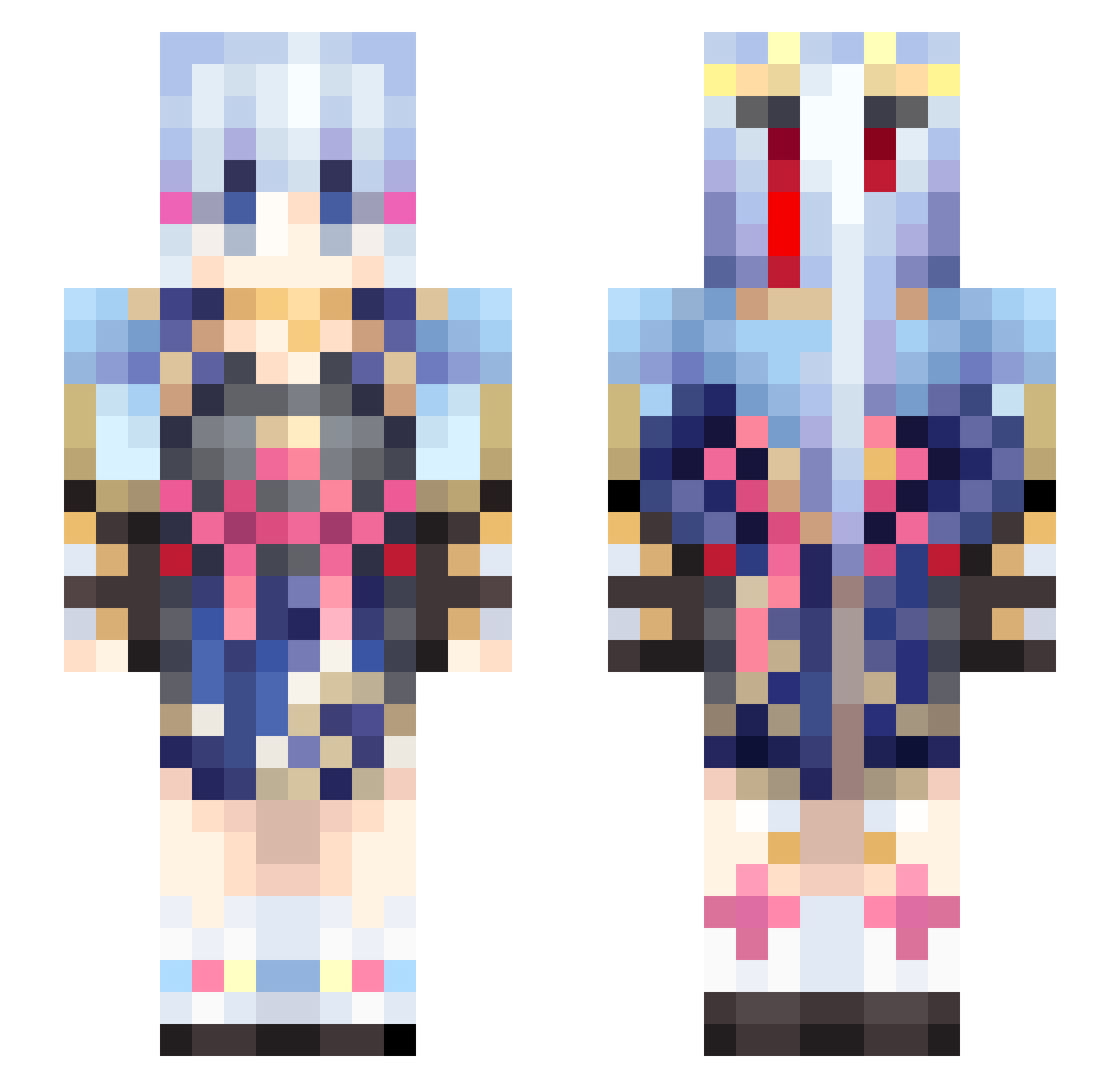
Current Minecraft skin of the player Shiro_Impact, loaded from the official Mojang API. Rotate the 3D model with your mouse or finger, then download the skin as a PNG file and use it in Minecraft: Bedrock Edition or Java Edition for free. When Shiro_Impact changes their skin, this page updates automatically and the old skin stays in the history below.
Other players with this skin (459)
Shiro_Impact was the 431st player we have seen with this skin, first spotted on 26.10.2026. The same skin was seen on these players. Open a nickname to see their current skin and skin history.
 Kqodd nyq2137 Aspect789 ayakaloverl Jackuse ccbca7 Henry_xxA iF928 sheng_hansen Nadim_ easterghost Rakushumana Ayaka_Diona qin_lei wxt555 skivea sparks9910 TufaMar Mostarnq _IRmiN_ StyxJun ponta3710 Rabusutori Notmeaning MrAruuu GalaxyamiCheats homufomu YingIsHere wmelon1437 LenXpress Kokohime SHUOZAI24 Kalem_L qiqishuaishuaizi Lost0602 GenshenImpact lazyfish521 Shrunpo Yukumo_Yukari L_I_U op1111 syaroroZZ jya_ou JJR3 Jerry_What cgcg728 eBloody YangHC2003 A1A2B1B2BOOM yichenchen233 Pancakebooti Koramaru Hostregn queuqueu Krevi_ kr123620 XtjxX Tionsama wayNiii Wonderland0707
More Kimono Minecraft skins
How to install the Shiro_Impact skin
- Press the Download button above to save the skin as a PNG file.
- Minecraft: Bedrock Edition (PE): open the Dressing Room from the main menu (or tap your character → Edit Character), go to Classic Skins → Owned, press the + (new skin) button, choose the downloaded PNG and pick the Slim (Alex) model. Works on PC and mobile; consoles cannot import custom skins.
- Minecraft: Java Edition: open the Minecraft Launcher, go to the Skins tab, click New Skin, load the PNG, pick the Slim (Alex) model and press Save & Use. You can also upload it at minecraft.net → Profile → Change Skin.
The skin does not show up after import - what should I do?
Restart Minecraft and open the Dressing Room again - imported skins sometimes appear only after a restart. Also make sure you selected the imported skin and picked the Slim (Alex) model.
Which model should I choose, Classic or Slim?
This skin is designed for the Slim (Alex) model. If you pick the wrong model, the arms of the skin will look stretched or squeezed.
Is the skin of Shiro_Impact free to download?
Yes. Press Download, save the PNG file and use it in Minecraft: Bedrock Edition or Java Edition - no payment or registration needed. The skin also works on multiplayer servers and Realms.
More skins
Looking for more? Go back to all Minecraft skins and check the top skins of the week, month and all time, or find any player's skin by nickname.