
Shipvr - Minecraft Skins & Skin History
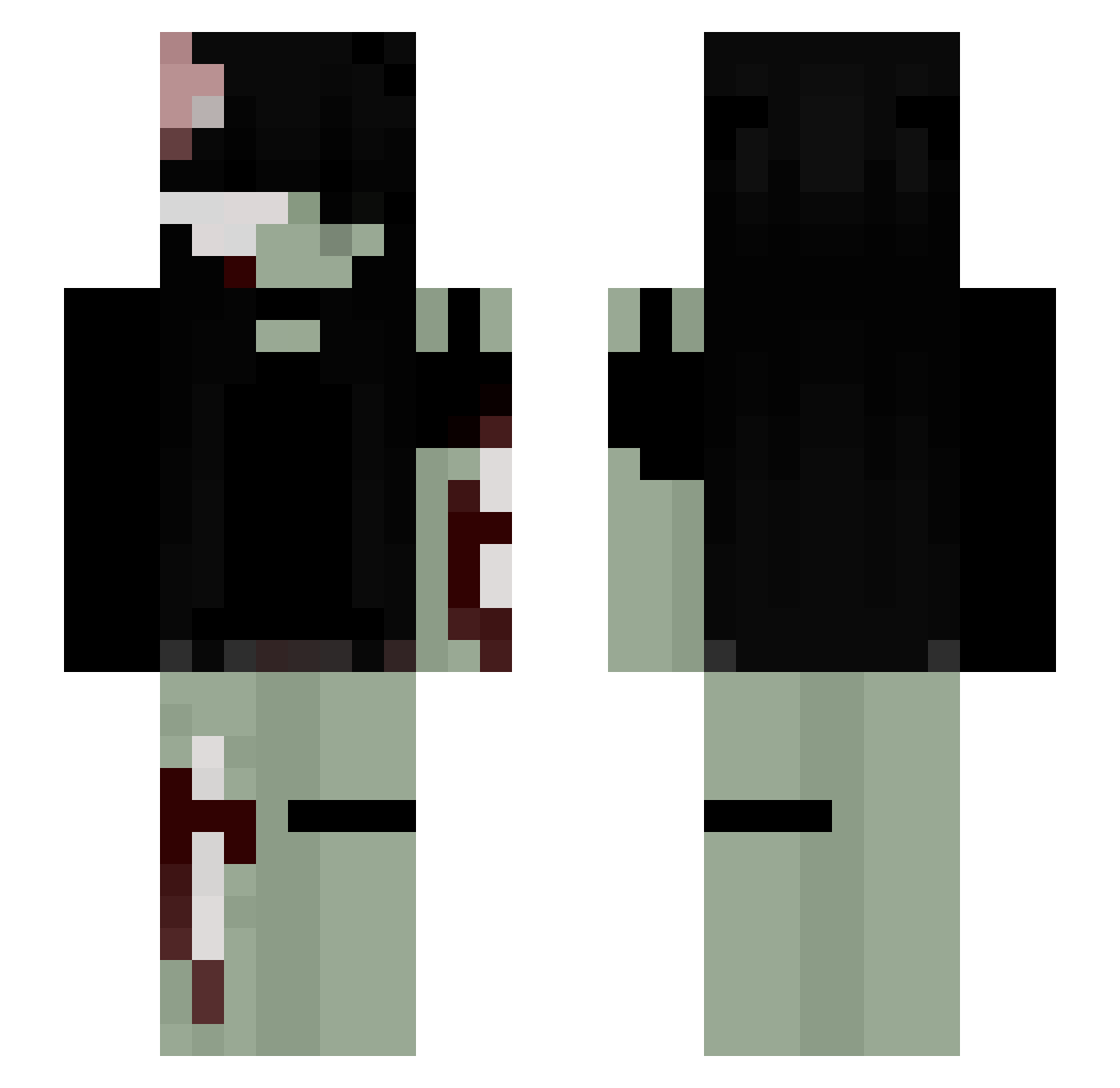
Current Minecraft skin of the player Shipvr, loaded from the official Mojang API. Rotate the 3D model with your mouse or finger, then download the skin as a PNG file and use it in Minecraft: Bedrock Edition or Java Edition for free. When Shipvr changes their skin, this page updates automatically and the old skin stays in the history below.
Other players with this skin (271)
Shipvr was the 109th player we have seen with this skin, first spotted on 08.09.2026. The same skin was seen on these players. Open a nickname to see their current skin and skin history.
 cam_lolno Lz8x9 whosrio softricekoo alephobic TRULY1782 Axxle_ motherv Kajuni69 SleepyySammy gabriellaa1010 cannibalizedd elxsieee mommyy17 fxzja Megantron30 Eri_04 Tin4pay ismiah O325 Aumi_0 zuzu_01 petitcornichon86 expentine mxr3li II_Coeda_II MoonlightStyxx camimir Julipeep RedRozez nvidi44 crustyBee63 moneysss MisoMoon anqvi baebytay millieisapig Cuteh6133 Aysha_1 l_stg koscy soppiees GoreJuice_ r0tt1ngsku11z rayraygrr Valxru meow1102 xskvx jalysica Voralyth_Plays RubyTuesday9481 ManzL Pandagurl3182 PrettyDeadlyET pickleyana aaazuraaa nemaii milek26 GenshiHon yufeet
More Gore Minecraft skins
How to install the Shipvr skin
- Press the Download button above to save the skin as a PNG file.
- Minecraft: Bedrock Edition (PE): open the Dressing Room from the main menu (or tap your character → Edit Character), go to Classic Skins → Owned, press the + (new skin) button, choose the downloaded PNG and pick the Slim (Alex) model. Works on PC and mobile; consoles cannot import custom skins.
- Minecraft: Java Edition: open the Minecraft Launcher, go to the Skins tab, click New Skin, load the PNG, pick the Slim (Alex) model and press Save & Use. You can also upload it at minecraft.net → Profile → Change Skin.
The skin does not show up after import - what should I do?
Restart Minecraft and open the Dressing Room again - imported skins sometimes appear only after a restart. Also make sure you selected the imported skin and picked the Slim (Alex) model.
Which model should I choose, Classic or Slim?
This skin is designed for the Slim (Alex) model. If you pick the wrong model, the arms of the skin will look stretched or squeezed.
Is the skin of Shipvr free to download?
Yes. Press Download, save the PNG file and use it in Minecraft: Bedrock Edition or Java Edition - no payment or registration needed. The skin also works on multiplayer servers and Realms.
More skins
Looking for more? Go back to all Minecraft skins and check the top skins of the week, month and all time, or find any player's skin by nickname.