
Shinigami33 - Minecraft Skins & Skin History
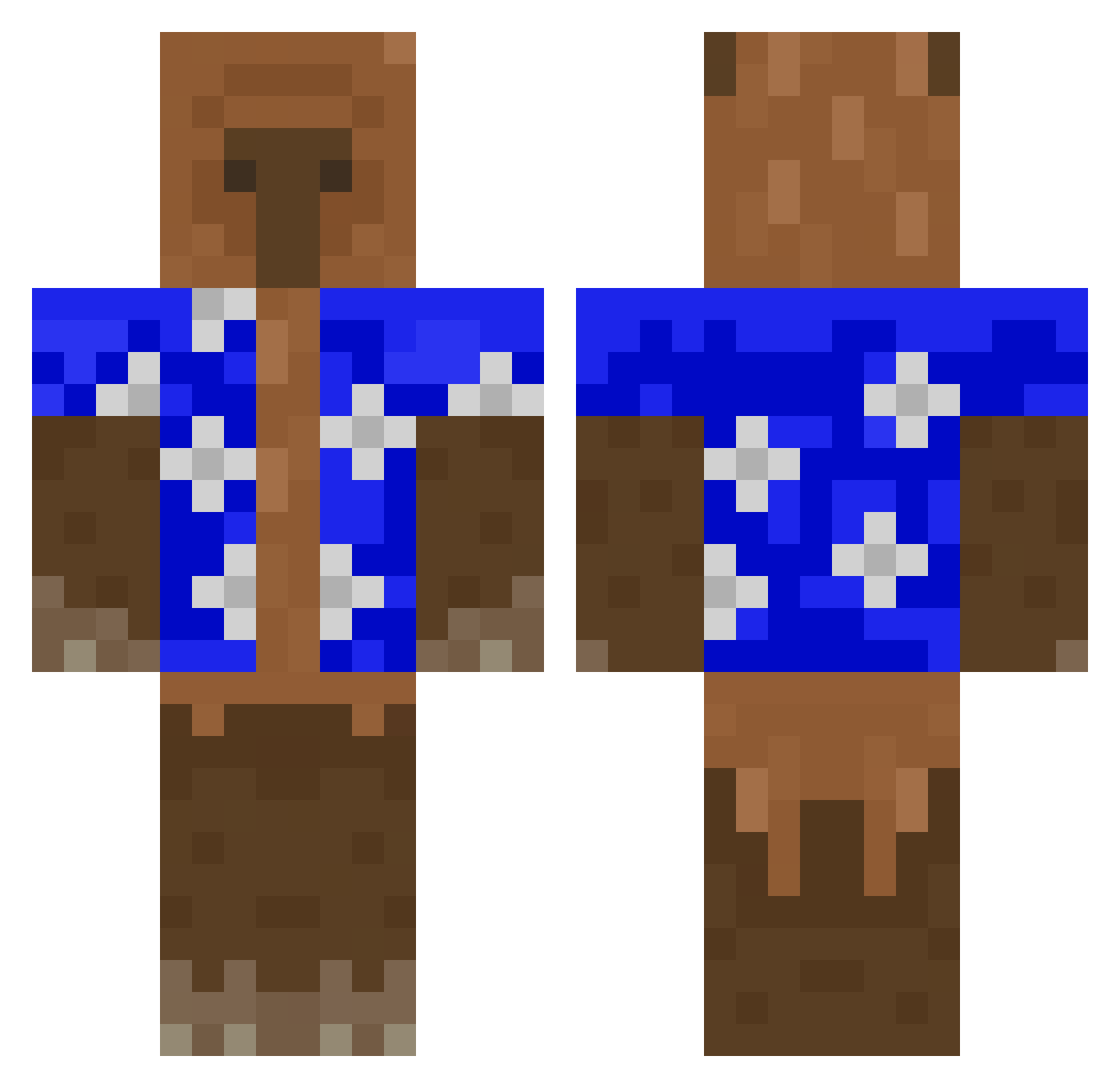
Current Minecraft skin of the player Shinigami33, loaded from the official Mojang API. Rotate the 3D model with your mouse or finger, then download the skin as a PNG file and use it in Minecraft: Bedrock Edition or Java Edition for free. When Shinigami33 changes their skin, this page updates automatically and the old skin stays in the history below.
Other players with this skin (427)
Shinigami33 was the 362nd player we have seen with this skin, first spotted on 18.10.2026. The same skin was seen on these players. Open a nickname to see their current skin and skin history.
 TakatoEspancaDIU Masterfelix_KP CastoroBlu cauantrembala Phasmat dagnoia GhostZxZz DumThick toomuchcash21 T2R_TK alexamtz23 ChaudBlazer remek_ Darkliam00 Yingsito isellblacktar AdrianGODuwu JoaoVirto mejamonokwemoida JennAlexx pan23233 brandongk Elit11 ElGrenas17 Revellardo ConanKongs drupsorrizin Shinez1008 rickflair07 SussyImpostorXDD Nico983 phatdumptruck Alshibab Brighttz Elandrian HeDits01 captiankylo digitomb ThikerBlow ElKabs GameboyNL Vic32 W3ndigoZ xGory Ameliie06 Chinamalcriada68 Idkbutiampumpkin SerPavel yeat_783 Bostinha3336 Kaizen222 Petr211 pantlessWAFFLE 1MoreOtaku miaaxy BOSSETTI17 MateLavado maaaariiiii Brodinsons FloppaAmogus
More Bear Minecraft skins
How to install the Shinigami33 skin
- Press the Download button above to save the skin as a PNG file.
- Minecraft: Bedrock Edition (PE): open the Dressing Room from the main menu (or tap your character → Edit Character), go to Classic Skins → Owned, press the + (new skin) button, choose the downloaded PNG and pick the Classic (Steve) model. Works on PC and mobile; consoles cannot import custom skins.
- Minecraft: Java Edition: open the Minecraft Launcher, go to the Skins tab, click New Skin, load the PNG, pick the Classic (Steve) model and press Save & Use. You can also upload it at minecraft.net → Profile → Change Skin.
The skin does not show up after import - what should I do?
Restart Minecraft and open the Dressing Room again - imported skins sometimes appear only after a restart. Also make sure you selected the imported skin and picked the Classic (Steve) model.
Which model should I choose, Classic or Slim?
This skin is designed for the Classic (Steve) model. If you pick the wrong model, the arms of the skin will look stretched or squeezed.
Is the skin of Shinigami33 free to download?
Yes. Press Download, save the PNG file and use it in Minecraft: Bedrock Edition or Java Edition - no payment or registration needed. The skin also works on multiplayer servers and Realms.
More skins
Looking for more? Go back to all Minecraft skins and check the top skins of the week, month and all time, or find any player's skin by nickname.