
Sheldon1_00 - Minecraft Skins & Skin History
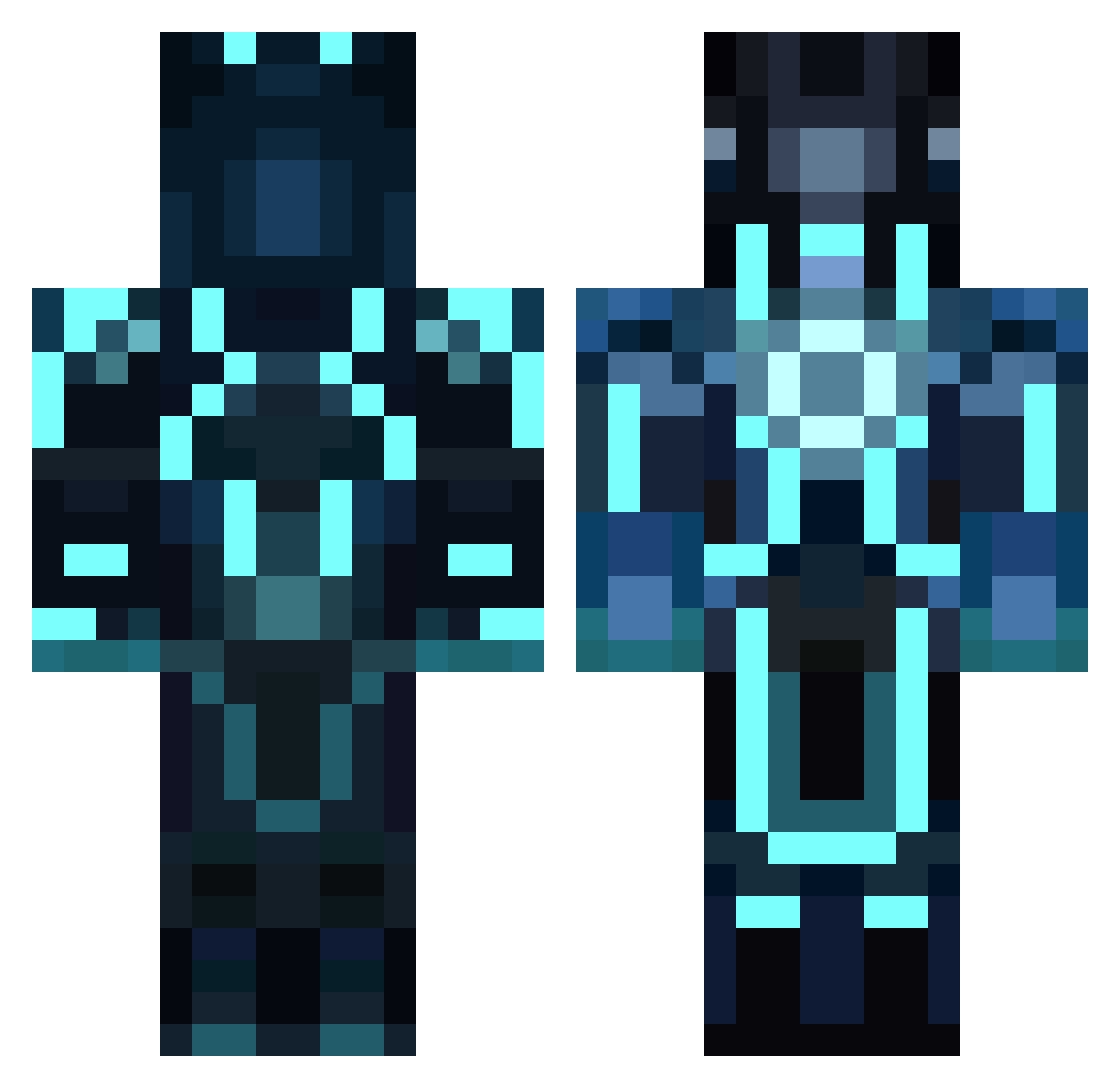
Current Minecraft skin of the player Sheldon1_00, loaded from the official Mojang API. Rotate the 3D model with your mouse or finger, then download the skin as a PNG file and use it in Minecraft: Bedrock Edition or Java Edition for free. When Sheldon1_00 changes their skin, this page updates automatically and the old skin stays in the history below.
Other players with this skin (858)
Sheldon1_00 was the 78th player we have seen with this skin, first spotted on 02.08.2026. The same skin was seen on these players. Open a nickname to see their current skin and skin history.
 Final_7ruth PS5454 Diamondeyes7 alejandro1423 matthbono Lomiro JediJustin7 miamiheat675 DamonLeet KCPowell NVUS_T_BONE Staticle1 The_Yakapo ddonutz Wither76 Deimos417 TheJMan8700 Madwand KenneGam Freo42 jonasa FakerenUP taysto NealLin maddragon5 TheBossOfThemAll PriceyPrice84 RpDKills Hansen211 marrtin12 horban BeastM0de01 bcbdfw1999 xlasingx leopart212 Schypher rouletabilleXmen Crispy_Ampy Funkfreed808 reaverlord Namebreaker djhung Agentbamse69 ChrisBujok spro95 Struppi_Froelich Impeckt Xelaa_W oliver_coffey kevinflynn callofdutymods1 michauxke1 Jjcuen Shioshi AvisRising theKnightofIron razbaron10 charliedoggie zelooooo jackflash89
More Glowing Armor Minecraft skins
See all 60 Glowing Armor skins
How to install the Sheldon1_00 skin
- Press the Download button above to save the skin as a PNG file.
- Minecraft: Bedrock Edition (PE): open the Dressing Room from the main menu (or tap your character → Edit Character), go to Classic Skins → Owned, press the + (new skin) button, choose the downloaded PNG and pick the Classic (Steve) model. Works on PC and mobile; consoles cannot import custom skins.
- Minecraft: Java Edition: open the Minecraft Launcher, go to the Skins tab, click New Skin, load the PNG, pick the Classic (Steve) model and press Save & Use. You can also upload it at minecraft.net → Profile → Change Skin.
The skin does not show up after import - what should I do?
Restart Minecraft and open the Dressing Room again - imported skins sometimes appear only after a restart. Also make sure you selected the imported skin and picked the Classic (Steve) model.
Which model should I choose, Classic or Slim?
This skin is designed for the Classic (Steve) model. If you pick the wrong model, the arms of the skin will look stretched or squeezed.
Is the skin of Sheldon1_00 free to download?
Yes. Press Download, save the PNG file and use it in Minecraft: Bedrock Edition or Java Edition - no payment or registration needed. The skin also works on multiplayer servers and Realms.
More skins
Looking for more? Go back to all Minecraft skins and check the top skins of the week, month and all time, or find any player's skin by nickname.