
SheLoveeeeeee - Minecraft Skins & Skin History
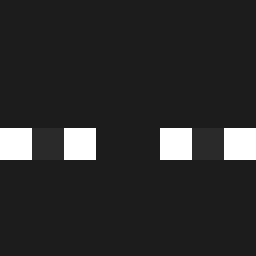
Current Minecraft skin of the player SheLoveeeeeee, loaded from the official Mojang API. Rotate the 3D model with your mouse or finger, then download the skin as a PNG file and use it in Minecraft: Bedrock Edition or Java Edition for free. When SheLoveeeeeee changes their skin, this page updates automatically and the old skin stays in the history below.

Other players with this skin (516)
SheLoveeeeeee was the 36th player we have seen with this skin, first spotted on 31.07.2026. The same skin was seen on these players. Open a nickname to see their current skin and skin history.
 DucHoang1603 ZEROnoJAY Nsnail Zaquinhooo Feoz Tobsi391 Light0s kecnic L1YLN silvaw7 Enzoca1802 Broniz BeegMahn di_gomez Questing superDam21 Arrerks Dcpigromese AR0XII T0ni_122 KingdomKome NyRoXX M1keey_ sadsomeday sernik34 Omar01k1 alexxxddf MadPlaysz _Hugold jass2020 CinnamonToastCrs g6rexd KAKAKBOY KL_Uk LunarKnight_01 leozy_ Dreadcaur Curezs bigxben06 Janek0128 Rqmses_ Xrodzzz2Z lFyun f1sHer_Jackson
 1Ariell utilityad 38_HoangAnhVu
 Fousinge SteuerAribari Lukakuuu VikingRedErik pillowstup LulusDream EmersonGB9705 Cornet351
 Bxtu89 P3K4_ Ryomen_Sukuna150 Twixxxxxxxxx C1zq
How to install the SheLoveeeeeee skin
- Press the Download button above to save the skin as a PNG file.
- Minecraft: Bedrock Edition (PE): open the Dressing Room from the main menu (or tap your character → Edit Character), go to Classic Skins → Owned, press the + (new skin) button, choose the downloaded PNG and pick the Classic (Steve) model. Works on PC and mobile; consoles cannot import custom skins.
- Minecraft: Java Edition: open the Minecraft Launcher, go to the Skins tab, click New Skin, load the PNG, pick the Classic (Steve) model and press Save & Use. You can also upload it at minecraft.net → Profile → Change Skin.
The skin does not show up after import - what should I do?
Restart Minecraft and open the Dressing Room again - imported skins sometimes appear only after a restart. Also make sure you selected the imported skin and picked the Classic (Steve) model.
Which model should I choose, Classic or Slim?
This skin is designed for the Classic (Steve) model. If you pick the wrong model, the arms of the skin will look stretched or squeezed.
Is the skin of SheLoveeeeeee free to download?
Yes. Press Download, save the PNG file and use it in Minecraft: Bedrock Edition or Java Edition - no payment or registration needed. The skin also works on multiplayer servers and Realms.
More skins
Looking for more? Go back to all Minecraft skins and check the top skins of the week, month and all time, or find any player's skin by nickname.