
Shazzd0g - Minecraft Skins & Skin History
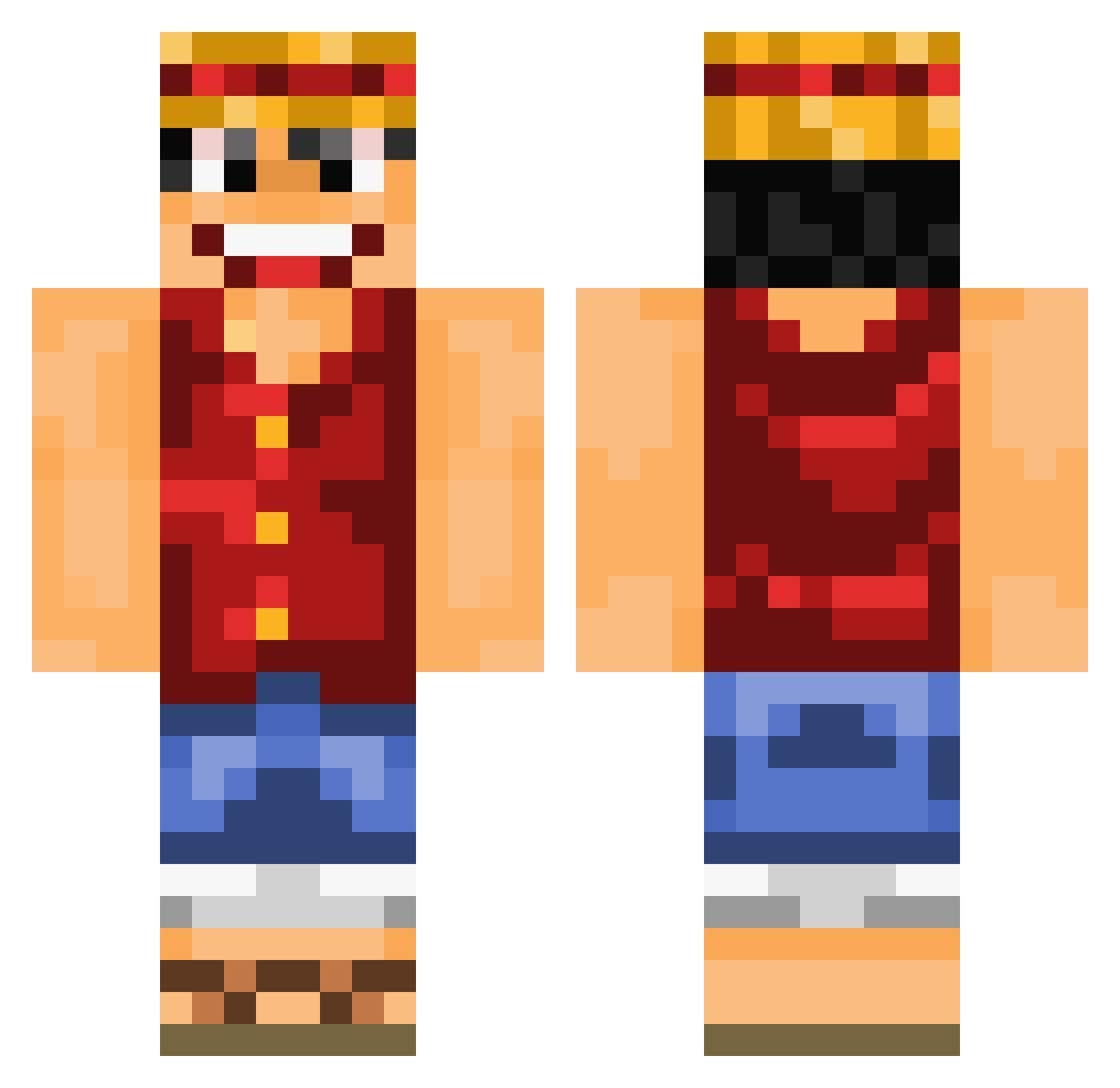
Current Minecraft skin of the player Shazzd0g, loaded from the official Mojang API. Rotate the 3D model with your mouse or finger, then download the skin as a PNG file and use it in Minecraft: Bedrock Edition or Java Edition for free. When Shazzd0g changes their skin, this page updates automatically and the old skin stays in the history below.
Other players with this skin (892)
Shazzd0g was the 277th player we have seen with this skin, first spotted on 25.08.2026. The same skin was seen on these players. Open a nickname to see their current skin and skin history.
 HG_Ken fauchix byworg Luffy_14 Goordar LeKawaii Bakabakalex 7nooty Strawhat15 Sonhubgu Sakrio AIDsauce Dreamity Neomnislash wolfi_123 xshooooter hype_bro Gunnslinger1 Zayood Brolaf_94 laxgoalie884 Ocon_ edcrabbe AyoGee cr0n0s1 xCheer TheStrongGold jeg45_ fishheadNJK Monkey_D_Luffy20 malthe2600 RockVsTechno _Niko20_ Gulbo5 Entropic10 Rosynie IXilarBesI Gol_D_Luffy MrMonsterEgg senngame Ichi87 knipullete toshiyoshi Monkyz69 lecuyer SirKokoloko KingJimmi Gabthedep bologna__boy LINYATA Arnyboy1 jleonardo11 Tagapaz RamyPWN DreadlordKillz hellwoowoo MsBloodySunday Sohra100 BakaIchigo MugiwaraLuffy63
More Luffy Minecraft skins
How to install the Shazzd0g skin
- Press the Download button above to save the skin as a PNG file.
- Minecraft: Bedrock Edition (PE): open the Dressing Room from the main menu (or tap your character → Edit Character), go to Classic Skins → Owned, press the + (new skin) button, choose the downloaded PNG and pick the Classic (Steve) model. Works on PC and mobile; consoles cannot import custom skins.
- Minecraft: Java Edition: open the Minecraft Launcher, go to the Skins tab, click New Skin, load the PNG, pick the Classic (Steve) model and press Save & Use. You can also upload it at minecraft.net → Profile → Change Skin.
The skin does not show up after import - what should I do?
Restart Minecraft and open the Dressing Room again - imported skins sometimes appear only after a restart. Also make sure you selected the imported skin and picked the Classic (Steve) model.
Which model should I choose, Classic or Slim?
This skin is designed for the Classic (Steve) model. If you pick the wrong model, the arms of the skin will look stretched or squeezed.
Is the skin of Shazzd0g free to download?
Yes. Press Download, save the PNG file and use it in Minecraft: Bedrock Edition or Java Edition - no payment or registration needed. The skin also works on multiplayer servers and Realms.
More skins
Looking for more? Go back to all Minecraft skins and check the top skins of the week, month and all time, or find any player's skin by nickname.