
ShazDoggo - Minecraft Skins & Skin History
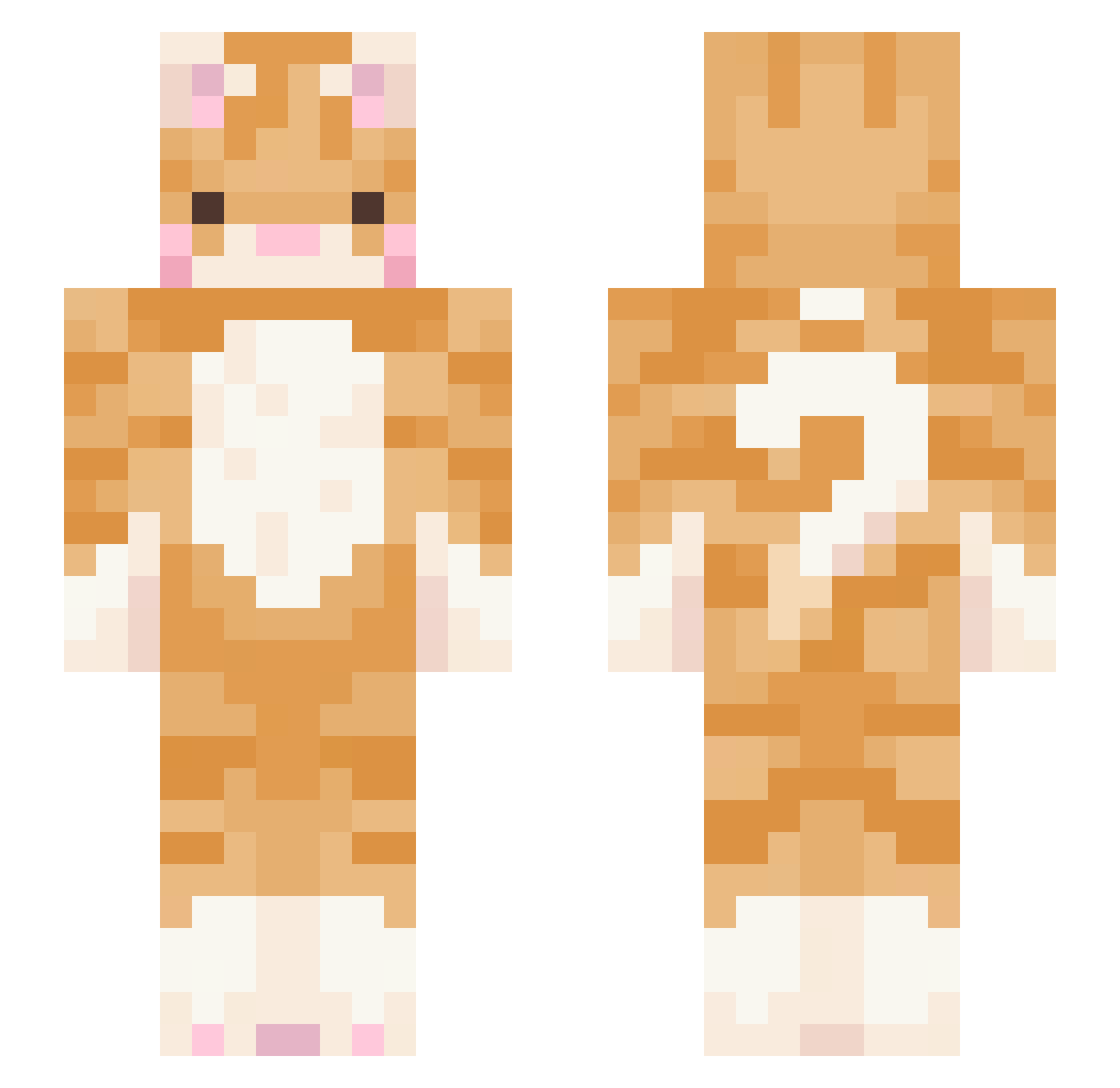
Current Minecraft skin of the player ShazDoggo, loaded from the official Mojang API. Rotate the 3D model with your mouse or finger, then download the skin as a PNG file and use it in Minecraft: Bedrock Edition or Java Edition for free. When ShazDoggo changes their skin, this page updates automatically and the old skin stays in the history below.
Other players with this skin (437)
ShazDoggo was the 32nd player we have seen with this skin, first spotted on 31.07.2026. The same skin was seen on these players. Open a nickname to see their current skin and skin history.
 christiebug zizsisis MixFlat somsatang_
 Jeeting jiyou8609 toygerr_ TheRealKuromi ecwem bbopzup neurih Sar2K BillSlongon GraceCat69 Quincee7836 walk1ngd1saster Blasxu Sp00ky_Bees MrLupi TheDummy002 skyline00203 puppyteeth444 xxxMelu aplrose SakYaMoni fire_0328 MimiTropMimi acedwardss missmurda H00N_ Hangt1m3 SireHelios chentechan loserkc monreauxpp MarcololGamer KoenigsPython SoapTaco sxnwo2 ugrillowanymurko siiitrus s1lentxkitty gorditapancha Mimiiine THH_926 TAXEVA5ION ottawagwan Navendri kim_seongjun_ kjiu1102 strongnatto HeavensCrescendo KennaSP roksic Lovemetinder Inf1n1dad Chicorita__ lavenderhaz2 skullcandiee MarTMHK
More Ginger Cat Minecraft skins
How to install the ShazDoggo skin
- Press the Download button above to save the skin as a PNG file.
- Minecraft: Bedrock Edition (PE): open the Dressing Room from the main menu (or tap your character → Edit Character), go to Classic Skins → Owned, press the + (new skin) button, choose the downloaded PNG and pick the Slim (Alex) model. Works on PC and mobile; consoles cannot import custom skins.
- Minecraft: Java Edition: open the Minecraft Launcher, go to the Skins tab, click New Skin, load the PNG, pick the Slim (Alex) model and press Save & Use. You can also upload it at minecraft.net → Profile → Change Skin.
The skin does not show up after import - what should I do?
Restart Minecraft and open the Dressing Room again - imported skins sometimes appear only after a restart. Also make sure you selected the imported skin and picked the Slim (Alex) model.
Which model should I choose, Classic or Slim?
This skin is designed for the Slim (Alex) model. If you pick the wrong model, the arms of the skin will look stretched or squeezed.
Is the skin of ShazDoggo free to download?
Yes. Press Download, save the PNG file and use it in Minecraft: Bedrock Edition or Java Edition - no payment or registration needed. The skin also works on multiplayer servers and Realms.
More skins
Looking for more? Go back to all Minecraft skins and check the top skins of the week, month and all time, or find any player's skin by nickname.