
Shawwy - Minecraft Skins & Skin History
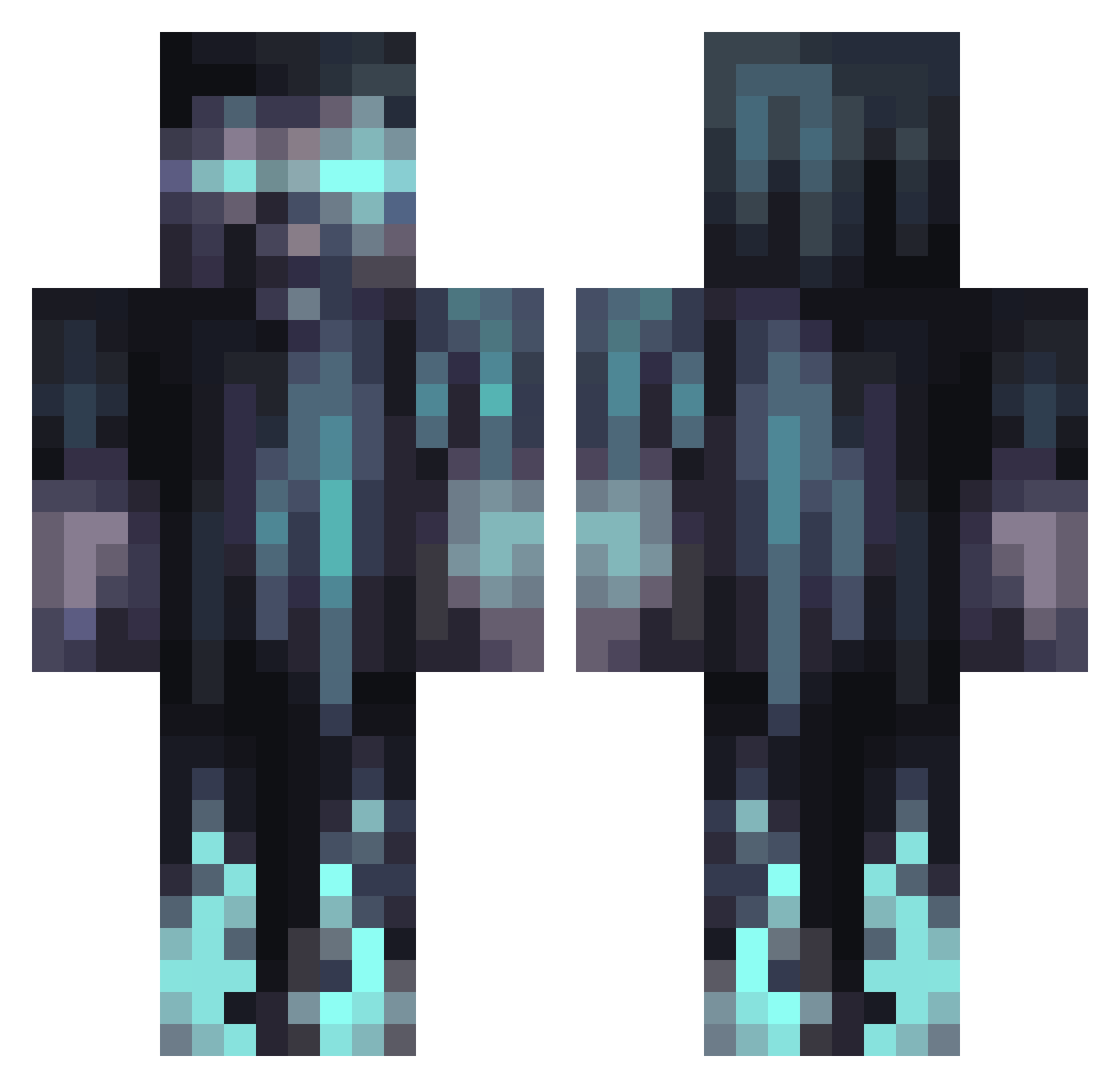
Current Minecraft skin of the player Shawwy, loaded from the official Mojang API. Rotate the 3D model with your mouse or finger, then download the skin as a PNG file and use it in Minecraft: Bedrock Edition or Java Edition for free. When Shawwy changes their skin, this page updates automatically and the old skin stays in the history below.
Other players with this skin (1066)
Shawwy was the 810th player we have seen with this skin, first spotted on 11.10.2026. The same skin was seen on these players. Open a nickname to see their current skin and skin history.
 iKirbi ERrZaTV Wolverine789955 Skyler09 zman2013 YinzerActual Lonewolf99184 daniodoge Armaanv Herobrine866951 Ohnesicht SirCvok _Nezuki Gatesgottalent LockDown2307 YeezyIsMe The_Nadas brandengvt Mouliakaka BoSuki UnbelievaBill timokaas2 Normis200 killer61604 ApostilAsh JRJ808 Mattatoika lumos121 yehudameir lennn2008 Timuch21 RowanG333 GaunerBluete639 DanteDVG _ZGrimm Potestas06 PersianAmuU ms_king98 OleMarHag blurblur12 ALIENpocok TyphoidDruid850 LoneQuail Datboi217 SDHamb03 Anphib LOTYM MrAlpha10 S_S107 Unknown_VR Labbylonn xXGamer_Guy420Xx ClaimingTax8808 Bathwater___ SickKittie N1gersniper bassammc Mayo2014 seeeBTV Wildwolf21
More Warden Minecraft skins
How to install the Shawwy skin
- Press the Download button above to save the skin as a PNG file.
- Minecraft: Bedrock Edition (PE): open the Dressing Room from the main menu (or tap your character → Edit Character), go to Classic Skins → Owned, press the + (new skin) button, choose the downloaded PNG and pick the Classic (Steve) model. Works on PC and mobile; consoles cannot import custom skins.
- Minecraft: Java Edition: open the Minecraft Launcher, go to the Skins tab, click New Skin, load the PNG, pick the Classic (Steve) model and press Save & Use. You can also upload it at minecraft.net → Profile → Change Skin.
The skin does not show up after import - what should I do?
Restart Minecraft and open the Dressing Room again - imported skins sometimes appear only after a restart. Also make sure you selected the imported skin and picked the Classic (Steve) model.
Which model should I choose, Classic or Slim?
This skin is designed for the Classic (Steve) model. If you pick the wrong model, the arms of the skin will look stretched or squeezed.
Is the skin of Shawwy free to download?
Yes. Press Download, save the PNG file and use it in Minecraft: Bedrock Edition or Java Edition - no payment or registration needed. The skin also works on multiplayer servers and Realms.
More skins
Looking for more? Go back to all Minecraft skins and check the top skins of the week, month and all time, or find any player's skin by nickname.