
Sharrkie_ - Minecraft Skins & Skin History
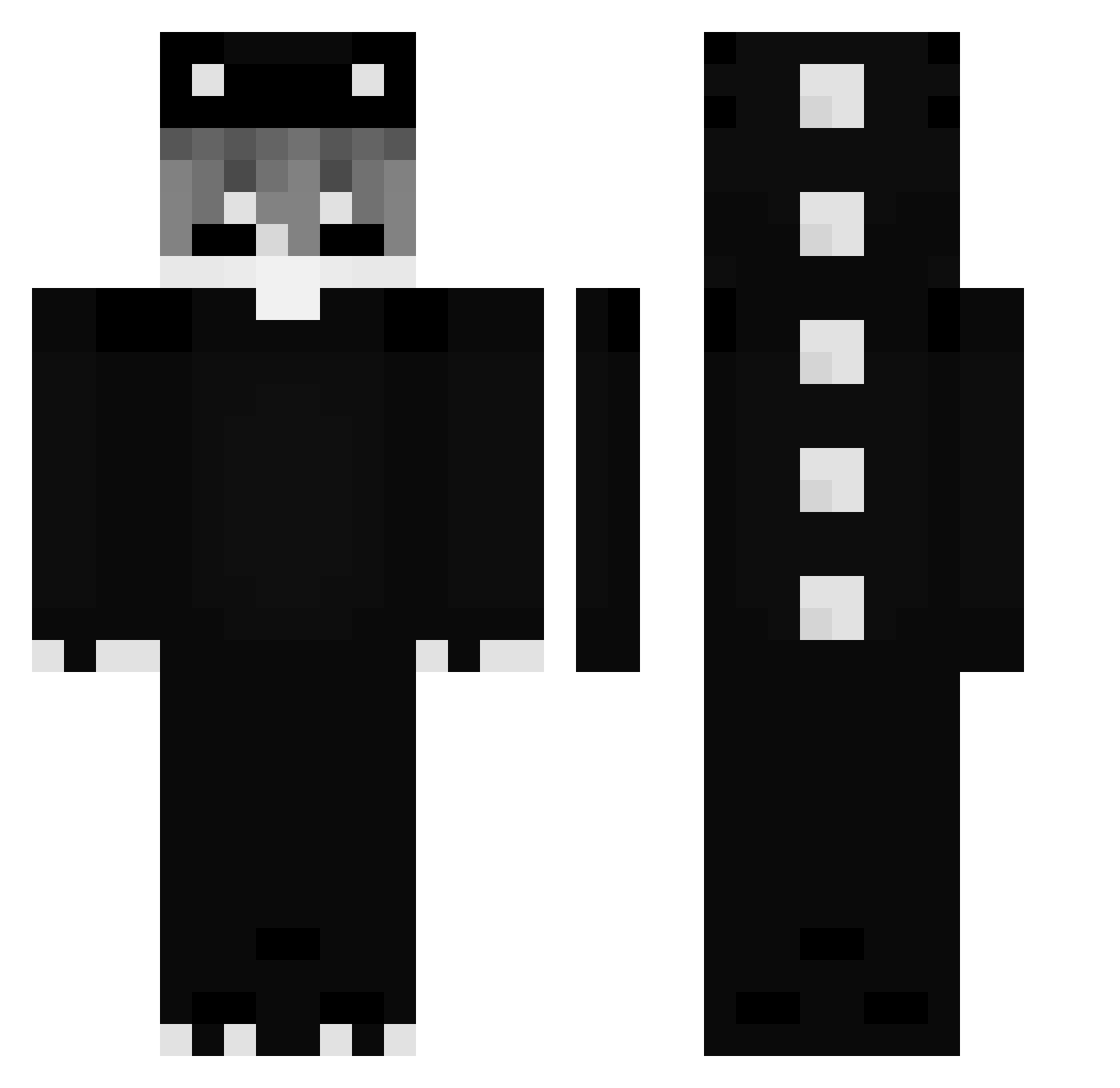
Current Minecraft skin of the player Sharrkie_, loaded from the official Mojang API. Rotate the 3D model with your mouse or finger, then download the skin as a PNG file and use it in Minecraft: Bedrock Edition or Java Edition for free. When Sharrkie_ changes their skin, this page updates automatically and the old skin stays in the history below.
Other players with this skin (271)
Sharrkie_ was the 30th player we have seen with this skin, first spotted on 06.08.2026. The same skin was seen on these players. Open a nickname to see their current skin and skin history.
 quokkacola486 yuukzzzz Fasolanides medhyk27 Zen969
 K1xS KhipexxS kkypedritoo AAAiz
 stryuc DarkFrozen_ bxkscaracal2518
 Samelsam10 Zenuxcx
 Monnchii_ qi1kee VoltifyX creper_amidmin jesu7
 Schwarz20 NIKODEM2013 opalaser Chaoyuanqi NeonRush_xX Bloodyraphy Apolinhoo01 Cooperd1738 coeuatoyxvw DeadDead3 tacohma BzTap IFromm_Jessy kotkiwpiwnicy123 Alolosua Piskod I5sr Vesz__ OLLIABC123 MERTEM Haruka023 lukiM6666 Diamound_12 poczwicz eto_pichu StrungSubset193
 Pratuz YumeAll049bis kobittean YTIRichYT Skouee JocaBTorres SzymoQ1 Loop991 Puff16kTasty Mao_Akira BensonJola PatientNo_333 LinhuygaQ0102 fffeq Askata450
More Dinosaur Minecraft skins
How to install the Sharrkie_ skin
- Press the Download button above to save the skin as a PNG file.
- Minecraft: Bedrock Edition (PE): open the Dressing Room from the main menu (or tap your character → Edit Character), go to Classic Skins → Owned, press the + (new skin) button, choose the downloaded PNG and pick the Classic (Steve) model. Works on PC and mobile; consoles cannot import custom skins.
- Minecraft: Java Edition: open the Minecraft Launcher, go to the Skins tab, click New Skin, load the PNG, pick the Classic (Steve) model and press Save & Use. You can also upload it at minecraft.net → Profile → Change Skin.
The skin does not show up after import - what should I do?
Restart Minecraft and open the Dressing Room again - imported skins sometimes appear only after a restart. Also make sure you selected the imported skin and picked the Classic (Steve) model.
Which model should I choose, Classic or Slim?
This skin is designed for the Classic (Steve) model. If you pick the wrong model, the arms of the skin will look stretched or squeezed.
Is the skin of Sharrkie_ free to download?
Yes. Press Download, save the PNG file and use it in Minecraft: Bedrock Edition or Java Edition - no payment or registration needed. The skin also works on multiplayer servers and Realms.
More skins
Looking for more? Go back to all Minecraft skins and check the top skins of the week, month and all time, or find any player's skin by nickname.