
Shadowmaster486 - Minecraft Skins & Skin History
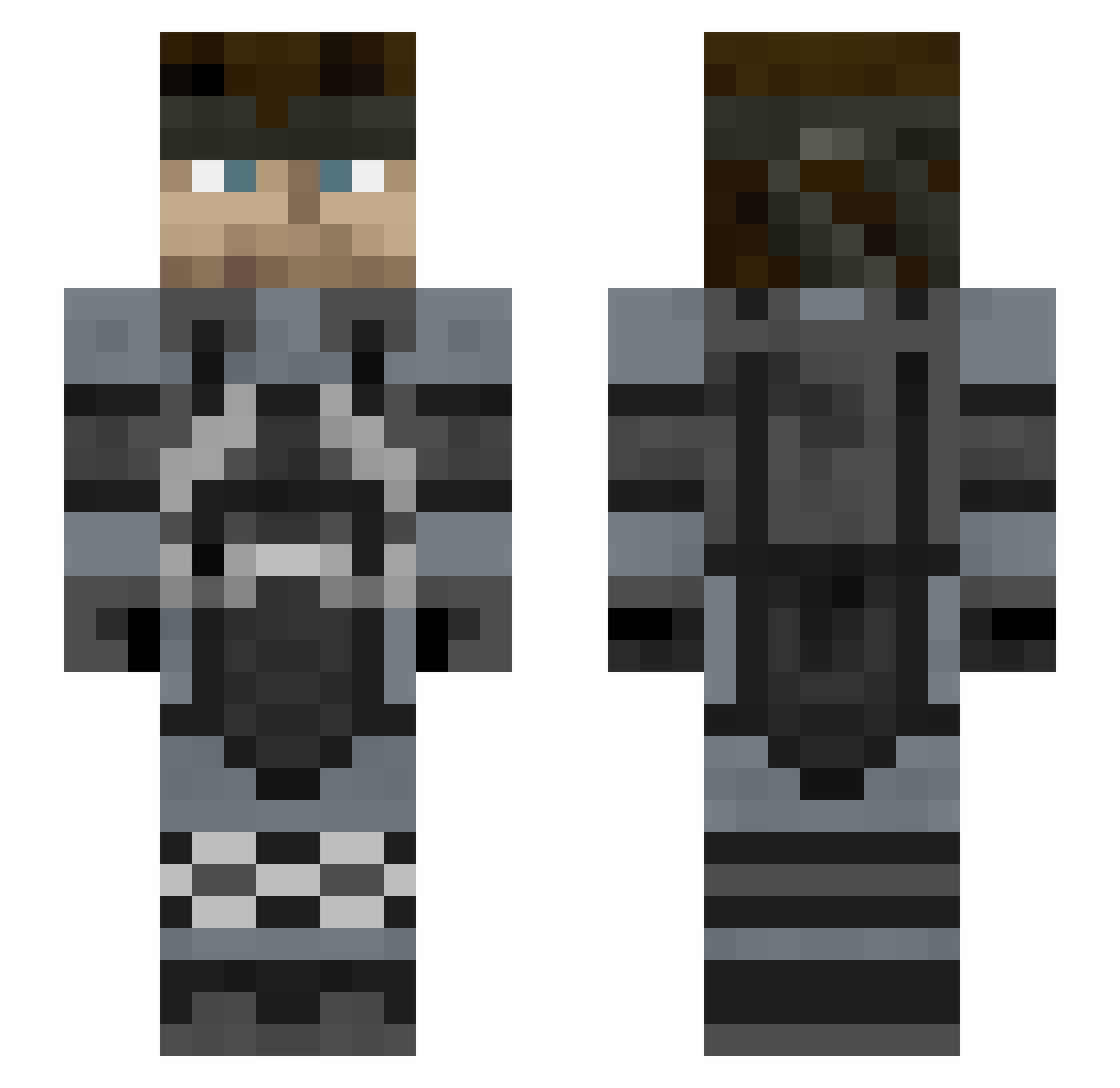
Current Minecraft skin of the player Shadowmaster486, loaded from the official Mojang API. Rotate the 3D model with your mouse or finger, then download the skin as a PNG file and use it in Minecraft: Bedrock Edition or Java Edition for free. When Shadowmaster486 changes their skin, this page updates automatically and the old skin stays in the history below.
Other players with this skin (306)
Shadowmaster486 was the 226th player we have seen with this skin, first spotted on 11.10.2026. The same skin was seen on these players. Open a nickname to see their current skin and skin history.
 shou2345 Nomad__41 JPaste tinypresto hostsamu ConstantinGr12 Blessbria JesusIsTheTruth1 Wahlgreen_ Marvingo105 stanco717 SnkFury Poquelin SilverStream509 Yanavaev AtlasAlter Flamefight15 TRACE6711 JasonGilbert09 iselbi LorIlcs EmreMan Snake_0314 T_Ramen TheGoldNinja9 raie_du_plombier SkyRuler300 Davendeta PolishedLama Whatsthis_OwO MrRossi46 eat_peen celph30 Nitrota KazumiL Alluziv RetroAndy BigMatty69 Roastietoastie1 Lale_Razbijac _Regular_ LMS2012x PoIio88 Gonzalolsky Hojakdoober Estivi_bro Nexu007 y_ito nic485x VoldoX Solidny_Gabariel Manbreakfastable Tha_Otter TenebrisEterno AMAZINGAMER777 Festedo AvengerArts ronindac Roiwulf St9anley
More Stealth Minecraft skins
How to install the Shadowmaster486 skin
- Press the Download button above to save the skin as a PNG file.
- Minecraft: Bedrock Edition (PE): open the Dressing Room from the main menu (or tap your character → Edit Character), go to Classic Skins → Owned, press the + (new skin) button, choose the downloaded PNG and pick the Slim (Alex) model. Works on PC and mobile; consoles cannot import custom skins.
- Minecraft: Java Edition: open the Minecraft Launcher, go to the Skins tab, click New Skin, load the PNG, pick the Slim (Alex) model and press Save & Use. You can also upload it at minecraft.net → Profile → Change Skin.
The skin does not show up after import - what should I do?
Restart Minecraft and open the Dressing Room again - imported skins sometimes appear only after a restart. Also make sure you selected the imported skin and picked the Slim (Alex) model.
Which model should I choose, Classic or Slim?
This skin is designed for the Slim (Alex) model. If you pick the wrong model, the arms of the skin will look stretched or squeezed.
Is the skin of Shadowmaster486 free to download?
Yes. Press Download, save the PNG file and use it in Minecraft: Bedrock Edition or Java Edition - no payment or registration needed. The skin also works on multiplayer servers and Realms.
More skins
Looking for more? Go back to all Minecraft skins and check the top skins of the week, month and all time, or find any player's skin by nickname.