
Shadow_playz114 - Minecraft Skins & Skin History
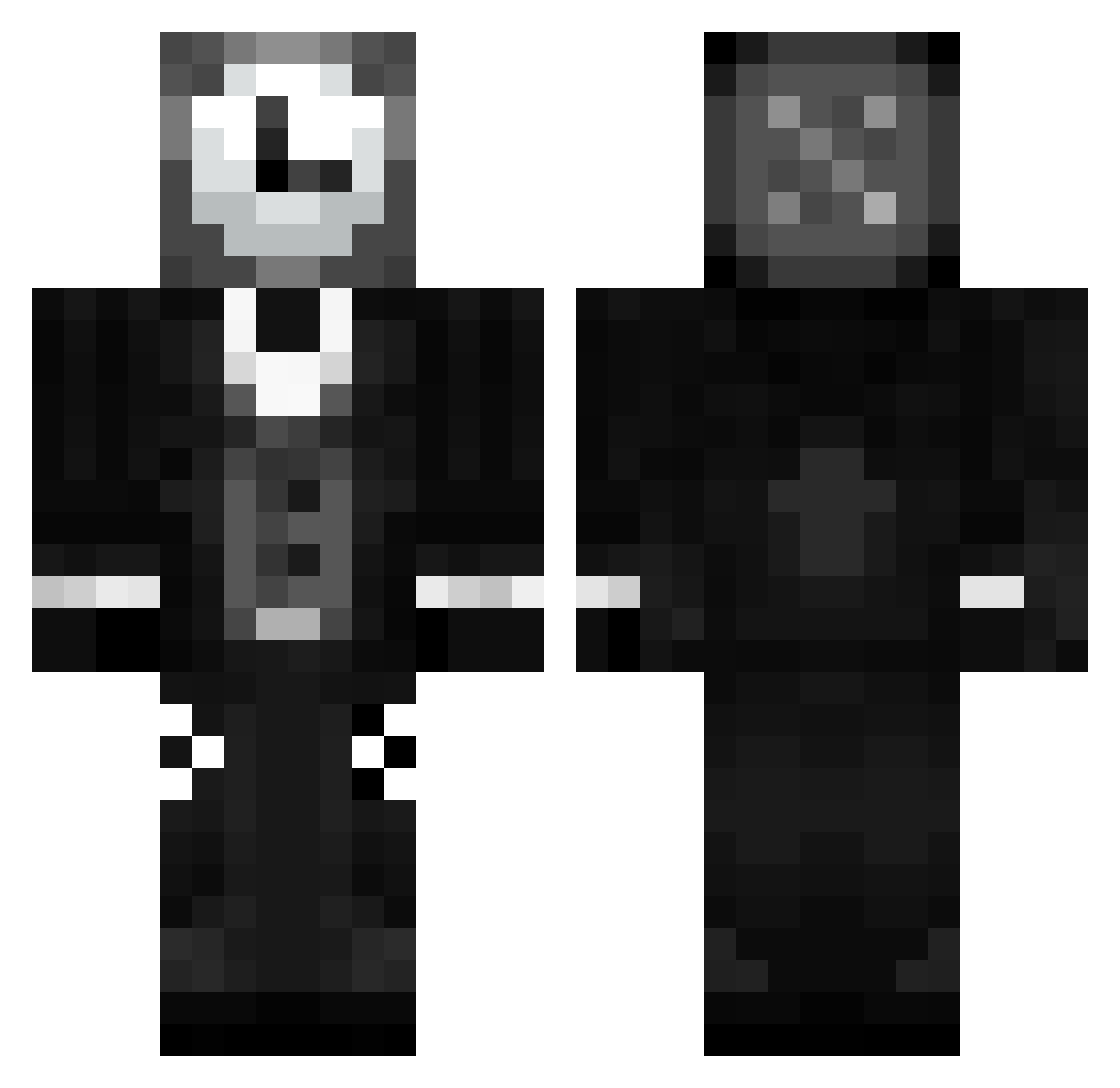
Current Minecraft skin of the player Shadow_playz114, loaded from the official Mojang API. Rotate the 3D model with your mouse or finger, then download the skin as a PNG file and use it in Minecraft: Bedrock Edition or Java Edition for free. When Shadow_playz114 changes their skin, this page updates automatically and the old skin stays in the history below.
Other players with this skin (136)
Shadow_playz114 was the 111th player we have seen with this skin, first spotted on 31.10.2026. The same skin was seen on these players. Open a nickname to see their current skin and skin history.
 Aron0507 PubGodFPS reganheheha Shin_Sonic Feydoxx tapinha ThatAutumnLeaf Twilwind Linruiheng Sammieweii RocTheBlock ElTucu13 SoggyWaffles5314 vr3xia CrnCina69 randomread manm82 ClockKeeperX Bearordin Itzwhisperss CyberArek hapticspace 1idkAname1 ningago9999 Erri732 Flyawayballoon AN8509 Lallering Sv2Bearlsq HaeTal_ Kacpi16 DontTryI 180905 _Alladin_ Trytoly Devtac2 issacking1 Sum1Else55 N0BLE zZPlagueZz1495 MetalOrange1894 taty_straw_pro Mark42 Kuchto GEMA7922 Cl0ckw1s3 MrPeppersOG YiffThaFox Rafix_20 HALO2475744 reigaa_2112 Subjuvus Malthepsg Fotij MervillesSon morgan1024 UrClips XVoid977 4xse Segil
More Clock Head Minecraft skins
How to install the Shadow_playz114 skin
- Press the Download button above to save the skin as a PNG file.
- Minecraft: Bedrock Edition (PE): open the Dressing Room from the main menu (or tap your character → Edit Character), go to Classic Skins → Owned, press the + (new skin) button, choose the downloaded PNG and pick the Classic (Steve) model. Works on PC and mobile; consoles cannot import custom skins.
- Minecraft: Java Edition: open the Minecraft Launcher, go to the Skins tab, click New Skin, load the PNG, pick the Classic (Steve) model and press Save & Use. You can also upload it at minecraft.net → Profile → Change Skin.
The skin does not show up after import - what should I do?
Restart Minecraft and open the Dressing Room again - imported skins sometimes appear only after a restart. Also make sure you selected the imported skin and picked the Classic (Steve) model.
Which model should I choose, Classic or Slim?
This skin is designed for the Classic (Steve) model. If you pick the wrong model, the arms of the skin will look stretched or squeezed.
Is the skin of Shadow_playz114 free to download?
Yes. Press Download, save the PNG file and use it in Minecraft: Bedrock Edition or Java Edition - no payment or registration needed. The skin also works on multiplayer servers and Realms.
More skins
Looking for more? Go back to all Minecraft skins and check the top skins of the week, month and all time, or find any player's skin by nickname.