
Shadow_heartsxx - Minecraft Skins & Skin History
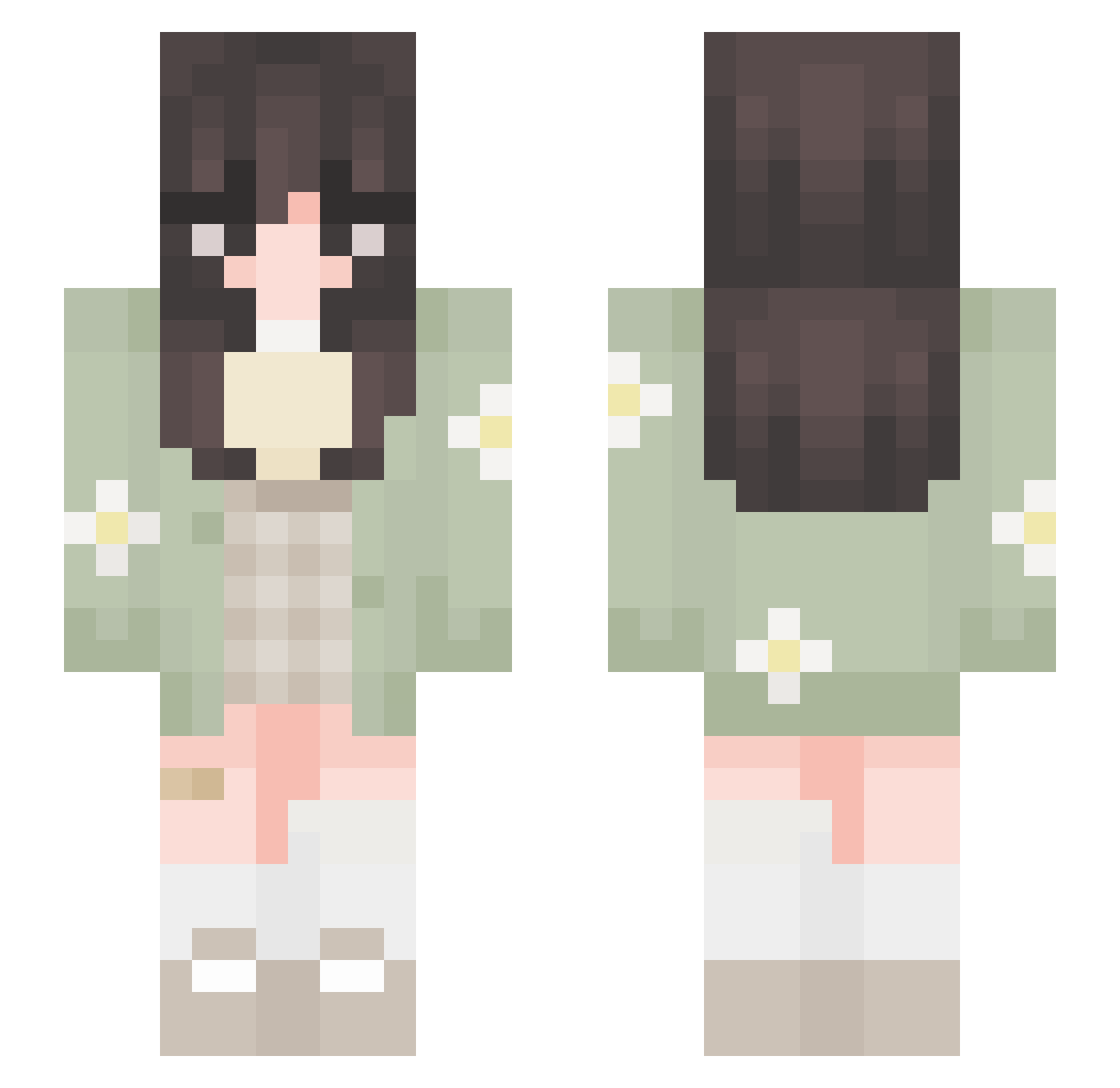
Current Minecraft skin of the player Shadow_heartsxx, loaded from the official Mojang API. Rotate the 3D model with your mouse or finger, then download the skin as a PNG file and use it in Minecraft: Bedrock Edition or Java Edition for free. When Shadow_heartsxx changes their skin, this page updates automatically and the old skin stays in the history below.
Other players with this skin (651)
Shadow_heartsxx was the 82nd player we have seen with this skin, first spotted on 07.08.2026. The same skin was seen on these players. Open a nickname to see their current skin and skin history.
 joodsa unicornpuppy352 Mirann_x Joostie25 honeywolf12 raaxey Rezailia HaniYT Remytherat4665 bloodgekko _squishx _airing_ _lidd smile_NA Pixie1102 lavenderoatlatte Przygnebiony hellicey_ ChibiCowStar ClaraMayela lucy_011 mango_bee_ softdaisy Simmingskull adtsepz Lazullin The_Frog_Angel KittenCat_ ZoeJade26 re4nna Bleptater campanitalinnda thejellybeann Alarryn dyaniek Thaobsii bbpeachy wurst_liebhaber elulusi Emerelda013 kttywi MANY_WORLD hxnxie SadalsuudA ayruin thenameisjace Mariiaa28 KitKat_927 rib5 JewsBoxs dreamerbinnie vic__ki Peanuts0Z belladonna_uv willowgames72456 greenbeansoupy smol_ale Annie152111 Gboggess ange1aaa
More Daisy Minecraft skins
How to install the Shadow_heartsxx skin
- Press the Download button above to save the skin as a PNG file.
- Minecraft: Bedrock Edition (PE): open the Dressing Room from the main menu (or tap your character → Edit Character), go to Classic Skins → Owned, press the + (new skin) button, choose the downloaded PNG and pick the Slim (Alex) model. Works on PC and mobile; consoles cannot import custom skins.
- Minecraft: Java Edition: open the Minecraft Launcher, go to the Skins tab, click New Skin, load the PNG, pick the Slim (Alex) model and press Save & Use. You can also upload it at minecraft.net → Profile → Change Skin.
The skin does not show up after import - what should I do?
Restart Minecraft and open the Dressing Room again - imported skins sometimes appear only after a restart. Also make sure you selected the imported skin and picked the Slim (Alex) model.
Which model should I choose, Classic or Slim?
This skin is designed for the Slim (Alex) model. If you pick the wrong model, the arms of the skin will look stretched or squeezed.
Is the skin of Shadow_heartsxx free to download?
Yes. Press Download, save the PNG file and use it in Minecraft: Bedrock Edition or Java Edition - no payment or registration needed. The skin also works on multiplayer servers and Realms.
More skins
Looking for more? Go back to all Minecraft skins and check the top skins of the week, month and all time, or find any player's skin by nickname.