
Serchiu - Minecraft Skins & Skin History
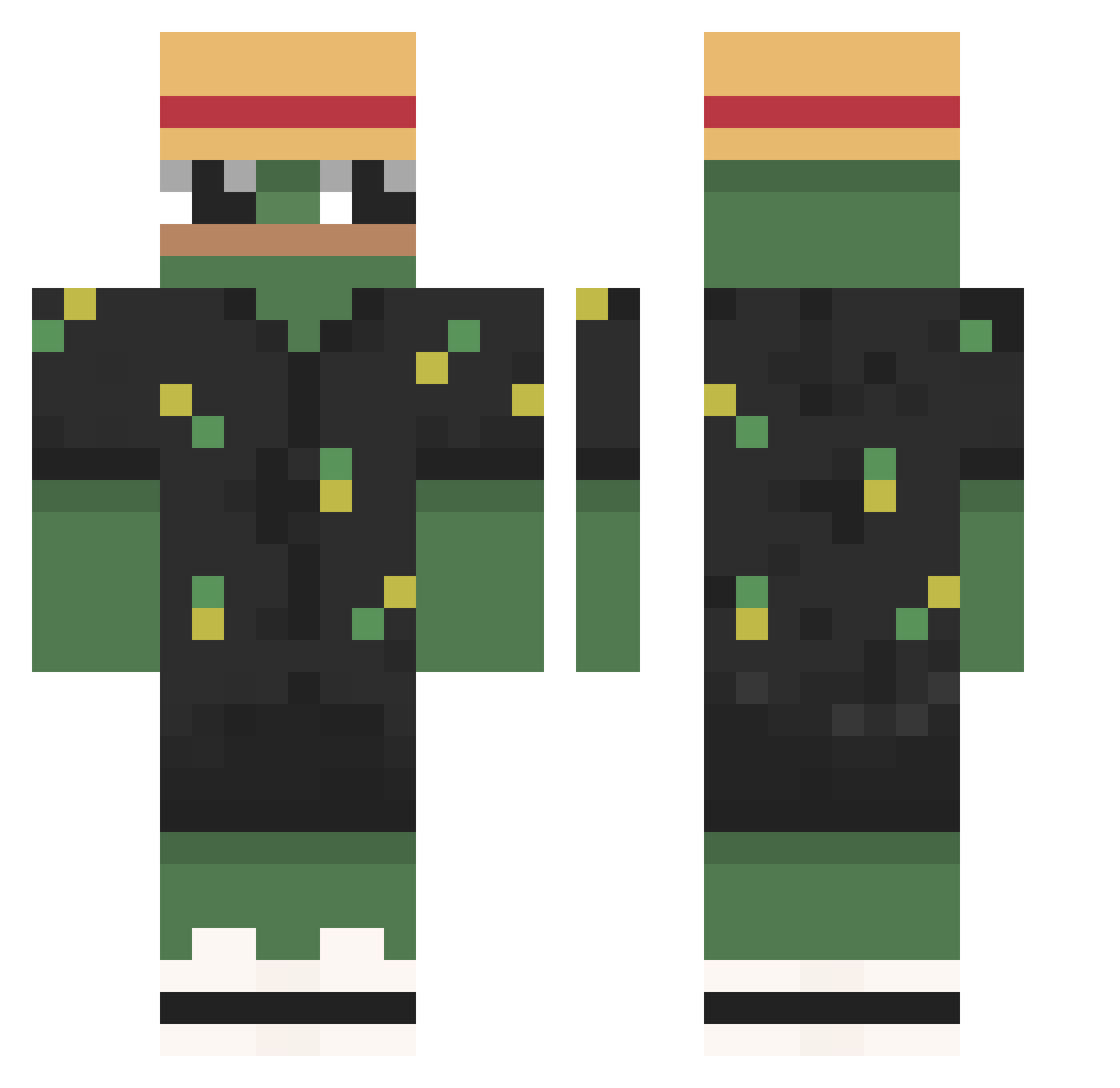
Current Minecraft skin of the player Serchiu, loaded from the official Mojang API. Rotate the 3D model with your mouse or finger, then download the skin as a PNG file and use it in Minecraft: Bedrock Edition or Java Edition for free. When Serchiu changes their skin, this page updates automatically and the old skin stays in the history below.
Other players with this skin (790)
Serchiu was the 376th player we have seen with this skin, first spotted on 16.09.2026. The same skin was seen on these players. Open a nickname to see their current skin and skin history.
 Zanxly_ amantedefemboys alex_biondo10 lucaimpostor666 _blondasek_ Romain_STAZY TakuyaESa Hibari200 TontonLeH anderlol8234 xeduc janekz01 COCO_POP HoboTheHobo ThePenguinoz DavidFR01 Deepdiver82 Zoxim MattyTEO56 Lee_Jae_myungKR Silence__02 Dav11d_jc Mr_Fauxcon lonewolf1305 Spud92 SiMbAxD_ HadSs_ ReaXD tns503 _Ponte suregii SpeedRacer_420 IM_foxik seungwoo1024 saka77777 Raive Daniel4509 nick47m Byritos igor66299 graxik Hupfdolenmaster JoaXin xszyki MightyBase ili7e Username_Copied8 FAAZZI rafel_kkk Star2474 KARAKSUS XXeraI Uribeliever Freskit0 PillsBurry EnzoJF_ marcomaih Med_Water MuiDesu Avovsky
More Pepe Minecraft skins
How to install the Serchiu skin
- Press the Download button above to save the skin as a PNG file.
- Minecraft: Bedrock Edition (PE): open the Dressing Room from the main menu (or tap your character → Edit Character), go to Classic Skins → Owned, press the + (new skin) button, choose the downloaded PNG and pick the Classic (Steve) model. Works on PC and mobile; consoles cannot import custom skins.
- Minecraft: Java Edition: open the Minecraft Launcher, go to the Skins tab, click New Skin, load the PNG, pick the Classic (Steve) model and press Save & Use. You can also upload it at minecraft.net → Profile → Change Skin.
The skin does not show up after import - what should I do?
Restart Minecraft and open the Dressing Room again - imported skins sometimes appear only after a restart. Also make sure you selected the imported skin and picked the Classic (Steve) model.
Which model should I choose, Classic or Slim?
This skin is designed for the Classic (Steve) model. If you pick the wrong model, the arms of the skin will look stretched or squeezed.
Is the skin of Serchiu free to download?
Yes. Press Download, save the PNG file and use it in Minecraft: Bedrock Edition or Java Edition - no payment or registration needed. The skin also works on multiplayer servers and Realms.
More skins
Looking for more? Go back to all Minecraft skins and check the top skins of the week, month and all time, or find any player's skin by nickname.