
Seraglio - Minecraft Skins & Skin History
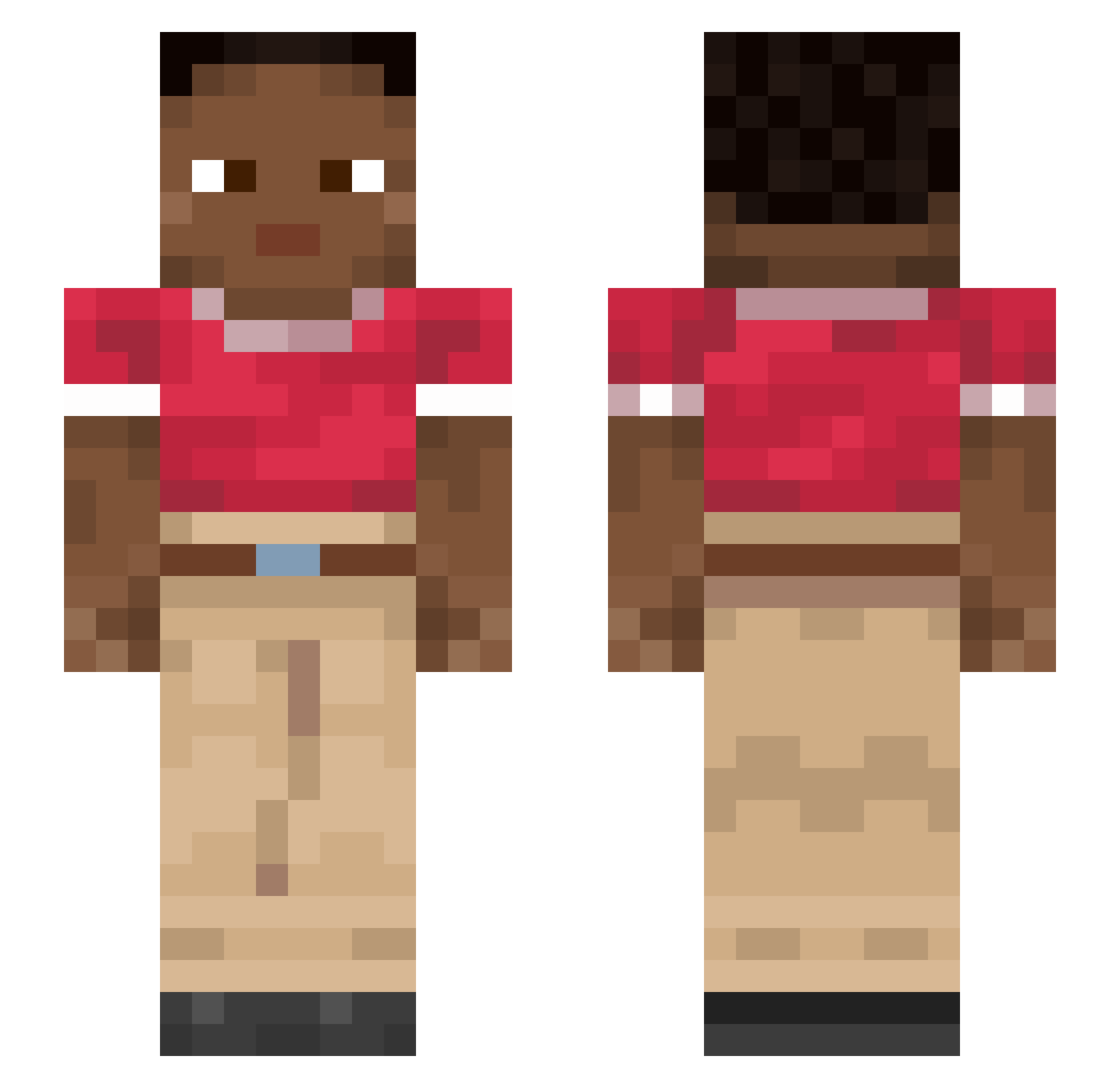
Current Minecraft skin of the player Seraglio, loaded from the official Mojang API. Rotate the 3D model with your mouse or finger, then download the skin as a PNG file and use it in Minecraft: Bedrock Edition or Java Edition for free. When Seraglio changes their skin, this page updates automatically and the old skin stays in the history below.
Other players with this skin (913)
Seraglio was the 761st player we have seen with this skin, first spotted on 19.10.2026. The same skin was seen on these players. Open a nickname to see their current skin and skin history.
 IllIllllI Ceello vrouws Festing Inescapable KnightedTea Totally_NotGay Smelt RETRYHARD 1bob HenriqueLuis mimosa Retiform Inviolable Axhammer Nerolis Prostok GreyFish Wergelt Pedrio Lenka0000 elnegrohunter Cutcore Distn boogyman harv2 LilGoth4N Thelodus AQLStone Cahill Indefatigability eli0 Duck041 Beamo pullen hilaria JLuv0 Adramelech Sire clownishness GENTRY HolyCheese42727 SPACE1010 cleanout Troikas PepsiNessahaha Ic3xx Takizawa9 yorkish JorgeDavidAri Pennywise sulo33 porridgeandsyrup eNerVous Jossakeed Aspics rexy5500 decarboxylase Jessean Phee2
How to install the Seraglio skin
- Press the Download button above to save the skin as a PNG file.
- Minecraft: Bedrock Edition (PE): open the Dressing Room from the main menu (or tap your character → Edit Character), go to Classic Skins → Owned, press the + (new skin) button, choose the downloaded PNG and pick the Slim (Alex) model. Works on PC and mobile; consoles cannot import custom skins.
- Minecraft: Java Edition: open the Minecraft Launcher, go to the Skins tab, click New Skin, load the PNG, pick the Slim (Alex) model and press Save & Use. You can also upload it at minecraft.net → Profile → Change Skin.
The skin does not show up after import - what should I do?
Restart Minecraft and open the Dressing Room again - imported skins sometimes appear only after a restart. Also make sure you selected the imported skin and picked the Slim (Alex) model.
Which model should I choose, Classic or Slim?
This skin is designed for the Slim (Alex) model. If you pick the wrong model, the arms of the skin will look stretched or squeezed.
Is the skin of Seraglio free to download?
Yes. Press Download, save the PNG file and use it in Minecraft: Bedrock Edition or Java Edition - no payment or registration needed. The skin also works on multiplayer servers and Realms.
More skins
Looking for more? Go back to all Minecraft skins and check the top skins of the week, month and all time, or find any player's skin by nickname.