
Sensei_Schmaksi - Minecraft Skins & Skin History
Current Minecraft skin of the player Sensei_Schmaksi, loaded from the official Mojang API. Rotate the 3D model with your mouse or finger, then download the skin as a PNG file and use it in Minecraft: Bedrock Edition or Java Edition for free. When Sensei_Schmaksi changes their skin, this page updates automatically and the old skin stays in the history below.
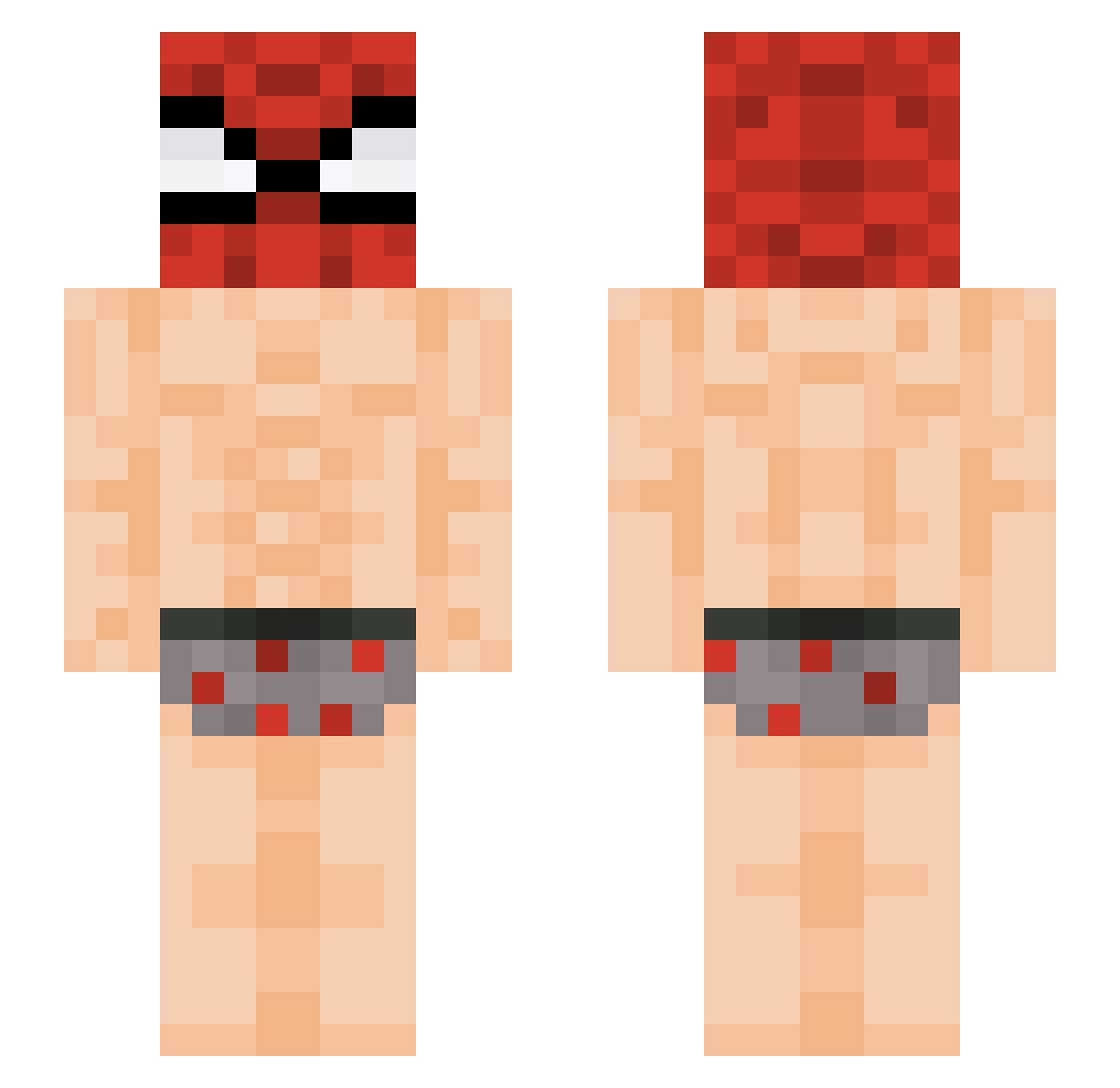
Other players with this skin (434)
Sensei_Schmaksi was the 174th player we have seen with this skin, first spotted on 06.09.2026. The same skin was seen on these players. Open a nickname to see their current skin and skin history.
 Fungefrans LikPiercee jocaishek imaluckywolf izaguk jhaycoo DarkDebris OnurTHEBahri Spheal2 Pxdrixs Scary_Ruben TurboJiren Wish3s WojtazPLLP BULLDDOZER 7t1d geunryul lioli2527 Boatega pwwwwwy EchoBolero RyeDough Guilherme_nsp kerosti Samdoss
 starfragger Dacosta__ peqenomacaco Da_Tobias rwngel__ TonioRestaurant lulu132434 chixpinha Crusty_0 emanems05 kangkangwheejip dohyun323 TheAnotherOne DarkNinja344 RomuloSilva10 XDMadcap muchlovenatii NotClevus onelight11 ryuj1nn _Prusiu_ MrP34CH Hammy_here diogo_plays_mine MusabSA ItzGhosty90210
 changray0402_TW bibou3301 emokittyfarts AlfaBond LATELELATELE Cereal4321 rlawls_9
 ShadowSea16 ZlPU
More Spider Man Minecraft skins
How to install the Sensei_Schmaksi skin
- Press the Download button above to save the skin as a PNG file.
- Minecraft: Bedrock Edition (PE): open the Dressing Room from the main menu (or tap your character → Edit Character), go to Classic Skins → Owned, press the + (new skin) button, choose the downloaded PNG and pick the Slim (Alex) model. Works on PC and mobile; consoles cannot import custom skins.
- Minecraft: Java Edition: open the Minecraft Launcher, go to the Skins tab, click New Skin, load the PNG, pick the Slim (Alex) model and press Save & Use. You can also upload it at minecraft.net → Profile → Change Skin.
The skin does not show up after import - what should I do?
Restart Minecraft and open the Dressing Room again - imported skins sometimes appear only after a restart. Also make sure you selected the imported skin and picked the Slim (Alex) model.
Which model should I choose, Classic or Slim?
This skin is designed for the Slim (Alex) model. If you pick the wrong model, the arms of the skin will look stretched or squeezed.
Is the skin of Sensei_Schmaksi free to download?
Yes. Press Download, save the PNG file and use it in Minecraft: Bedrock Edition or Java Edition - no payment or registration needed. The skin also works on multiplayer servers and Realms.
More skins
Looking for more? Go back to all Minecraft skins and check the top skins of the week, month and all time, or find any player's skin by nickname.