
SenpaisRexi - Minecraft Skins & Skin History
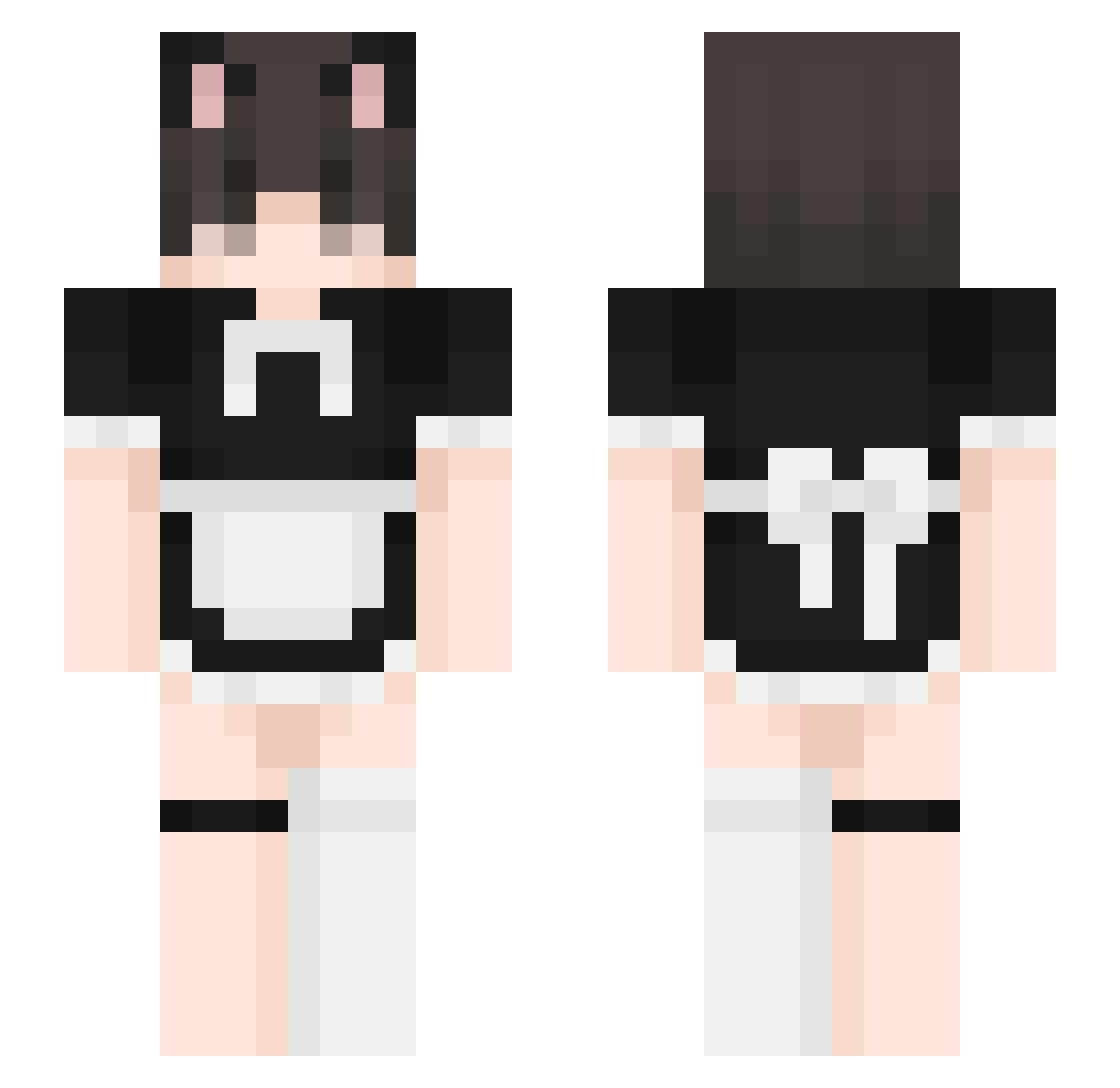
Current Minecraft skin of the player SenpaisRexi, loaded from the official Mojang API. Rotate the 3D model with your mouse or finger, then download the skin as a PNG file and use it in Minecraft: Bedrock Edition or Java Edition for free. When SenpaisRexi changes their skin, this page updates automatically and the old skin stays in the history below.
Other players with this skin (332)
SenpaisRexi was the 234th player we have seen with this skin, first spotted on 28.09.2026. The same skin was seen on these players. Open a nickname to see their current skin and skin history.
 Otasuraki JaymanM DiaddySong sKarZ97 Naddu x8yt goranaht soft_death gmonster305 ZetkoCZ60 M4zerHusband Sedz1 yunaited Harriwy iluvFirefly a_randomass_birb cookedbeefyum Juls1337 To_THOR JurassicJaws123 pangamer02 Fuzexxx Forya Kisupoika Lyumka_ Seukei FernandoCasas ty5zya BygoneMist37720 czo chuchu0716 Alfonso3200 smscash maidboyfree salatkopf04 _Semechkin_ dyszka59 Eboigamer115 kokoboll munchingmochi tinypupper SilverPhoenix411 Backupfridge Kufix PrinceConnolly F3mb0yEnj0y3r SenpaiH3ntai bj11crash Boberton2014 BlinKidB unlockingfrog60 Clapasaurus Viktorovich_ yungsufit1312 Castrav3te kovun8888 ScrumptiousSoda D3adoger pixel4to bxnjia
More Maid Minecraft skins
How to install the SenpaisRexi skin
- Press the Download button above to save the skin as a PNG file.
- Minecraft: Bedrock Edition (PE): open the Dressing Room from the main menu (or tap your character → Edit Character), go to Classic Skins → Owned, press the + (new skin) button, choose the downloaded PNG and pick the Slim (Alex) model. Works on PC and mobile; consoles cannot import custom skins.
- Minecraft: Java Edition: open the Minecraft Launcher, go to the Skins tab, click New Skin, load the PNG, pick the Slim (Alex) model and press Save & Use. You can also upload it at minecraft.net → Profile → Change Skin.
The skin does not show up after import - what should I do?
Restart Minecraft and open the Dressing Room again - imported skins sometimes appear only after a restart. Also make sure you selected the imported skin and picked the Slim (Alex) model.
Which model should I choose, Classic or Slim?
This skin is designed for the Slim (Alex) model. If you pick the wrong model, the arms of the skin will look stretched or squeezed.
Is the skin of SenpaisRexi free to download?
Yes. Press Download, save the PNG file and use it in Minecraft: Bedrock Edition or Java Edition - no payment or registration needed. The skin also works on multiplayer servers and Realms.
More skins
Looking for more? Go back to all Minecraft skins and check the top skins of the week, month and all time, or find any player's skin by nickname.