
Semeia - Minecraft Skins & Skin History
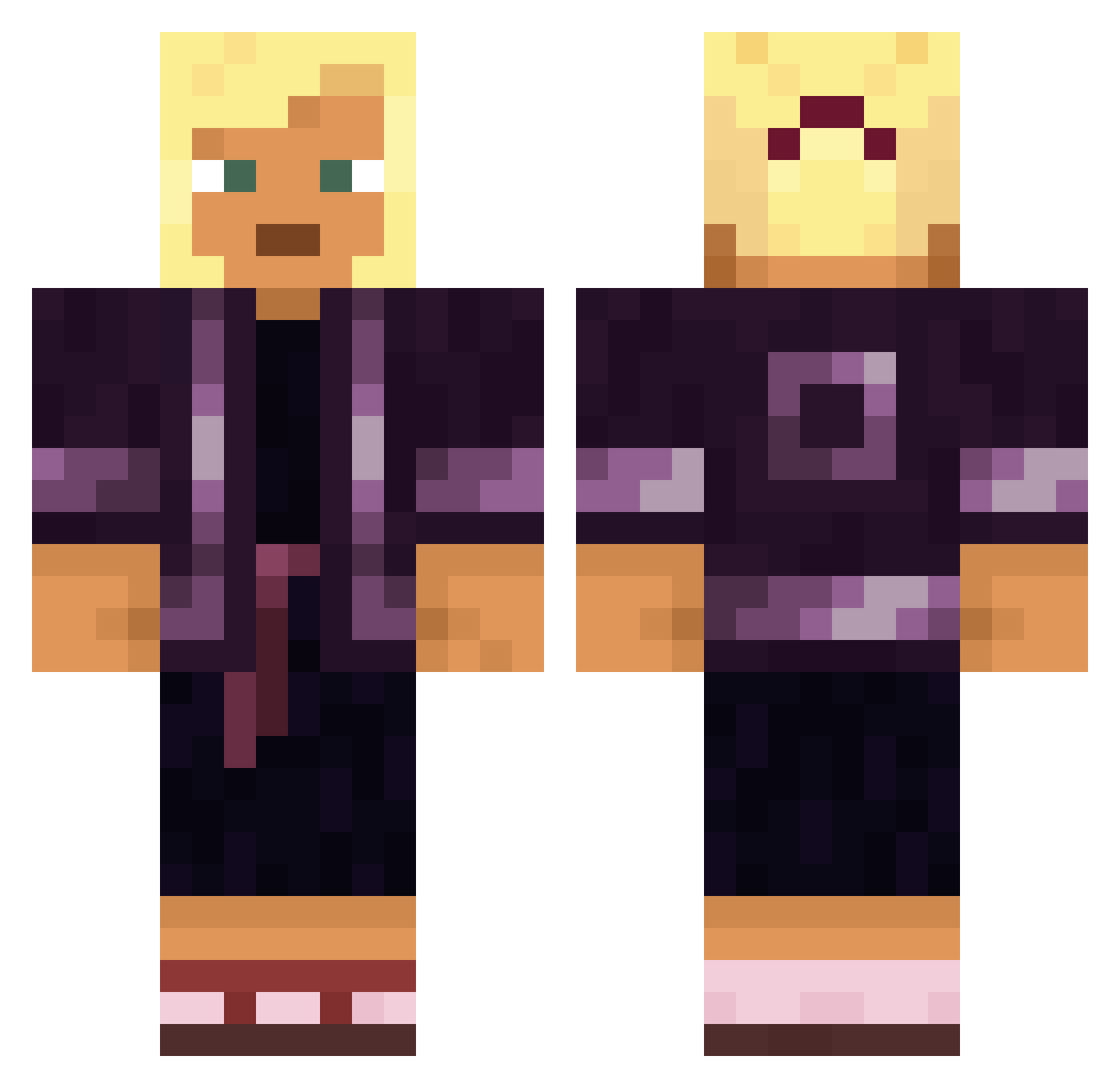
Current Minecraft skin of the player Semeia, loaded from the official Mojang API. Rotate the 3D model with your mouse or finger, then download the skin as a PNG file and use it in Minecraft: Bedrock Edition or Java Edition for free. When Semeia changes their skin, this page updates automatically and the old skin stays in the history below.
Other players with this skin (1569)
Semeia was the 1050th player we have seen with this skin, first spotted on 06.10.2026. The same skin was seen on these players. Open a nickname to see their current skin and skin history.
 DongLicker420 MaxMorgan99 Neodiprion vividbuc VoleoMC DocDamage Smaragdine AntiChrome Kamil_siga YahyaAlhadi ForgottaLotta Tzolkin RlililililililiP pig_god_d LULEX_258 sunyuyo Neutrinos zaxel02 zazazizu DarkLifePL yunde7 Qiviut MiloszTV bundaskenyers KiRA_I Naaaatsuki Saucyfrapoos23 katiixx Zuckerfrei thenotsoredstone Mollycoddles ElDiabl0_ Affixer Anasphore Ichthyosauria hamboy12 NORIMIX Techno_Man Varanus f3fvy IgorGlist atestrt intenseness destyRo1 Armeria Ligtning5269 lsanggeonl AweonaoCuliao Kacpi02 raga Hj0504 Clavicular__ Robenia Phenylamine MrSting619 DuPissnelke Thanadon05 Lxviatan P3th Peddled
More Kimono Minecraft skins
How to install the Semeia skin
- Press the Download button above to save the skin as a PNG file.
- Minecraft: Bedrock Edition (PE): open the Dressing Room from the main menu (or tap your character → Edit Character), go to Classic Skins → Owned, press the + (new skin) button, choose the downloaded PNG and pick the Classic (Steve) model. Works on PC and mobile; consoles cannot import custom skins.
- Minecraft: Java Edition: open the Minecraft Launcher, go to the Skins tab, click New Skin, load the PNG, pick the Classic (Steve) model and press Save & Use. You can also upload it at minecraft.net → Profile → Change Skin.
The skin does not show up after import - what should I do?
Restart Minecraft and open the Dressing Room again - imported skins sometimes appear only after a restart. Also make sure you selected the imported skin and picked the Classic (Steve) model.
Which model should I choose, Classic or Slim?
This skin is designed for the Classic (Steve) model. If you pick the wrong model, the arms of the skin will look stretched or squeezed.
Is the skin of Semeia free to download?
Yes. Press Download, save the PNG file and use it in Minecraft: Bedrock Edition or Java Edition - no payment or registration needed. The skin also works on multiplayer servers and Realms.
More skins
Looking for more? Go back to all Minecraft skins and check the top skins of the week, month and all time, or find any player's skin by nickname.