
Select__ - Minecraft Skins & Skin History
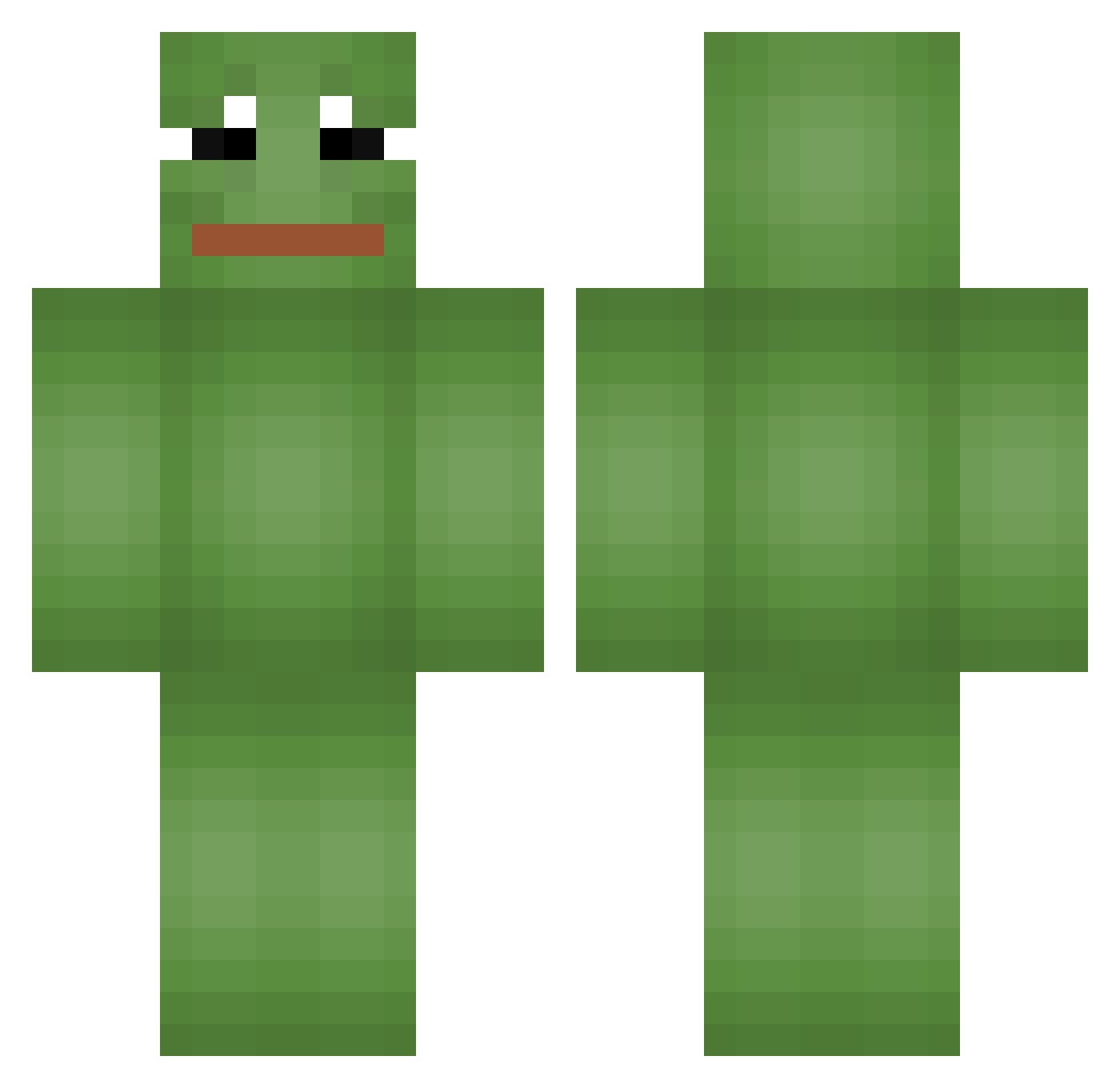
Current Minecraft skin of the player Select__, loaded from the official Mojang API. Rotate the 3D model with your mouse or finger, then download the skin as a PNG file and use it in Minecraft: Bedrock Edition or Java Edition for free. When Select__ changes their skin, this page updates automatically and the old skin stays in the history below.
Other players with this skin (665)
Select__ was the 640th player we have seen with this skin, first spotted on 27.10.2026. The same skin was seen on these players. Open a nickname to see their current skin and skin history.
 foxsoqa Yiizuus Purinawan nmixxx jae_hun1008 rsvan Koncyla_ Ettoil42 theholygamerHD Vyneaa Seyyle ohsu_lee Pujim 9CrazyCat9 FilipH3H3 handyman_andiman HeHeTube clocknite shoon96 lucvr69 DowningRome spavlo ArcticStingz Simple_A Lillya Frog4Life0320 jeb9718 Szjdrr tuanaax DuZhou FBl_open_up _OTL_ Milo_Kira 3vony Messex_ JaewooEMO TurboTommel tatydev NONAMEbod Foxkk Kapbwc17 PorcoRosso1 plackov Khe_ Lozzek The_Darkness_008 chlguswns29 Maskot001 lungthong Watercolour01 RTFI100 MeisterNiklas imchis Megario Yiitinho Dunk4 Asgarothox riaden apLe9135 sese1226
More Pepe Minecraft skins
How to install the Select__ skin
- Press the Download button above to save the skin as a PNG file.
- Minecraft: Bedrock Edition (PE): open the Dressing Room from the main menu (or tap your character → Edit Character), go to Classic Skins → Owned, press the + (new skin) button, choose the downloaded PNG and pick the Classic (Steve) model. Works on PC and mobile; consoles cannot import custom skins.
- Minecraft: Java Edition: open the Minecraft Launcher, go to the Skins tab, click New Skin, load the PNG, pick the Classic (Steve) model and press Save & Use. You can also upload it at minecraft.net → Profile → Change Skin.
The skin does not show up after import - what should I do?
Restart Minecraft and open the Dressing Room again - imported skins sometimes appear only after a restart. Also make sure you selected the imported skin and picked the Classic (Steve) model.
Which model should I choose, Classic or Slim?
This skin is designed for the Classic (Steve) model. If you pick the wrong model, the arms of the skin will look stretched or squeezed.
Is the skin of Select__ free to download?
Yes. Press Download, save the PNG file and use it in Minecraft: Bedrock Edition or Java Edition - no payment or registration needed. The skin also works on multiplayer servers and Realms.
More skins
Looking for more? Go back to all Minecraft skins and check the top skins of the week, month and all time, or find any player's skin by nickname.