
Sebszon - Minecraft Skins & Skin History
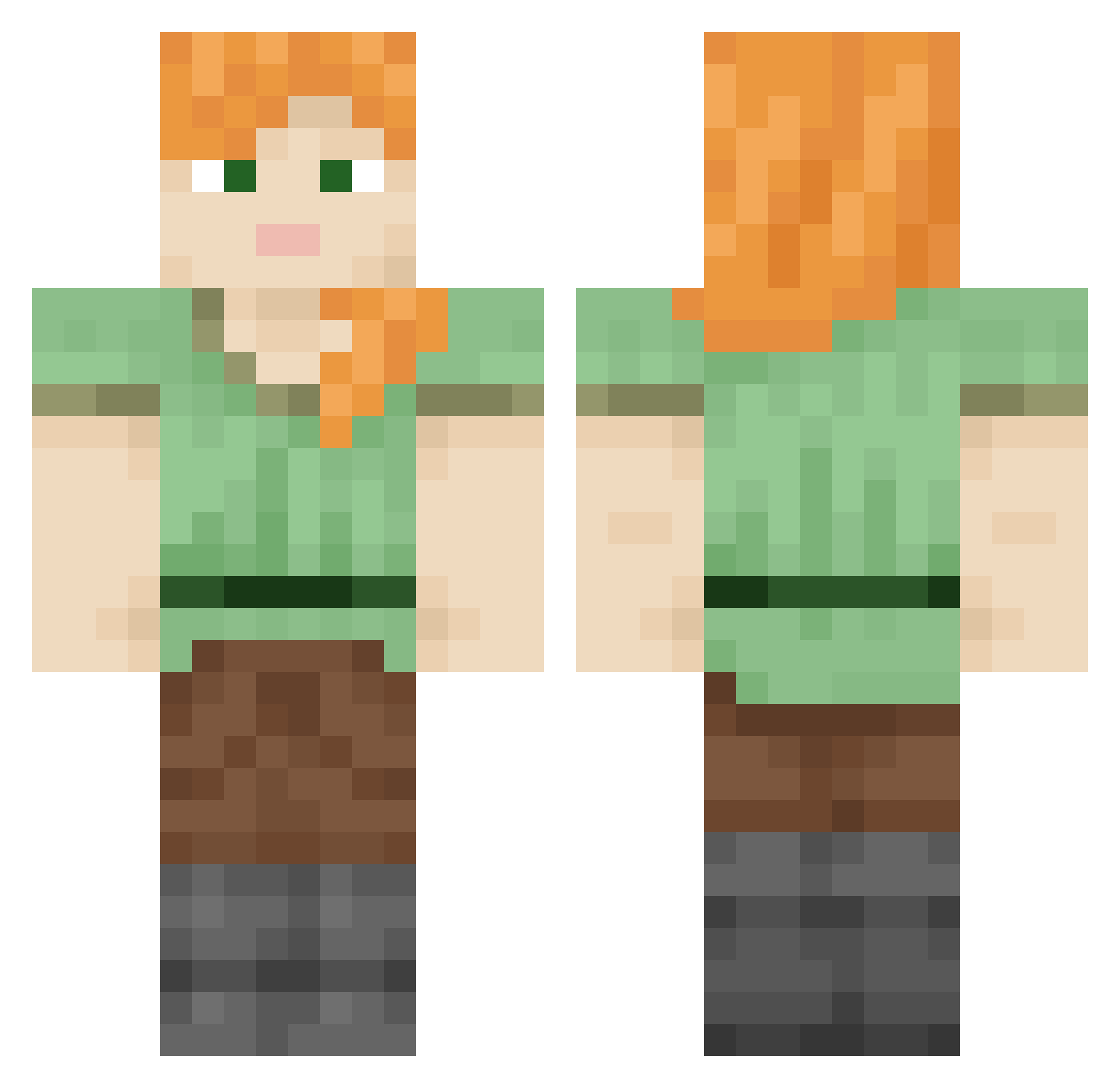
Current Minecraft skin of the player Sebszon, loaded from the official Mojang API. Rotate the 3D model with your mouse or finger, then download the skin as a PNG file and use it in Minecraft: Bedrock Edition or Java Edition for free. When Sebszon changes their skin, this page updates automatically and the old skin stays in the history below.
Other players with this skin (849)
Sebszon was the 425th player we have seen with this skin, first spotted on 22.09.2026. The same skin was seen on these players. Open a nickname to see their current skin and skin history.
 kaxlee mc_aunte pioter_kopara gardescp Kindler emile67500 minacy_7 Reptant Diablomin Dewkinz Lotsa_rong Valines drivels Kalkulacja squalus Juani_RP Babirusa Violetsapphire Blocky FaZe_BlackKnight Numismatist kkeezzz remble Derrelll FayloreRyuu axman Subjectify SonOhGong gagui008 Draegerman sevenbark Zermoran applicabilities soberrobi Brimborion Wordhoard NSEC heliotropine steamship sitao Popomaus Differentiator Daryk_ Freezestime Doobert2 Assam ColaDaniel_ interframe Eradiation subrules soleret Sands2006 Paretta noahgoons Subcontinental apteryx HaoJiaHuo1 Wearies Leopardess legitimacy
How to install the Sebszon skin
- Press the Download button above to save the skin as a PNG file.
- Minecraft: Bedrock Edition (PE): open the Dressing Room from the main menu (or tap your character → Edit Character), go to Classic Skins → Owned, press the + (new skin) button, choose the downloaded PNG and pick the Classic (Steve) model. Works on PC and mobile; consoles cannot import custom skins.
- Minecraft: Java Edition: open the Minecraft Launcher, go to the Skins tab, click New Skin, load the PNG, pick the Classic (Steve) model and press Save & Use. You can also upload it at minecraft.net → Profile → Change Skin.
The skin does not show up after import - what should I do?
Restart Minecraft and open the Dressing Room again - imported skins sometimes appear only after a restart. Also make sure you selected the imported skin and picked the Classic (Steve) model.
Which model should I choose, Classic or Slim?
This skin is designed for the Classic (Steve) model. If you pick the wrong model, the arms of the skin will look stretched or squeezed.
Is the skin of Sebszon free to download?
Yes. Press Download, save the PNG file and use it in Minecraft: Bedrock Edition or Java Edition - no payment or registration needed. The skin also works on multiplayer servers and Realms.
More skins
Looking for more? Go back to all Minecraft skins and check the top skins of the week, month and all time, or find any player's skin by nickname.