
SebHS - Minecraft Skins & Skin History
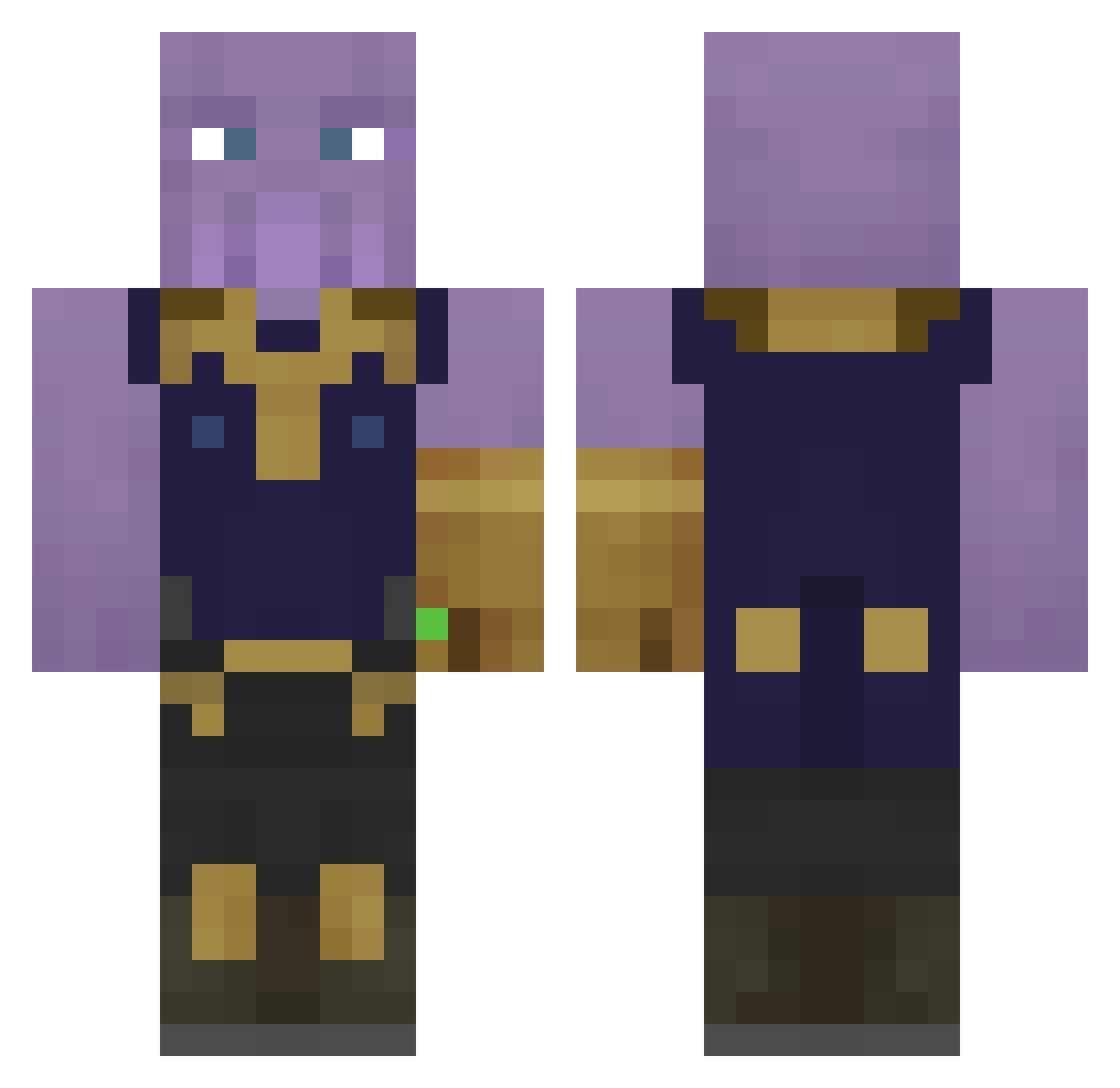
Current Minecraft skin of the player SebHS, loaded from the official Mojang API. Rotate the 3D model with your mouse or finger, then download the skin as a PNG file and use it in Minecraft: Bedrock Edition or Java Edition for free. When SebHS changes their skin, this page updates automatically and the old skin stays in the history below.
Other players with this skin (444)
SebHS was the 414th player we have seen with this skin, first spotted on 11.11.2026. The same skin was seen on these players. Open a nickname to see their current skin and skin history.
 aBarry TammyTammy23 Nori4006 V1NGO Pierce017 Arlatotep FishBoy213 BigKnackers Guizm_0 Oum_ Patrick1419 mcjunkie4 fazeretod Knodsil Genezis24 Ekozilla_ X_ACupOfCoffee_X RichMuscles_ yStoorm prainroodle MilkyDrinks CaptButt Mlgbonghits4 BiancaUnicorn19 Ikuon Panman666 Ghurka007 Thanocheeks Coniform Jimbob2998 DmacNFT Grandshooter4132 vicdemers beaver4500 amanda_3000 ICantPot Mclovin_B_Lovin TrxphyzZ 10i00 FHD_EL3THMAN killcraft87 damhayes the_niggah08 ZYTUX Thor127_ xxXDragonSoulXxx HjiTsu Nexus834 Crob_TV damccoy TchoPedroZ greekass avthenger SoggyFlakes JPeeePeee BlackyagoG0D In5ert_Name_Here LukessaCZ soranngo Dedmen710
More Infinity Gauntlet Minecraft skins
See all 716 Infinity Gauntlet skins
How to install the SebHS skin
- Press the Download button above to save the skin as a PNG file.
- Minecraft: Bedrock Edition (PE): open the Dressing Room from the main menu (or tap your character → Edit Character), go to Classic Skins → Owned, press the + (new skin) button, choose the downloaded PNG and pick the Classic (Steve) model. Works on PC and mobile; consoles cannot import custom skins.
- Minecraft: Java Edition: open the Minecraft Launcher, go to the Skins tab, click New Skin, load the PNG, pick the Classic (Steve) model and press Save & Use. You can also upload it at minecraft.net → Profile → Change Skin.
The skin does not show up after import - what should I do?
Restart Minecraft and open the Dressing Room again - imported skins sometimes appear only after a restart. Also make sure you selected the imported skin and picked the Classic (Steve) model.
Which model should I choose, Classic or Slim?
This skin is designed for the Classic (Steve) model. If you pick the wrong model, the arms of the skin will look stretched or squeezed.
Is the skin of SebHS free to download?
Yes. Press Download, save the PNG file and use it in Minecraft: Bedrock Edition or Java Edition - no payment or registration needed. The skin also works on multiplayer servers and Realms.
More skins
Looking for more? Go back to all Minecraft skins and check the top skins of the week, month and all time, or find any player's skin by nickname.