
SebB1996 - Minecraft Skins & Skin History
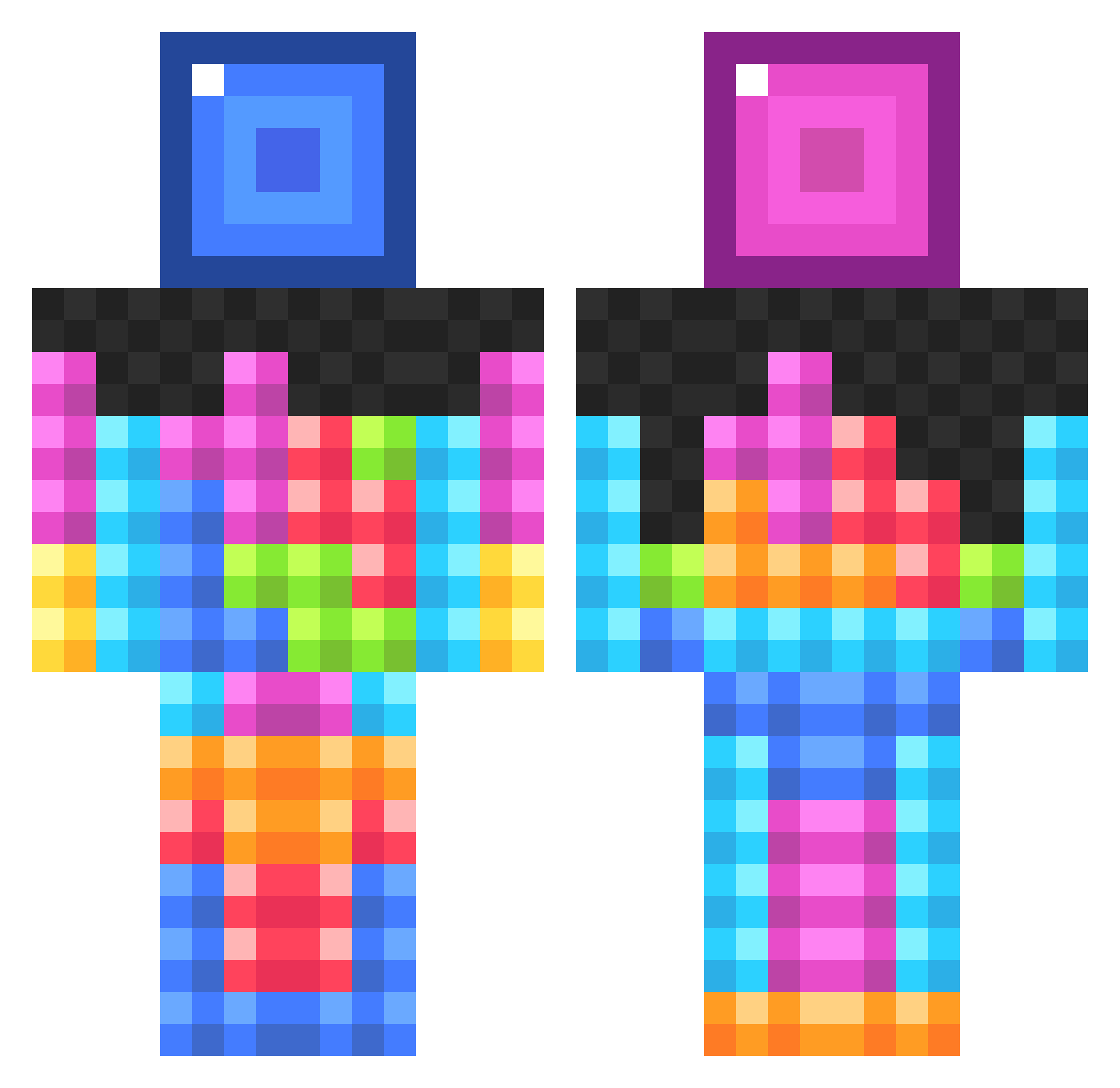
Current Minecraft skin of the player SebB1996, loaded from the official Mojang API. Rotate the 3D model with your mouse or finger, then download the skin as a PNG file and use it in Minecraft: Bedrock Edition or Java Edition for free. When SebB1996 changes their skin, this page updates automatically and the old skin stays in the history below.
Other players with this skin (834)
SebB1996 was the 599th player we have seen with this skin, first spotted on 08.10.2026. The same skin was seen on these players. Open a nickname to see their current skin and skin history.
 IMCOOL0703 ncola5 BillionthFoot krulamasusasar otherichristian Ronan998 SeeYouInTeaa Hammsters New_Threat CrackLackin OliverII Bunchacrunch1414 diepvrieskast madhatterLSU DarkStatic66 YoUnG_kRaZyy VickeHagberg rathost Gaesesag X7Skates bougernugget Cuebicks mammoloso Hoaxin kilwap0 lOlitude69 swegway Dirtymoney32 NickNak1904 ciany31 Skidmawk TaylorPow Slyspy LIBB ztripp17 W8FerMe Quackenstein FulmiAdmin sweetbread4 BritishKitCat liltumble lorentz12117 Ninja_Skills29 Smartasse buttsagington885 _kranius Sharzealthon Tavshan Coolahugge100 Yatdude Meteor_HD 123bowhunter bug1974 Afaw99 DorjeFF kyejones77 benj2188 BirdyTheGod Mestre145 imsofakingcool
More Tetris Minecraft skins
How to install the SebB1996 skin
- Press the Download button above to save the skin as a PNG file.
- Minecraft: Bedrock Edition (PE): open the Dressing Room from the main menu (or tap your character → Edit Character), go to Classic Skins → Owned, press the + (new skin) button, choose the downloaded PNG and pick the Classic (Steve) model. Works on PC and mobile; consoles cannot import custom skins.
- Minecraft: Java Edition: open the Minecraft Launcher, go to the Skins tab, click New Skin, load the PNG, pick the Classic (Steve) model and press Save & Use. You can also upload it at minecraft.net → Profile → Change Skin.
The skin does not show up after import - what should I do?
Restart Minecraft and open the Dressing Room again - imported skins sometimes appear only after a restart. Also make sure you selected the imported skin and picked the Classic (Steve) model.
Which model should I choose, Classic or Slim?
This skin is designed for the Classic (Steve) model. If you pick the wrong model, the arms of the skin will look stretched or squeezed.
Is the skin of SebB1996 free to download?
Yes. Press Download, save the PNG file and use it in Minecraft: Bedrock Edition or Java Edition - no payment or registration needed. The skin also works on multiplayer servers and Realms.
More skins
Looking for more? Go back to all Minecraft skins and check the top skins of the week, month and all time, or find any player's skin by nickname.