
Seanikki34 - Minecraft Skins & Skin History
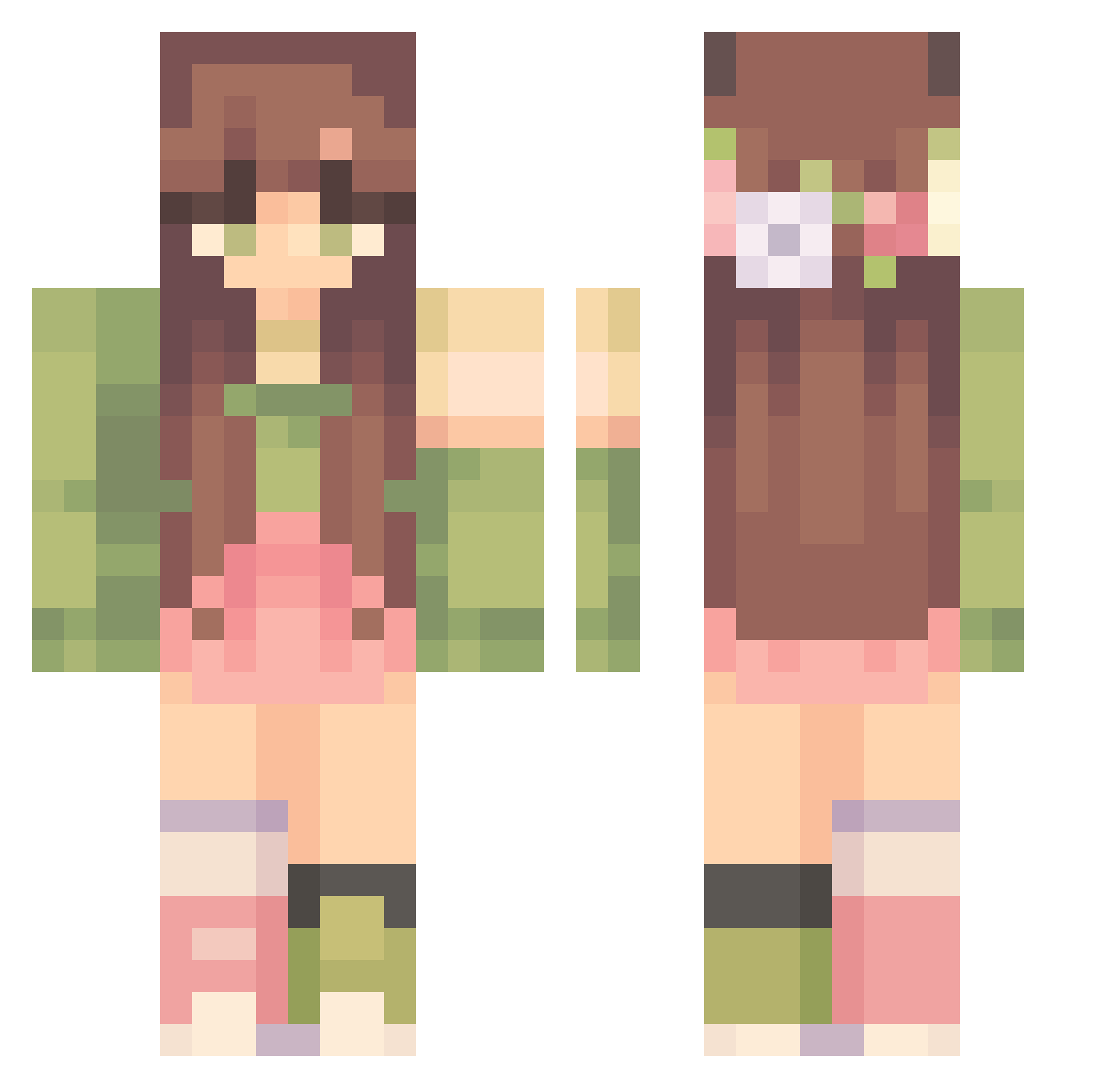
Current Minecraft skin of the player Seanikki34, loaded from the official Mojang API. Rotate the 3D model with your mouse or finger, then download the skin as a PNG file and use it in Minecraft: Bedrock Edition or Java Edition for free. When Seanikki34 changes their skin, this page updates automatically and the old skin stays in the history below.
Other players with this skin (303)
Seanikki34 was the 90th player we have seen with this skin, first spotted on 17.08.2026. The same skin was seen on these players. Open a nickname to see their current skin and skin history.
 Kaninchenprinze Aventurielle Do111y mikstape HayleeBean69 SioniNew SleepyDragonUWU SilverBolt19 classic_lex Antonowka Diana2055 xuabii Jolinnee mlmermaid CaitlinZhang jinhee00 shyplush daechwiita UrLocalGardenRat Ms_Xiaoxia blackwinterwells punpun_mama c2two luhcorsc Meloneyx moonWGF Lilla_Myy djamps Corona7i sslijo anniebanannie_01 The_Aury _Idun ritamota Kuschlmonster XxEmeraldBunnyxX leilaafonso b3lq Koenshi louisealel Awes0meSaucee DeerlyBelovedd chceumrzec123 evimyn boba_ghost wontumpling typingisa sofieg22 KubaBukaj verycammi luluizi Smollyds _ImJustBread_ Lenasmall Cicmonek hannerbananer07 kenzigo jannefossen MajaMaria Matcha_Muffin
More Flower Crown Minecraft skins
See all 3225 Flower Crown skins
How to install the Seanikki34 skin
- Press the Download button above to save the skin as a PNG file.
- Minecraft: Bedrock Edition (PE): open the Dressing Room from the main menu (or tap your character → Edit Character), go to Classic Skins → Owned, press the + (new skin) button, choose the downloaded PNG and pick the Classic (Steve) model. Works on PC and mobile; consoles cannot import custom skins.
- Minecraft: Java Edition: open the Minecraft Launcher, go to the Skins tab, click New Skin, load the PNG, pick the Classic (Steve) model and press Save & Use. You can also upload it at minecraft.net → Profile → Change Skin.
The skin does not show up after import - what should I do?
Restart Minecraft and open the Dressing Room again - imported skins sometimes appear only after a restart. Also make sure you selected the imported skin and picked the Classic (Steve) model.
Which model should I choose, Classic or Slim?
This skin is designed for the Classic (Steve) model. If you pick the wrong model, the arms of the skin will look stretched or squeezed.
Is the skin of Seanikki34 free to download?
Yes. Press Download, save the PNG file and use it in Minecraft: Bedrock Edition or Java Edition - no payment or registration needed. The skin also works on multiplayer servers and Realms.
More skins
Looking for more? Go back to all Minecraft skins and check the top skins of the week, month and all time, or find any player's skin by nickname.