
Sealball0217 - Minecraft Skins & Skin History
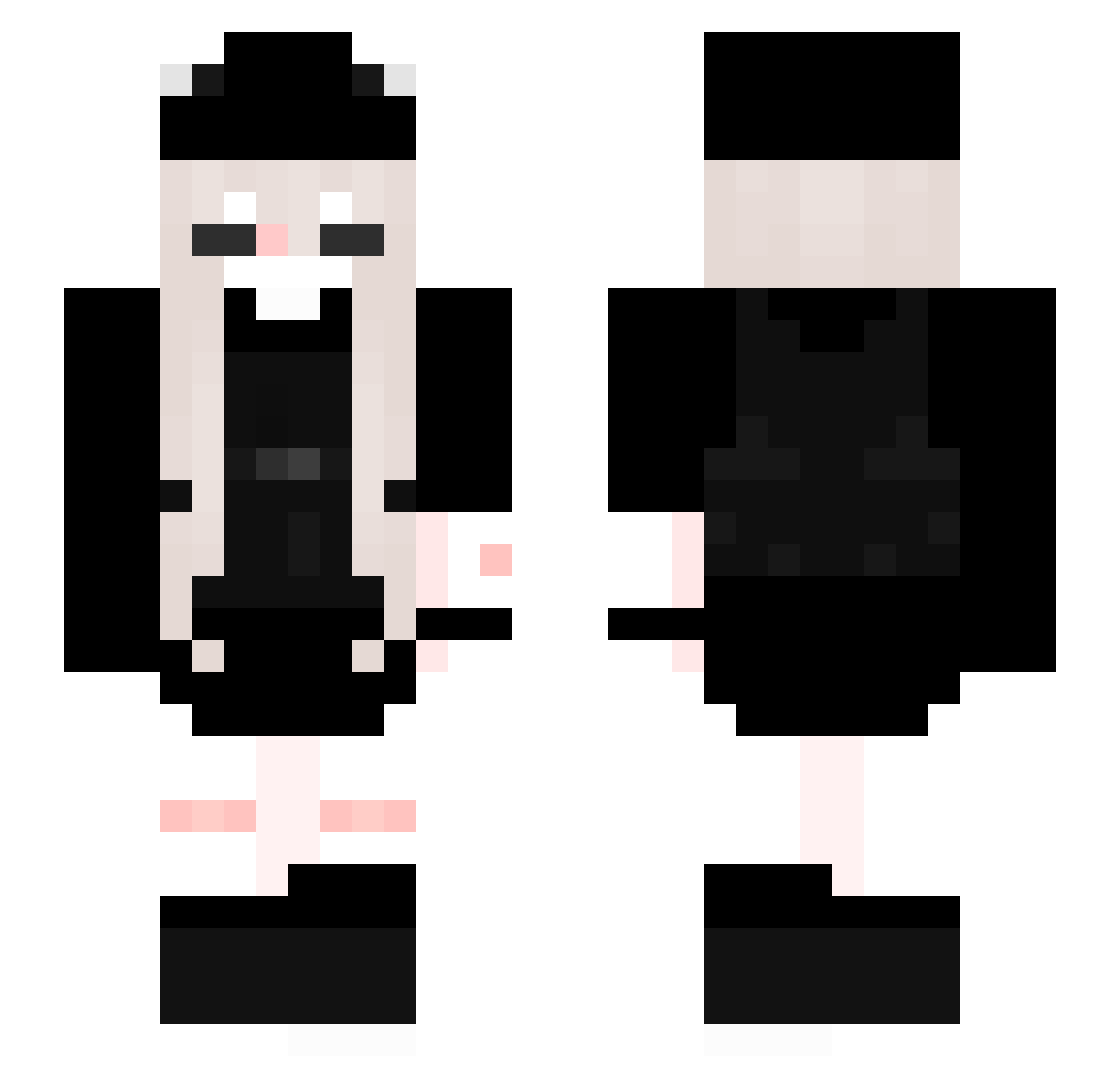
Current Minecraft skin of the player Sealball0217, loaded from the official Mojang API. Rotate the 3D model with your mouse or finger, then download the skin as a PNG file and use it in Minecraft: Bedrock Edition or Java Edition for free. When Sealball0217 changes their skin, this page updates automatically and the old skin stays in the history below.
Other players with this skin (286)
Sealball0217 was the 208th player we have seen with this skin, first spotted on 21.10.2026. The same skin was seen on these players. Open a nickname to see their current skin and skin history.
 youndor saas314 qinawd MaskedRider2887 VBallGamer LNevielL vampsxx _Kimiko_29 Mineperr_zx9 qvini_ Sztosiara154 smallshawty AbuesdKid darchenie Bleistift011 AmeDes290504 Shiiiib Hamsuke440 Eshmeraldia Mxstaken Xotaqqq Sand018 Ineczka1206 06xgguk Darling_666 Elera_wonderkids Akinas46 DiepAnh sexusteam OggyElla LiLy1324 DerParker blackwindoww zeecptr Charon7733 _mxla StanivukM Darkjasi_1 hlloktty cola_cat1 MissPlayz evdaryal 3itzcharly3 Blackzediez Yurii_Akuma NEKWEE Mayumi_1 Mute_0401 givemeyourFmoney tetesmr Yukiyuks AkinaChi Ireqji PrincessAlli777 aziuwu chil0vikk 0O0ioi Peach619 NelinkaOnTopos poteti2000
More Backpack Minecraft skins
How to install the Sealball0217 skin
- Press the Download button above to save the skin as a PNG file.
- Minecraft: Bedrock Edition (PE): open the Dressing Room from the main menu (or tap your character → Edit Character), go to Classic Skins → Owned, press the + (new skin) button, choose the downloaded PNG and pick the Slim (Alex) model. Works on PC and mobile; consoles cannot import custom skins.
- Minecraft: Java Edition: open the Minecraft Launcher, go to the Skins tab, click New Skin, load the PNG, pick the Slim (Alex) model and press Save & Use. You can also upload it at minecraft.net → Profile → Change Skin.
The skin does not show up after import - what should I do?
Restart Minecraft and open the Dressing Room again - imported skins sometimes appear only after a restart. Also make sure you selected the imported skin and picked the Slim (Alex) model.
Which model should I choose, Classic or Slim?
This skin is designed for the Slim (Alex) model. If you pick the wrong model, the arms of the skin will look stretched or squeezed.
Is the skin of Sealball0217 free to download?
Yes. Press Download, save the PNG file and use it in Minecraft: Bedrock Edition or Java Edition - no payment or registration needed. The skin also works on multiplayer servers and Realms.
More skins
Looking for more? Go back to all Minecraft skins and check the top skins of the week, month and all time, or find any player's skin by nickname.