
SeZ41 - Minecraft Skins & Skin History
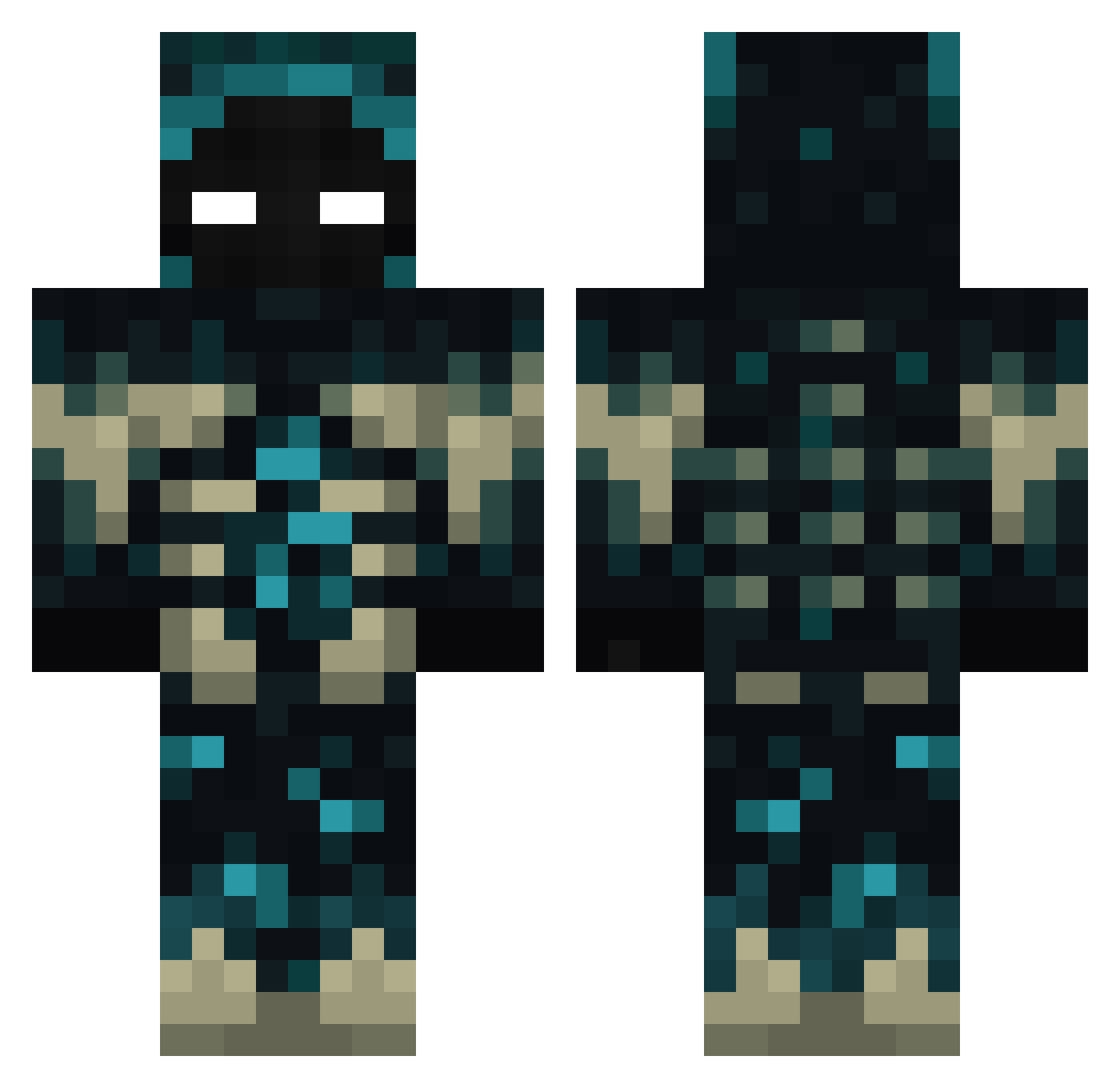
Current Minecraft skin of the player SeZ41, loaded from the official Mojang API. Rotate the 3D model with your mouse or finger, then download the skin as a PNG file and use it in Minecraft: Bedrock Edition or Java Edition for free. When SeZ41 changes their skin, this page updates automatically and the old skin stays in the history below.
Other players with this skin (387)
SeZ41 was the 189th player we have seen with this skin, first spotted on 19.09.2026. The same skin was seen on these players. Open a nickname to see their current skin and skin history.
 toppa11406 kiju44 Exitante911 esesmo xMchlsk GoldenTSX Frikies ON1C_16 Axyminuss ymmot42 iAmAlb4rt Henryzito MegaMike435 Bb990904 AdriX873 SurvivalGun Darck_Bl0od der_schmajo ferter7073 XKronnosx herotice10 Kaisamain116 MeltedMental K4CPER000 majoEjk Amgel55 DEXTEREDDY _MTBoy_ ToXiQuE_p St4rlol SadForLife Leandruh UXScholtz LOLYOUzerg Zelda132 jasper0702 ImGreyzZ ThePozzard Bernard0509 PTpdd kalios11 Facufest Deathflare54 ulugbey06 xman16on0303 YOU173 Aystiq HORSE9311 Bidi_23 SneakyYx Klumpi_007 10moth Al__Mualim Jurek303 swowdragon emo721 TTV_Mattis200 Treisa RustyDuke1317 Oguh587
More Sculk Minecraft skins
How to install the SeZ41 skin
- Press the Download button above to save the skin as a PNG file.
- Minecraft: Bedrock Edition (PE): open the Dressing Room from the main menu (or tap your character → Edit Character), go to Classic Skins → Owned, press the + (new skin) button, choose the downloaded PNG and pick the Classic (Steve) model. Works on PC and mobile; consoles cannot import custom skins.
- Minecraft: Java Edition: open the Minecraft Launcher, go to the Skins tab, click New Skin, load the PNG, pick the Classic (Steve) model and press Save & Use. You can also upload it at minecraft.net → Profile → Change Skin.
The skin does not show up after import - what should I do?
Restart Minecraft and open the Dressing Room again - imported skins sometimes appear only after a restart. Also make sure you selected the imported skin and picked the Classic (Steve) model.
Which model should I choose, Classic or Slim?
This skin is designed for the Classic (Steve) model. If you pick the wrong model, the arms of the skin will look stretched or squeezed.
Is the skin of SeZ41 free to download?
Yes. Press Download, save the PNG file and use it in Minecraft: Bedrock Edition or Java Edition - no payment or registration needed. The skin also works on multiplayer servers and Realms.
More skins
Looking for more? Go back to all Minecraft skins and check the top skins of the week, month and all time, or find any player's skin by nickname.