
Scuffed808 - Minecraft Skins & Skin History
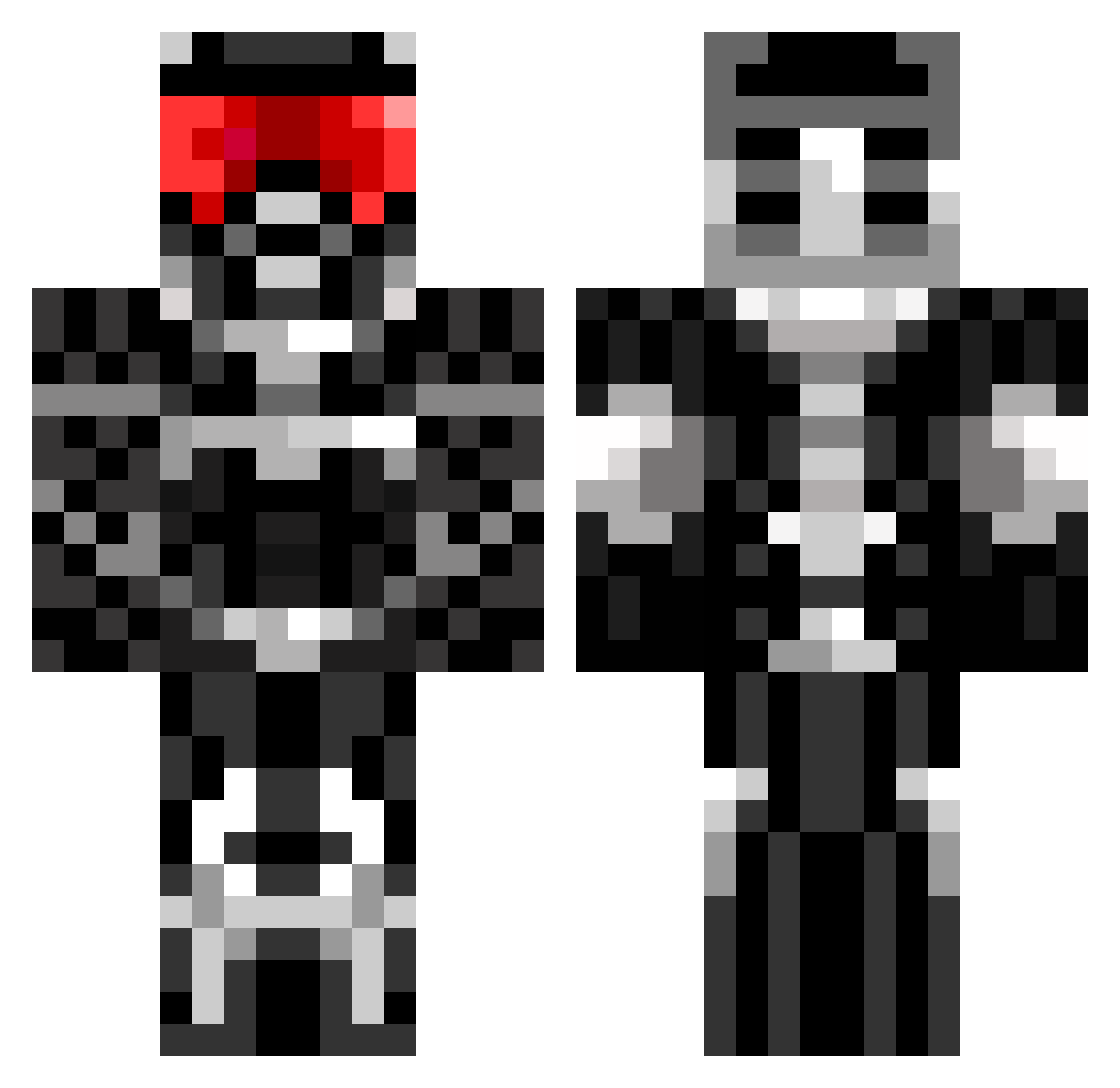
Current Minecraft skin of the player Scuffed808, loaded from the official Mojang API. Rotate the 3D model with your mouse or finger, then download the skin as a PNG file and use it in Minecraft: Bedrock Edition or Java Edition for free. When Scuffed808 changes their skin, this page updates automatically and the old skin stays in the history below.
Other players with this skin (827)
Scuffed808 was the 795th player we have seen with this skin, first spotted on 14.11.2026. The same skin was seen on these players. Open a nickname to see their current skin and skin history.
 wremerson Luckydude24 Volbeated Rodegros sam1058 spencerbphillips Vectorsky21 g2av3 _Festis Chrometastic007 Lyreon samarchitect ADARKPHANTOM pollerpon FighterE101 MJS14979 Hans55Stone xxxmete bradcullen NOSty1 katjang HxCEpikk doodle_macaw jasonvoorhees1st Xdboss99 Krooks928 Spastech quack_attack98 pponthetree Gjevre GoldFisk merlin0404 SUPAxKILLZ milesoldenburg XxDrokexX Tangen92 Mantillaschock Irieriden Rafboy Mondao3901 tiger_89 haverhillbob CommanderStash DeathRiderD79 crossi12 Jcchao apink101 blueshooter12 InterittuSs Quarion1 Eddietheminer fanfuggintastic BlAdEmAztEr battlemech7 estom_1998 roktaror jacket101 nitron97 bigboombear behindtheworld
More Sci Fi Armor Minecraft skins
How to install the Scuffed808 skin
- Press the Download button above to save the skin as a PNG file.
- Minecraft: Bedrock Edition (PE): open the Dressing Room from the main menu (or tap your character → Edit Character), go to Classic Skins → Owned, press the + (new skin) button, choose the downloaded PNG and pick the Classic (Steve) model. Works on PC and mobile; consoles cannot import custom skins.
- Minecraft: Java Edition: open the Minecraft Launcher, go to the Skins tab, click New Skin, load the PNG, pick the Classic (Steve) model and press Save & Use. You can also upload it at minecraft.net → Profile → Change Skin.
The skin does not show up after import - what should I do?
Restart Minecraft and open the Dressing Room again - imported skins sometimes appear only after a restart. Also make sure you selected the imported skin and picked the Classic (Steve) model.
Which model should I choose, Classic or Slim?
This skin is designed for the Classic (Steve) model. If you pick the wrong model, the arms of the skin will look stretched or squeezed.
Is the skin of Scuffed808 free to download?
Yes. Press Download, save the PNG file and use it in Minecraft: Bedrock Edition or Java Edition - no payment or registration needed. The skin also works on multiplayer servers and Realms.
More skins
Looking for more? Go back to all Minecraft skins and check the top skins of the week, month and all time, or find any player's skin by nickname.