
Saxaridze - Minecraft Skins & Skin History
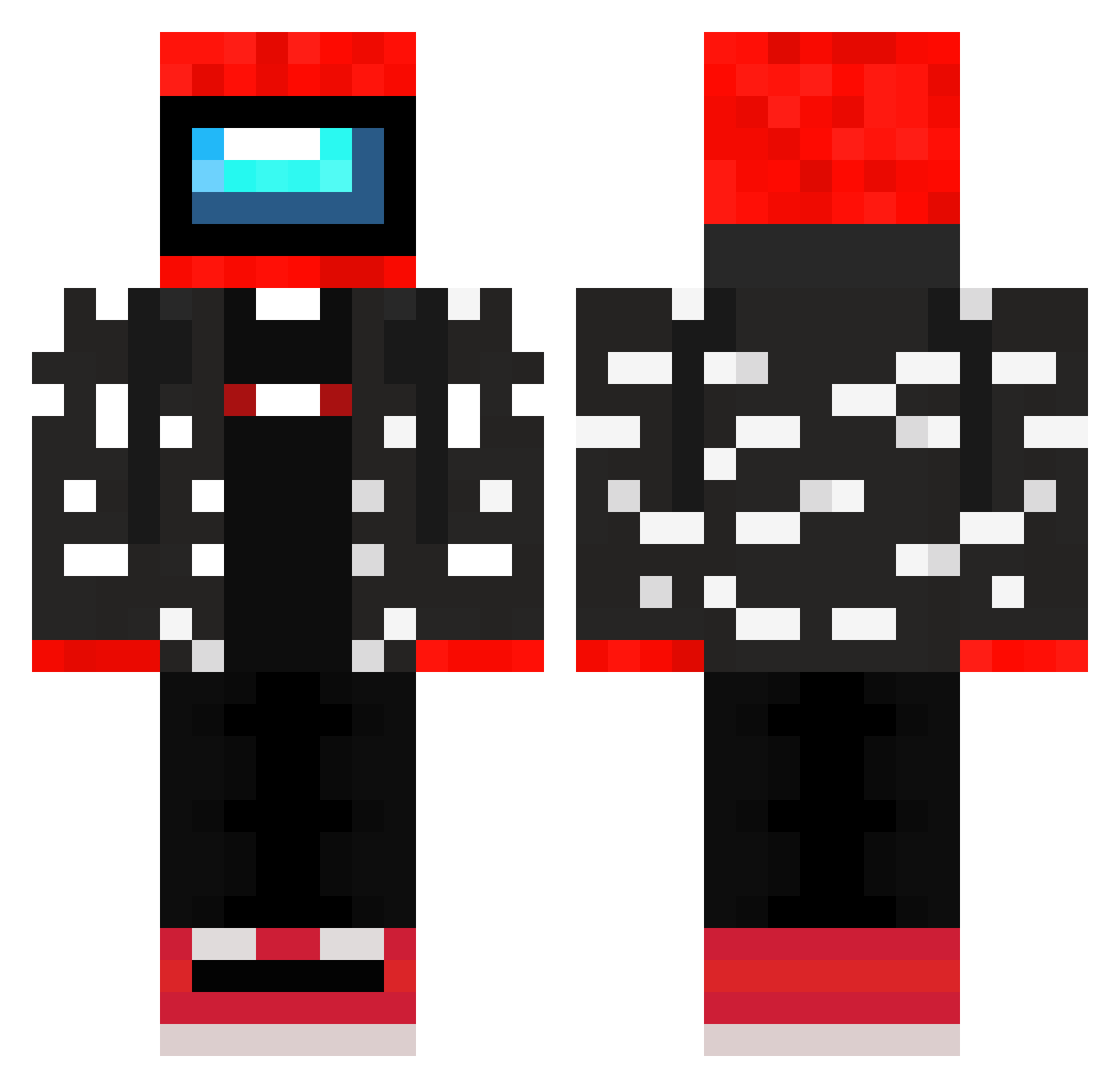
Current Minecraft skin of the player Saxaridze, loaded from the official Mojang API. Rotate the 3D model with your mouse or finger, then download the skin as a PNG file and use it in Minecraft: Bedrock Edition or Java Edition for free. When Saxaridze changes their skin, this page updates automatically and the old skin stays in the history below.
Other players with this skin (245)
Saxaridze was the 102nd player we have seen with this skin, first spotted on 10.09.2026. The same skin was seen on these players. Open a nickname to see their current skin and skin history.
 MiG3l4K
 GodlyLeander Misinueva lDinn waifu_XD Vulcan407 Imposter562231 jamby09 Venomiaczek NukeyBoi86 JP_Bebej Unkoolaid18 Ybymy Wiitix Rexcol64 breadley_wheat GTCosta Jeff787398476143 ninjasquirrlez nathan813669 For3verY0UNG Tanqueta Death_Missile ElGeraXDD Captain_URSSAF Dyoste Proveral ComicSauce18908 Xestroh Akaqkak dg_enjoyer janek_ryb Dengizkhan YuKKiTW chalshub Mayrax Franculli RobertoPlaysMC kirbogus giantflyingbaby txnbro Emrex kudaa114 iPLEAD Mattw05 AverageAtBest0 SparklyKitten37 MatiJatoo yung_sherm Marcoskater19 Cisgender OMBONK zFusionOP GenericAussie Faketurtl swidoof sk1llissues Blazegriffin Clipzz19 Luchit0
More Drip Minecraft skins
How to install the Saxaridze skin
- Press the Download button above to save the skin as a PNG file.
- Minecraft: Bedrock Edition (PE): open the Dressing Room from the main menu (or tap your character → Edit Character), go to Classic Skins → Owned, press the + (new skin) button, choose the downloaded PNG and pick the Classic (Steve) model. Works on PC and mobile; consoles cannot import custom skins.
- Minecraft: Java Edition: open the Minecraft Launcher, go to the Skins tab, click New Skin, load the PNG, pick the Classic (Steve) model and press Save & Use. You can also upload it at minecraft.net → Profile → Change Skin.
The skin does not show up after import - what should I do?
Restart Minecraft and open the Dressing Room again - imported skins sometimes appear only after a restart. Also make sure you selected the imported skin and picked the Classic (Steve) model.
Which model should I choose, Classic or Slim?
This skin is designed for the Classic (Steve) model. If you pick the wrong model, the arms of the skin will look stretched or squeezed.
Is the skin of Saxaridze free to download?
Yes. Press Download, save the PNG file and use it in Minecraft: Bedrock Edition or Java Edition - no payment or registration needed. The skin also works on multiplayer servers and Realms.
More skins
Looking for more? Go back to all Minecraft skins and check the top skins of the week, month and all time, or find any player's skin by nickname.