
Savera - Minecraft Skins & Skin History
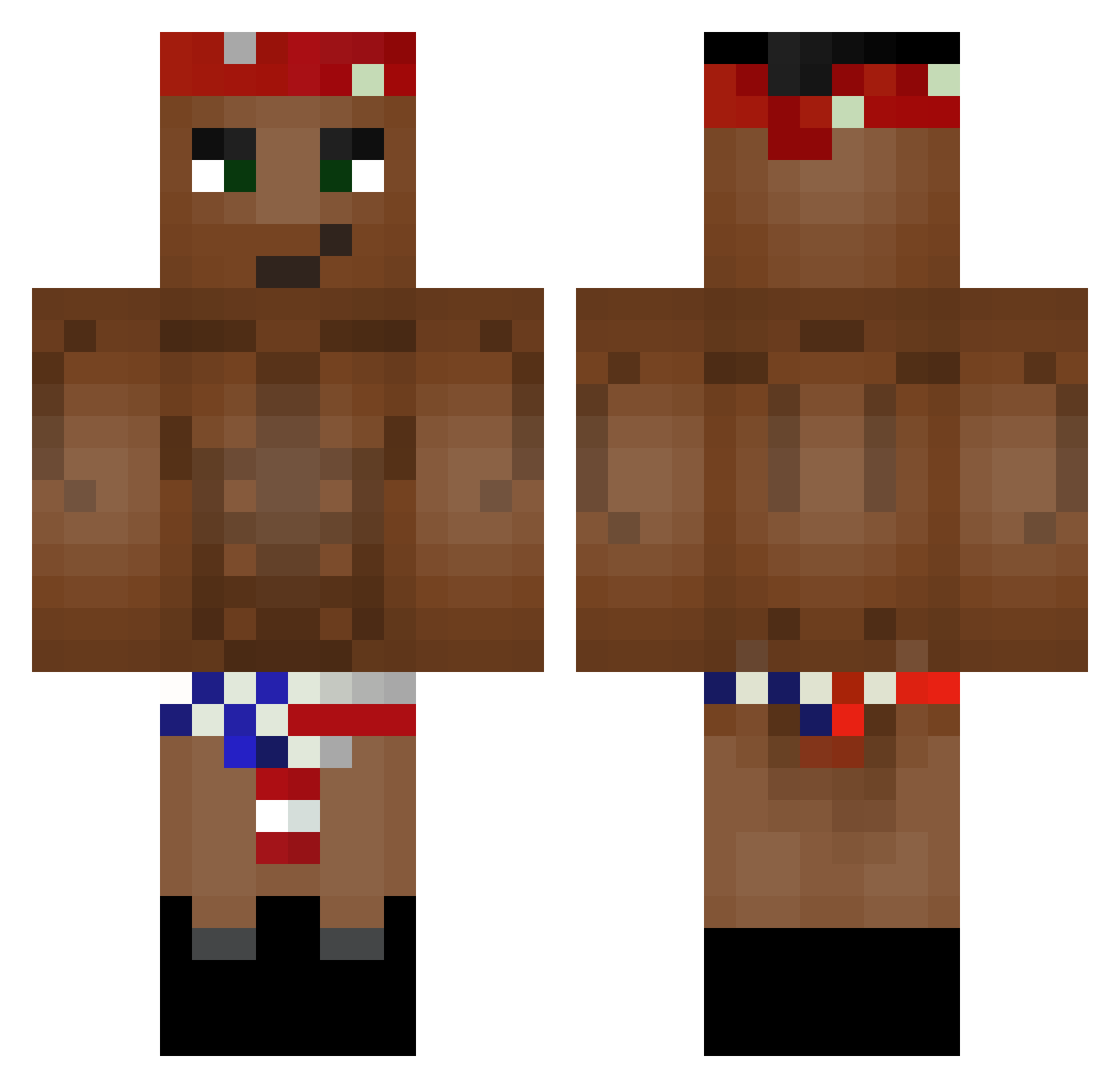
Current Minecraft skin of the player Savera, loaded from the official Mojang API. Rotate the 3D model with your mouse or finger, then download the skin as a PNG file and use it in Minecraft: Bedrock Edition or Java Edition for free. When Savera changes their skin, this page updates automatically and the old skin stays in the history below.
Other players with this skin (103)
Savera was the 47th player we have seen with this skin, first spotted on 17.09.2026. The same skin was seen on these players. Open a nickname to see their current skin and skin history.
 TheShacob Deathpower962 DsusYT MatteGamer5 ItsEthN Officialripper Bjorn666 ishfaq222 HodakaMori LaserJetP RixSoFo xDATEXx Sonkona neekerihomoxd doughnutprinces Tatsura1 FrankyCheese olezha28 jyjek Palmiteeex AustralianTradie __ToXi__ DINDOLION wojtix23 RicardoMilos23 JiKiDJi lobito23 muckinfartin Pop_cornix Bairon1015 killercorpse_21 TestSoul Gucioku dartski flapper_dog CoochieMane69420 Baseballmstr09 Keebo75 _alvarogamer_ Jhonmbe savage_nibba27 Spingu Asenimik wstewart Ohyo_Ohyo battle_axe143 biggda76 knephisto Glomsteri 12RicardoGr KillerToothbrush Imperiumn XanderMcDonald IceAge2OnDVD GrantMacDonald14 MrPochan BASSOVIK Capistrano MrDerpowsky Desoxii
More Tupac Shakur Minecraft skins
See all 182 Tupac Shakur skins
How to install the Savera skin
- Press the Download button above to save the skin as a PNG file.
- Minecraft: Bedrock Edition (PE): open the Dressing Room from the main menu (or tap your character → Edit Character), go to Classic Skins → Owned, press the + (new skin) button, choose the downloaded PNG and pick the Classic (Steve) model. Works on PC and mobile; consoles cannot import custom skins.
- Minecraft: Java Edition: open the Minecraft Launcher, go to the Skins tab, click New Skin, load the PNG, pick the Classic (Steve) model and press Save & Use. You can also upload it at minecraft.net → Profile → Change Skin.
The skin does not show up after import - what should I do?
Restart Minecraft and open the Dressing Room again - imported skins sometimes appear only after a restart. Also make sure you selected the imported skin and picked the Classic (Steve) model.
Which model should I choose, Classic or Slim?
This skin is designed for the Classic (Steve) model. If you pick the wrong model, the arms of the skin will look stretched or squeezed.
Is the skin of Savera free to download?
Yes. Press Download, save the PNG file and use it in Minecraft: Bedrock Edition or Java Edition - no payment or registration needed. The skin also works on multiplayer servers and Realms.
More skins
Looking for more? Go back to all Minecraft skins and check the top skins of the week, month and all time, or find any player's skin by nickname.