
SarekValder22 - Minecraft Skins & Skin History
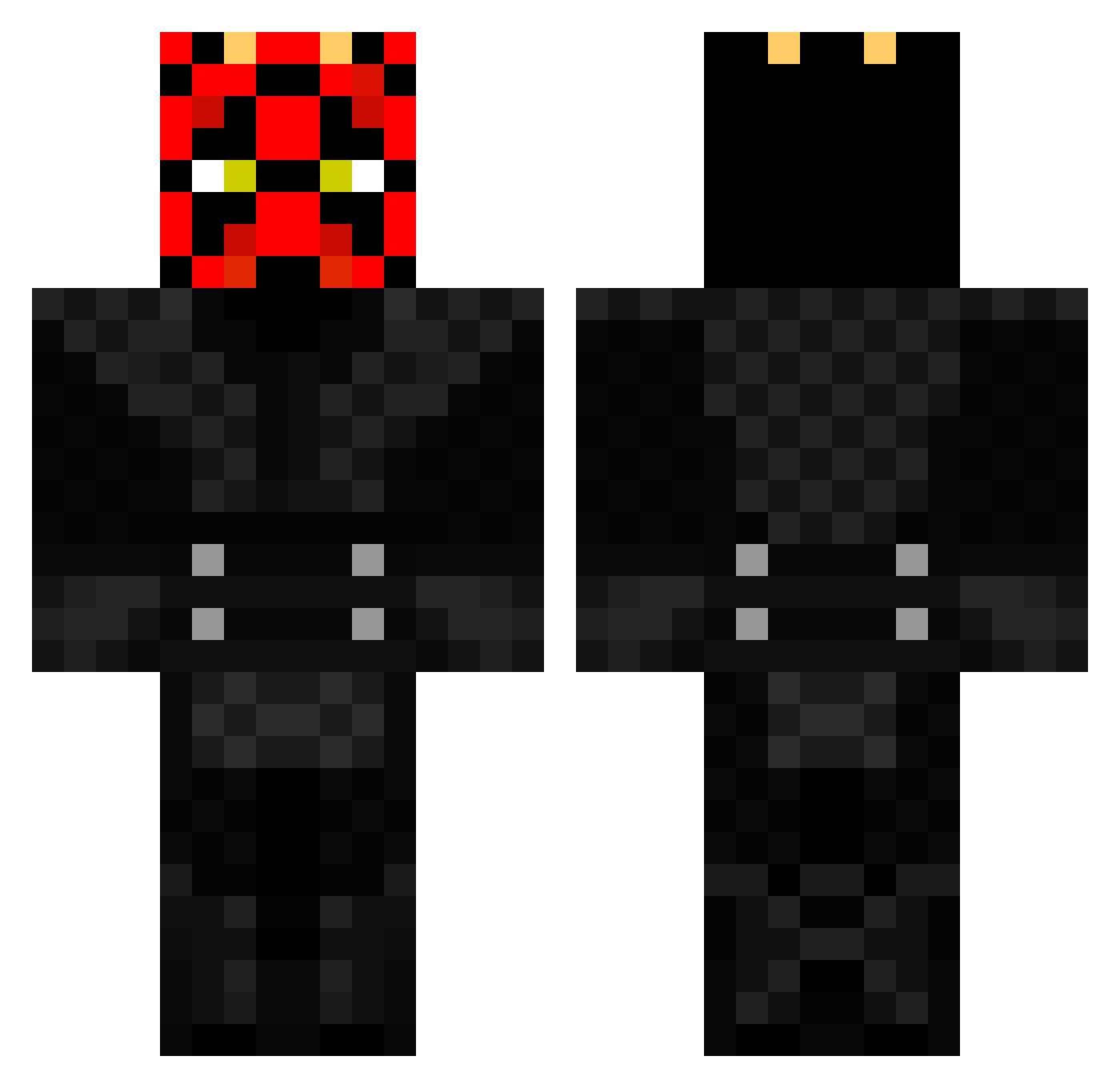
Current Minecraft skin of the player SarekValder22, loaded from the official Mojang API. Rotate the 3D model with your mouse or finger, then download the skin as a PNG file and use it in Minecraft: Bedrock Edition or Java Edition for free. When SarekValder22 changes their skin, this page updates automatically and the old skin stays in the history below.
Other players with this skin (370)
SarekValder22 was the 196th player we have seen with this skin, first spotted on 16.09.2026. The same skin was seen on these players. Open a nickname to see their current skin and skin history.
 OuToFrEaCh batataonline1976 Orchard69 jedijay2 JahJonny SGozzy Brandon97538642 JacksonAndDaddy BOUNTYRIDER PuyolPantsUp Sueyang Deadmaus2b tocky TheTh0minat0r DarylNixon GoogooDry slimthug3 LegiCZ yellowrain21 Banham93 saabr_04 bogdanxxl joakim000 jacobwinsor BillieJoe92 d4rr4gh0n31ll macke2001 mmorelli Fastal T4ytay17 dutchfighter Trapper_77 crackers46 MosesofTroy dylano2005 AlbertDEC Mc_HeroGamer tmarty914 Chachadoo tushbunny COOPEROID98 bertbod MielCnuts ethanevil01 haz007 Seebes H4R1ND3R darkdeath38 SnovvCZ therealhatrix BigBoo3 POUPIE42 Ollie_10_2006 CAMORAMBO43 KukriSnake deathhand87 MedicalCrawdad TannerDavis331 xX_PyroHD KarkuYT
More Darth Maul Minecraft skins
How to install the SarekValder22 skin
- Press the Download button above to save the skin as a PNG file.
- Minecraft: Bedrock Edition (PE): open the Dressing Room from the main menu (or tap your character → Edit Character), go to Classic Skins → Owned, press the + (new skin) button, choose the downloaded PNG and pick the Classic (Steve) model. Works on PC and mobile; consoles cannot import custom skins.
- Minecraft: Java Edition: open the Minecraft Launcher, go to the Skins tab, click New Skin, load the PNG, pick the Classic (Steve) model and press Save & Use. You can also upload it at minecraft.net → Profile → Change Skin.
The skin does not show up after import - what should I do?
Restart Minecraft and open the Dressing Room again - imported skins sometimes appear only after a restart. Also make sure you selected the imported skin and picked the Classic (Steve) model.
Which model should I choose, Classic or Slim?
This skin is designed for the Classic (Steve) model. If you pick the wrong model, the arms of the skin will look stretched or squeezed.
Is the skin of SarekValder22 free to download?
Yes. Press Download, save the PNG file and use it in Minecraft: Bedrock Edition or Java Edition - no payment or registration needed. The skin also works on multiplayer servers and Realms.
More skins
Looking for more? Go back to all Minecraft skins and check the top skins of the week, month and all time, or find any player's skin by nickname.