
SantiRandom - Minecraft Skins & Skin History
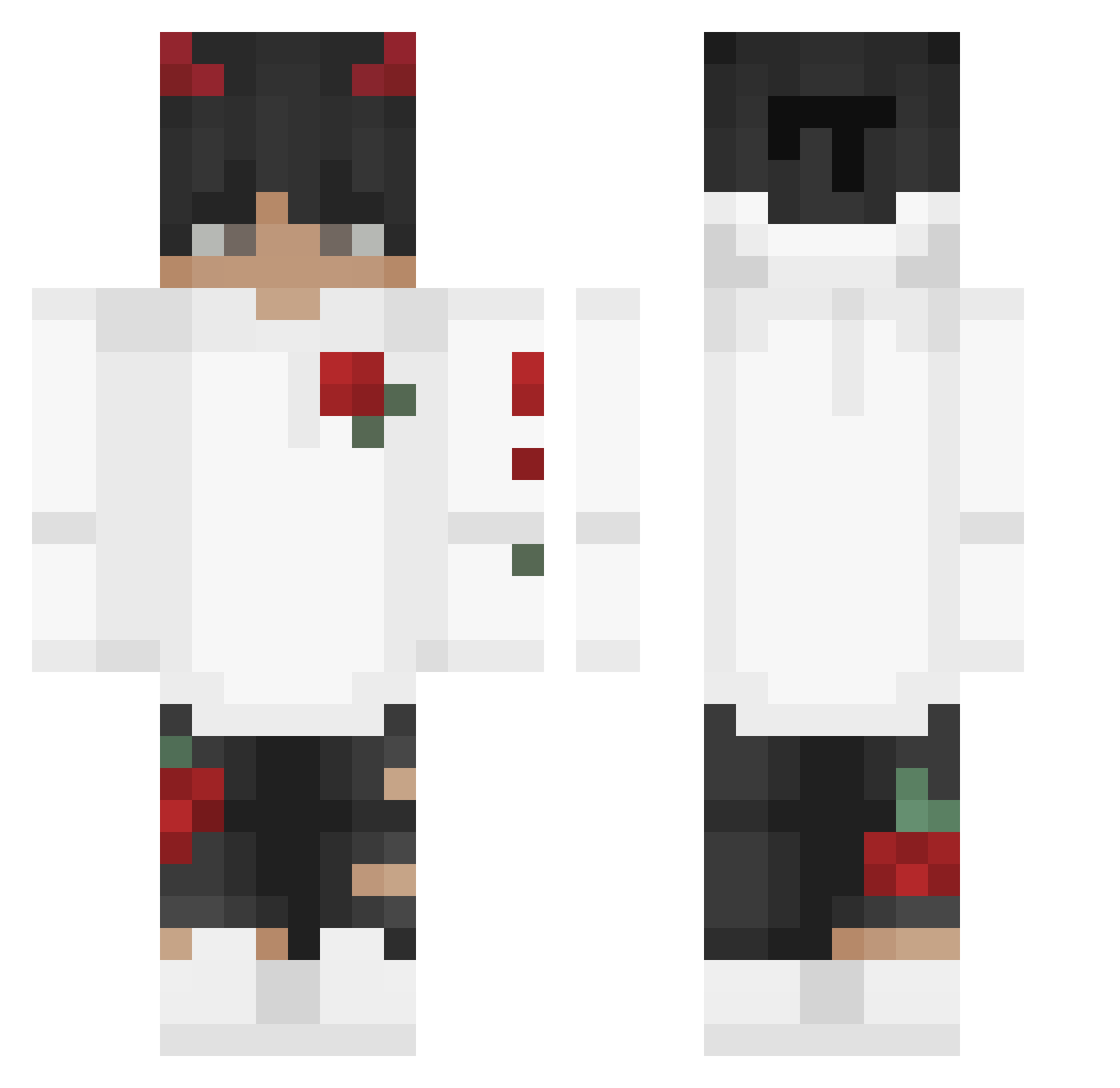
Current Minecraft skin of the player SantiRandom, loaded from the official Mojang API. Rotate the 3D model with your mouse or finger, then download the skin as a PNG file and use it in Minecraft: Bedrock Edition or Java Edition for free. When SantiRandom changes their skin, this page updates automatically and the old skin stays in the history below.
Other players with this skin (245)
SantiRandom was the 217th player we have seen with this skin, first spotted on 19.10.2026. The same skin was seen on these players. Open a nickname to see their current skin and skin history.
 OmerYilmaz Jakub_Z_Krakowa RazortehBlazer Lxnely_Souls LukasGamesYT _MUSKY_ Kabanooosik Dongdong233 Massr1 KLF_franckyy BojanLukicFan faramis22 Katixe syndenium SwaggyOF Gravitix15 MrgamerzXD JerrySoul AaronArtz Playboi_Brady LonzoBallz Waspo98 ImMetztli SafBruh kabr4 xBartixon_54 Aidenzz17 KaiJaNai Elite_Halo Scieqp Mosa_x9 RockStarXD santisandia TkiuryH goldrich56759 Evil1Rager Juzst1n qwe85911 ANSAGAR12 Jacob_Sokal ZenifiedYT Moulitoducoco LuggiMMX LootLords Elomordo1216 FastBitum Silvinhaaa_ MlodySkiba Luv4HAUNT pasangtamang dwarflemon27 ReMusty ph3onixszn Mcmuu_AT Aitriah TaykiEdits Gehmperator SlyMan2010 SmoKedYT Kyzah1x
More Devil Horns Minecraft skins
How to install the SantiRandom skin
- Press the Download button above to save the skin as a PNG file.
- Minecraft: Bedrock Edition (PE): open the Dressing Room from the main menu (or tap your character → Edit Character), go to Classic Skins → Owned, press the + (new skin) button, choose the downloaded PNG and pick the Classic (Steve) model. Works on PC and mobile; consoles cannot import custom skins.
- Minecraft: Java Edition: open the Minecraft Launcher, go to the Skins tab, click New Skin, load the PNG, pick the Classic (Steve) model and press Save & Use. You can also upload it at minecraft.net → Profile → Change Skin.
The skin does not show up after import - what should I do?
Restart Minecraft and open the Dressing Room again - imported skins sometimes appear only after a restart. Also make sure you selected the imported skin and picked the Classic (Steve) model.
Which model should I choose, Classic or Slim?
This skin is designed for the Classic (Steve) model. If you pick the wrong model, the arms of the skin will look stretched or squeezed.
Is the skin of SantiRandom free to download?
Yes. Press Download, save the PNG file and use it in Minecraft: Bedrock Edition or Java Edition - no payment or registration needed. The skin also works on multiplayer servers and Realms.
More skins
Looking for more? Go back to all Minecraft skins and check the top skins of the week, month and all time, or find any player's skin by nickname.