
Santi64 - Minecraft Skins & Skin History
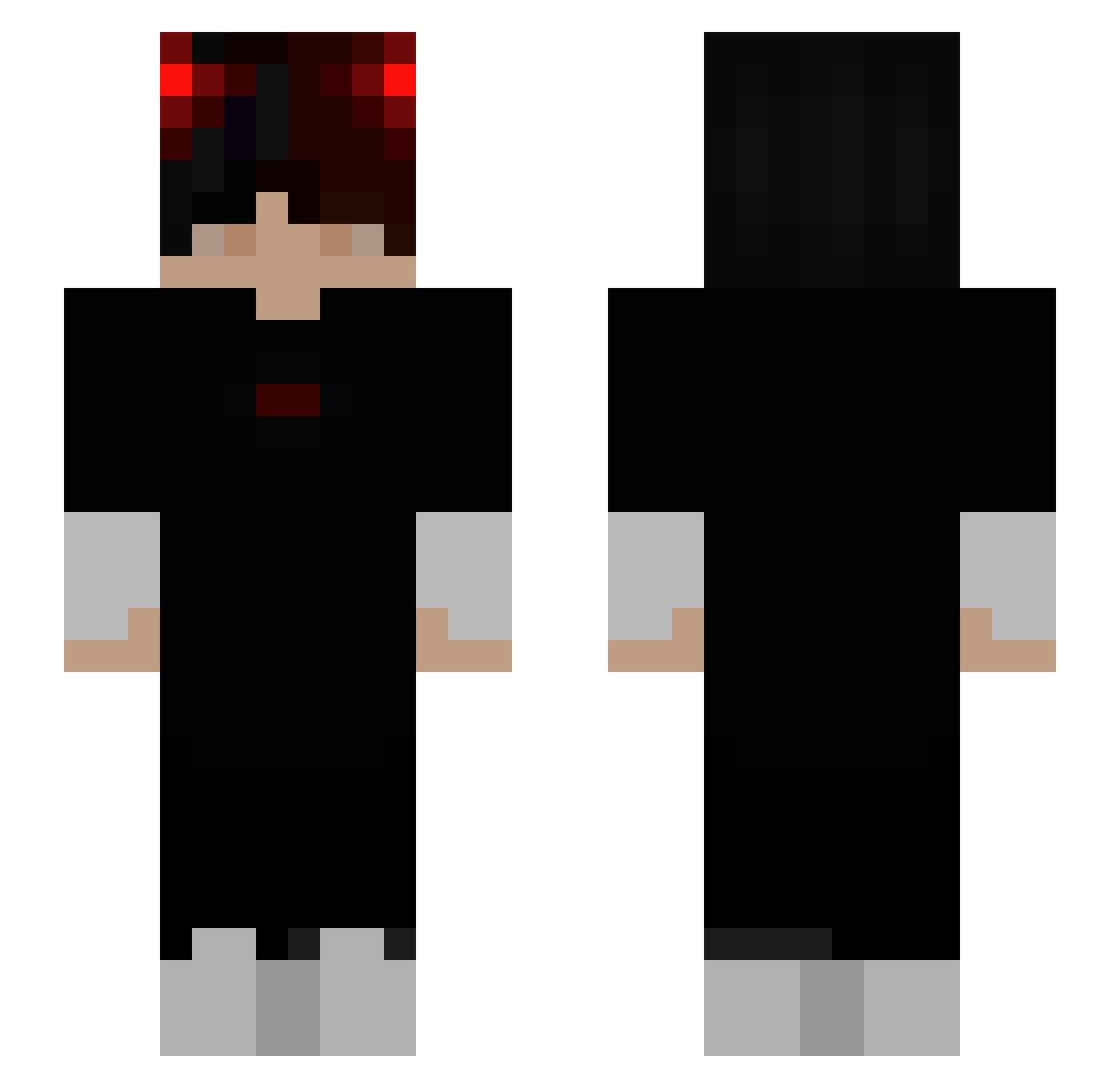
Current Minecraft skin of the player Santi64, loaded from the official Mojang API. Rotate the 3D model with your mouse or finger, then download the skin as a PNG file and use it in Minecraft: Bedrock Edition or Java Edition for free. When Santi64 changes their skin, this page updates automatically and the old skin stays in the history below.
Other players with this skin (314)
Santi64 was the 292nd player we have seen with this skin, first spotted on 03.11.2026. The same skin was seen on these players. Open a nickname to see their current skin and skin history.
 1bori1 ConQu3RoR_ vitaodela anido91940 Th3Gh0st3d xNeop bongzou TheOnlyone_C1 benjayaye CevicheUwU iShadow_YT Cyrionfnr MiniTrovaXD Mertblt76 o11zeee petitchibre _PUDDING__ lify_ ShirleyWhirley77 Trangupi annteku Manuelfrancisc Hitkiller120 Techy_Aryaan MaIachai zZENOz Caoimhe3730 ykank HatedePelucia Manujel bbali02 Dragonborn54321 Bass29 fdshjar_ michaelbranch zTataloo ppau430yt schuchh28 shannywanny66 EmmaIsSorry Derdimi96 fwsle SimonGameDk Gr0ock ShowTime123 SerrumTwitch defismyname AsiaTK Ibrahimx6 7alowe magnitros Jonathon124 ItzYaman Nolhann02 joejoe970708 _kamado Duckgoeswild Itzu21 silverhawk2010 NOTLuciferXD_
How to install the Santi64 skin
- Press the Download button above to save the skin as a PNG file.
- Minecraft: Bedrock Edition (PE): open the Dressing Room from the main menu (or tap your character → Edit Character), go to Classic Skins → Owned, press the + (new skin) button, choose the downloaded PNG and pick the Slim (Alex) model. Works on PC and mobile; consoles cannot import custom skins.
- Minecraft: Java Edition: open the Minecraft Launcher, go to the Skins tab, click New Skin, load the PNG, pick the Slim (Alex) model and press Save & Use. You can also upload it at minecraft.net → Profile → Change Skin.
The skin does not show up after import - what should I do?
Restart Minecraft and open the Dressing Room again - imported skins sometimes appear only after a restart. Also make sure you selected the imported skin and picked the Slim (Alex) model.
Which model should I choose, Classic or Slim?
This skin is designed for the Slim (Alex) model. If you pick the wrong model, the arms of the skin will look stretched or squeezed.
Is the skin of Santi64 free to download?
Yes. Press Download, save the PNG file and use it in Minecraft: Bedrock Edition or Java Edition - no payment or registration needed. The skin also works on multiplayer servers and Realms.
More skins
Looking for more? Go back to all Minecraft skins and check the top skins of the week, month and all time, or find any player's skin by nickname.