
Sant_2009 - Minecraft Skins & Skin History
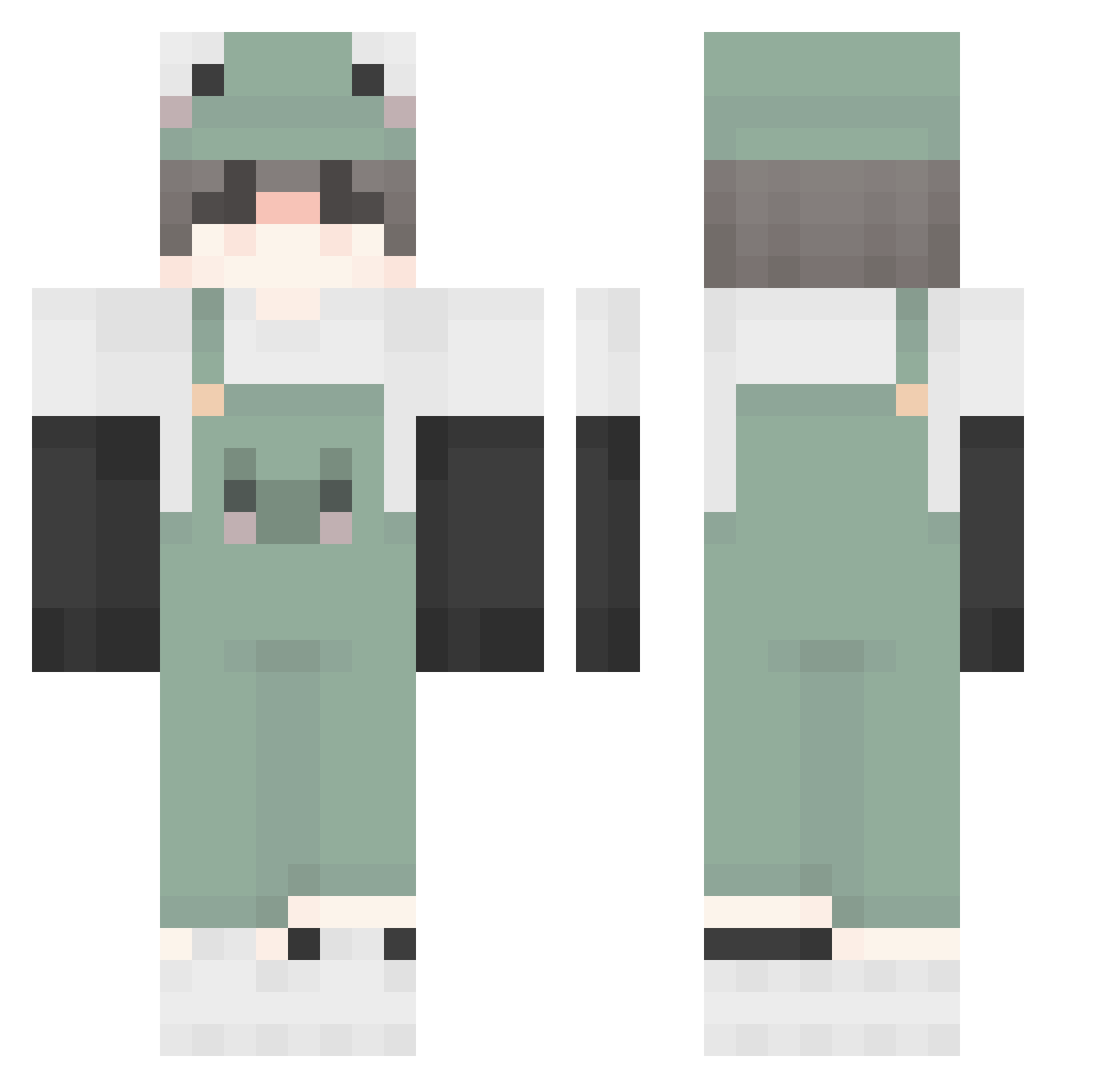
Current Minecraft skin of the player Sant_2009, loaded from the official Mojang API. Rotate the 3D model with your mouse or finger, then download the skin as a PNG file and use it in Minecraft: Bedrock Edition or Java Edition for free. When Sant_2009 changes their skin, this page updates automatically and the old skin stays in the history below.
Other players with this skin (504)
Sant_2009 was the 413th player we have seen with this skin, first spotted on 23.10.2026. The same skin was seen on these players. Open a nickname to see their current skin and skin history.
 KI_BMF clairelovesfrogs Gruel songjun__ m1ng_P moonbunx jr99999999 WrinkledThyme jasaj Xooho654 Luoyeon CrabbyRucker Itzz_Rei_ LilyssBabyy _InfiniteSpace_ Patbeeb tofras123 cuteBOYy melo009 Mochi81 juustbo frederikfred peiqi0511 Niko5259 beelbow capslake tanggoo4 justlostmysock nosrep_eno XIAOGPUI sabaiism Yuzinmu Polaris5605 AlexKsj ridthis69 Deutscheelite chommedechommi Kyotani8 HHZJJJ ArcherBean SergejOsk 1uface1 JJ6292 biglomein theus_tk hamhotpocket uushygushy Sea_Melons Walsdo AsianNoodles_ Squidny Mr_Smile_Reaper LiarSan Whocaresz laowangppp Kumiloko Eden_enbyles LiangZhan Hajun0519 Coralitt
More Frog Minecraft skins
How to install the Sant_2009 skin
- Press the Download button above to save the skin as a PNG file.
- Minecraft: Bedrock Edition (PE): open the Dressing Room from the main menu (or tap your character → Edit Character), go to Classic Skins → Owned, press the + (new skin) button, choose the downloaded PNG and pick the Classic (Steve) model. Works on PC and mobile; consoles cannot import custom skins.
- Minecraft: Java Edition: open the Minecraft Launcher, go to the Skins tab, click New Skin, load the PNG, pick the Classic (Steve) model and press Save & Use. You can also upload it at minecraft.net → Profile → Change Skin.
The skin does not show up after import - what should I do?
Restart Minecraft and open the Dressing Room again - imported skins sometimes appear only after a restart. Also make sure you selected the imported skin and picked the Classic (Steve) model.
Which model should I choose, Classic or Slim?
This skin is designed for the Classic (Steve) model. If you pick the wrong model, the arms of the skin will look stretched or squeezed.
Is the skin of Sant_2009 free to download?
Yes. Press Download, save the PNG file and use it in Minecraft: Bedrock Edition or Java Edition - no payment or registration needed. The skin also works on multiplayer servers and Realms.
More skins
Looking for more? Go back to all Minecraft skins and check the top skins of the week, month and all time, or find any player's skin by nickname.