
Samuel12345678 - Minecraft Skins & Skin History
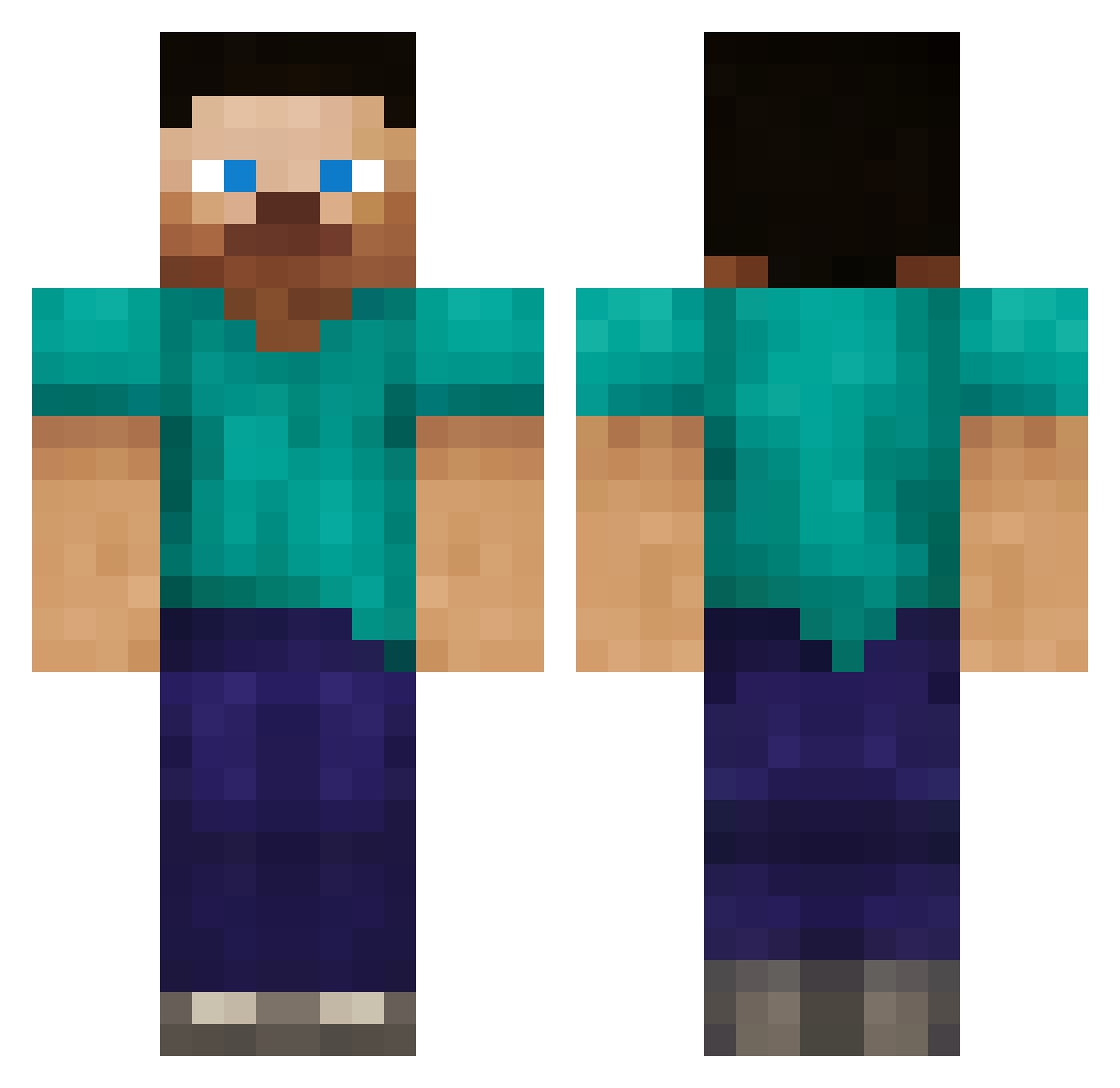
Current Minecraft skin of the player Samuel12345678, loaded from the official Mojang API. Rotate the 3D model with your mouse or finger, then download the skin as a PNG file and use it in Minecraft: Bedrock Edition or Java Edition for free. When Samuel12345678 changes their skin, this page updates automatically and the old skin stays in the history below.
Other players with this skin (387)
Samuel12345678 was the 155th player we have seen with this skin, first spotted on 21.09.2026. The same skin was seen on these players. Open a nickname to see their current skin and skin history.
 WarriorCookies AgentXIII gamerboy90352 Nicke991 guitarfish400 Spectral_Impact JamesB10 projectoma Gamervile2 jordan006 _THIAGOH_ killmenothin jungsoo152 Monkeyboy24 eddie4100 Core_Elements JoshBlaha QinX brandoncarter110 ParatrooperD Halo2304 tamilagrew addsmarshall96 DropxDead6 Squish4th ApexAnt Slayer_Optic zorb07 riteontarget999 mouseview Rossmeister p8ndus titanum1000 YukiKano17 moshi55965 Euguo Ravenbear warpforce1 tylerLH44 Oblivion_MC daftlife daggernight noahdavid Iociem Rathbone01 desesestupid1 Hermanator18 dpsxkzks bumz007 tendollarbill Avelennum Hammarskjold Powerofpuncher xDarkness_HD franksie RogueWavez bkkkkk infinitemonkeyme diabolical_steve shooter0155
How to install the Samuel12345678 skin
- Press the Download button above to save the skin as a PNG file.
- Minecraft: Bedrock Edition (PE): open the Dressing Room from the main menu (or tap your character → Edit Character), go to Classic Skins → Owned, press the + (new skin) button, choose the downloaded PNG and pick the Classic (Steve) model. Works on PC and mobile; consoles cannot import custom skins.
- Minecraft: Java Edition: open the Minecraft Launcher, go to the Skins tab, click New Skin, load the PNG, pick the Classic (Steve) model and press Save & Use. You can also upload it at minecraft.net → Profile → Change Skin.
The skin does not show up after import - what should I do?
Restart Minecraft and open the Dressing Room again - imported skins sometimes appear only after a restart. Also make sure you selected the imported skin and picked the Classic (Steve) model.
Which model should I choose, Classic or Slim?
This skin is designed for the Classic (Steve) model. If you pick the wrong model, the arms of the skin will look stretched or squeezed.
Is the skin of Samuel12345678 free to download?
Yes. Press Download, save the PNG file and use it in Minecraft: Bedrock Edition or Java Edition - no payment or registration needed. The skin also works on multiplayer servers and Realms.
More skins
Looking for more? Go back to all Minecraft skins and check the top skins of the week, month and all time, or find any player's skin by nickname.