
Samuco98 - Minecraft Skins & Skin History
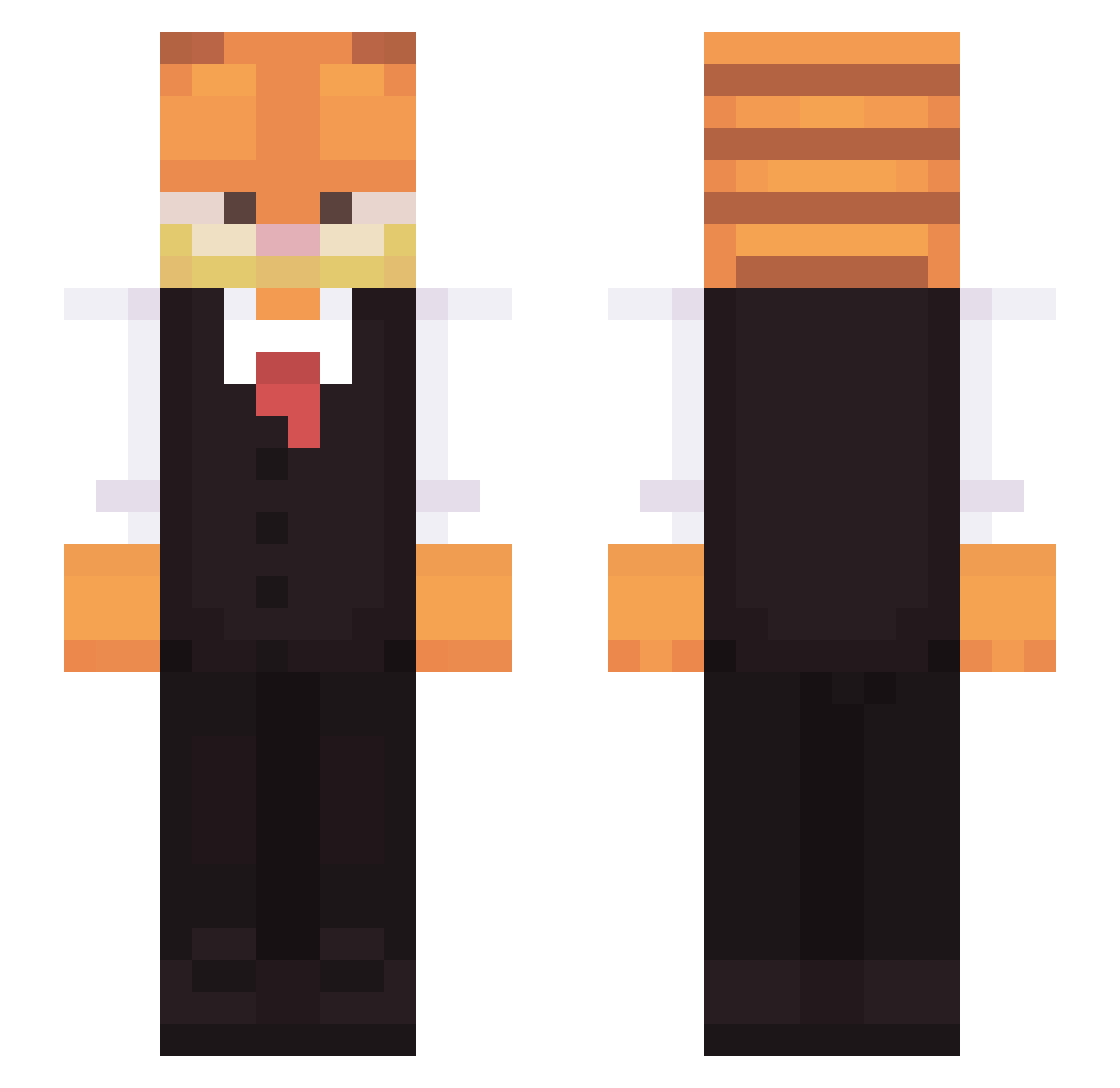
Current Minecraft skin of the player Samuco98, loaded from the official Mojang API. Rotate the 3D model with your mouse or finger, then download the skin as a PNG file and use it in Minecraft: Bedrock Edition or Java Edition for free. When Samuco98 changes their skin, this page updates automatically and the old skin stays in the history below.
Other players with this skin (313)
Samuco98 was the 153rd player we have seen with this skin, first spotted on 24.09.2026. The same skin was seen on these players. Open a nickname to see their current skin and skin history.
 becko22 Zac66559 Leenoi ImTheMessiah MatDur Imortalcraft Teiem NoBueno99 Yhunn Poopheadnice MisterLevi eyvali Mattheats shaotek MithGaah HyBit Campiamara ItsYaboiRyan22 Hazardouss1 iAmPbud DoritoChip 7uevia AccuroX Shadownat3 MexicanSanta98 warpnest Maple_Zilla LeVraiMozZ ReddokPL libnexus Martinrt7 ShadowChaos31 Matronix evanzagamer Player1Pedro Katzen_Sohn Greenfly04 OliveInASuit whoisbuho Soy_el_Tio little_gaming Egocenter Weptmusician906 Tlasan iWeezy33 MonikaSofia hypereinZ Sus_Rush LitleKely skootergirl DoctorBlackberry Yoshix21 phifi6499 LadyMist HRT_Mat soccershawn9 Alejandrorkts Cyrior Benjamin9 ruffems
More Garfield Minecraft skins
How to install the Samuco98 skin
- Press the Download button above to save the skin as a PNG file.
- Minecraft: Bedrock Edition (PE): open the Dressing Room from the main menu (or tap your character → Edit Character), go to Classic Skins → Owned, press the + (new skin) button, choose the downloaded PNG and pick the Slim (Alex) model. Works on PC and mobile; consoles cannot import custom skins.
- Minecraft: Java Edition: open the Minecraft Launcher, go to the Skins tab, click New Skin, load the PNG, pick the Slim (Alex) model and press Save & Use. You can also upload it at minecraft.net → Profile → Change Skin.
The skin does not show up after import - what should I do?
Restart Minecraft and open the Dressing Room again - imported skins sometimes appear only after a restart. Also make sure you selected the imported skin and picked the Slim (Alex) model.
Which model should I choose, Classic or Slim?
This skin is designed for the Slim (Alex) model. If you pick the wrong model, the arms of the skin will look stretched or squeezed.
Is the skin of Samuco98 free to download?
Yes. Press Download, save the PNG file and use it in Minecraft: Bedrock Edition or Java Edition - no payment or registration needed. The skin also works on multiplayer servers and Realms.
More skins
Looking for more? Go back to all Minecraft skins and check the top skins of the week, month and all time, or find any player's skin by nickname.