
SametBerkaay - Minecraft Skins & Skin History
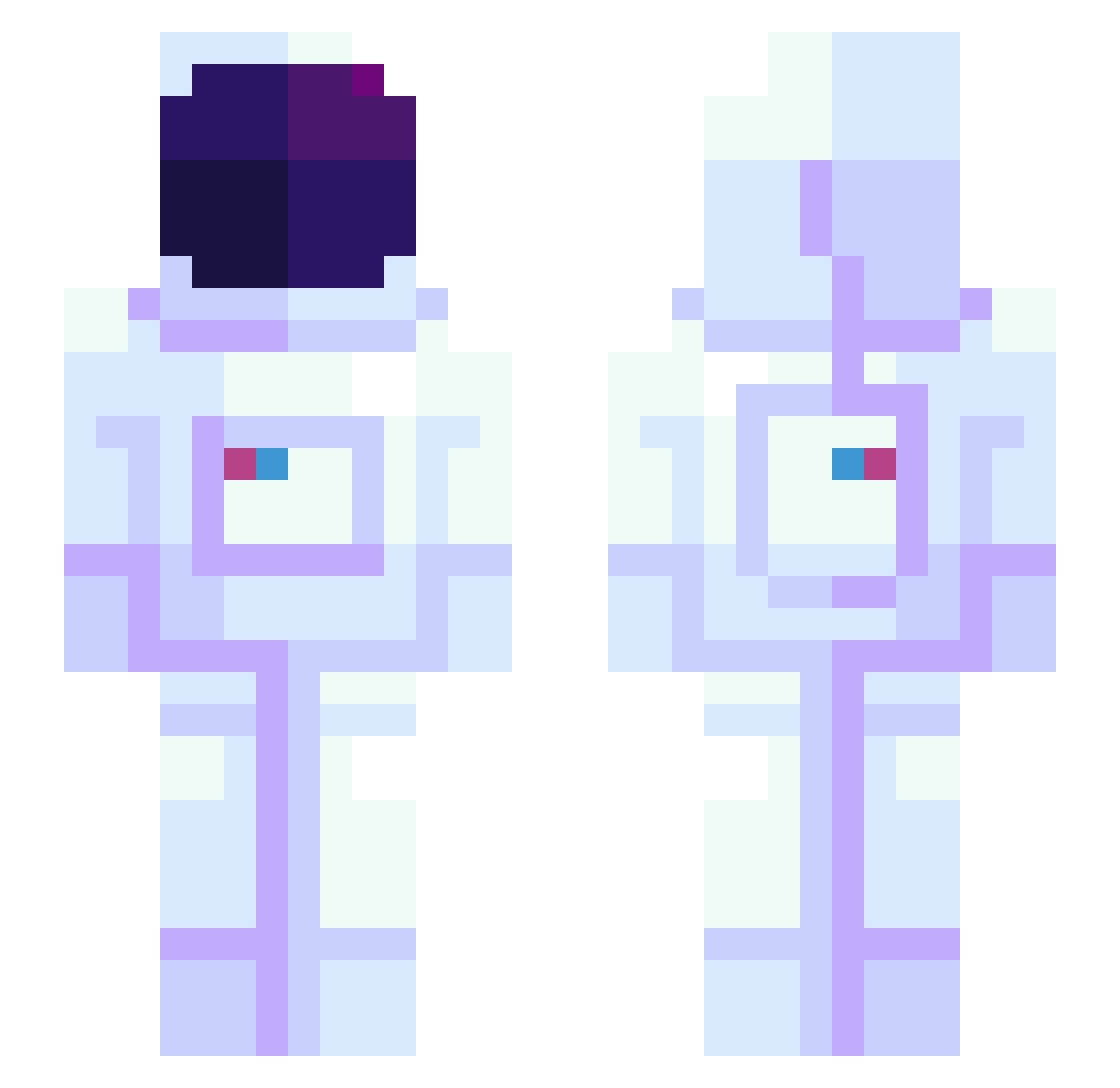
Current Minecraft skin of the player SametBerkaay, loaded from the official Mojang API. Rotate the 3D model with your mouse or finger, then download the skin as a PNG file and use it in Minecraft: Bedrock Edition or Java Edition for free. When SametBerkaay changes their skin, this page updates automatically and the old skin stays in the history below.
Other players with this skin (945)
SametBerkaay was the 671st player we have seen with this skin, first spotted on 08.10.2026. The same skin was seen on these players. Open a nickname to see their current skin and skin history.
 Esteraa Peter625 HeLovesRocks Cogoman420 LoonZee Litebrites Yung_Luchan pig1203 SharkKing115 SaiPech SONGGAMJA iconic_shinobi Lythikka disorder1 SuperMove mentaiko3 Grovi fume7941 Davicakke SBUniversity Rodrigo_queiroz7 SuperPoison TheShaqtus1 Mougnier Beeswaxcat ebbes KEKIRIUS AisinGioroO Fortifier Carson0302 stannn229 Mini_vANGaWD69 Laceour Danser__ Jesse2007 Hyndyde Hci2023 Chy_lian Amyrs itsManners inv1ctus CorbinxBleu ichani99 FAIDANCE Souru WearsPajamas TazikWojtazik sofyanlive G_G_Yun minikbidodge kirinn26 SpacePhoenix CouchPanda420 johnprice42 Kyle1911 ZigizMC anto810 CubeCat1001 _marxi_ oZenify
More Astronaut Minecraft skins
How to install the SametBerkaay skin
- Press the Download button above to save the skin as a PNG file.
- Minecraft: Bedrock Edition (PE): open the Dressing Room from the main menu (or tap your character → Edit Character), go to Classic Skins → Owned, press the + (new skin) button, choose the downloaded PNG and pick the Slim (Alex) model. Works on PC and mobile; consoles cannot import custom skins.
- Minecraft: Java Edition: open the Minecraft Launcher, go to the Skins tab, click New Skin, load the PNG, pick the Slim (Alex) model and press Save & Use. You can also upload it at minecraft.net → Profile → Change Skin.
The skin does not show up after import - what should I do?
Restart Minecraft and open the Dressing Room again - imported skins sometimes appear only after a restart. Also make sure you selected the imported skin and picked the Slim (Alex) model.
Which model should I choose, Classic or Slim?
This skin is designed for the Slim (Alex) model. If you pick the wrong model, the arms of the skin will look stretched or squeezed.
Is the skin of SametBerkaay free to download?
Yes. Press Download, save the PNG file and use it in Minecraft: Bedrock Edition or Java Edition - no payment or registration needed. The skin also works on multiplayer servers and Realms.
More skins
Looking for more? Go back to all Minecraft skins and check the top skins of the week, month and all time, or find any player's skin by nickname.