
Samdz - Minecraft Skins & Skin History
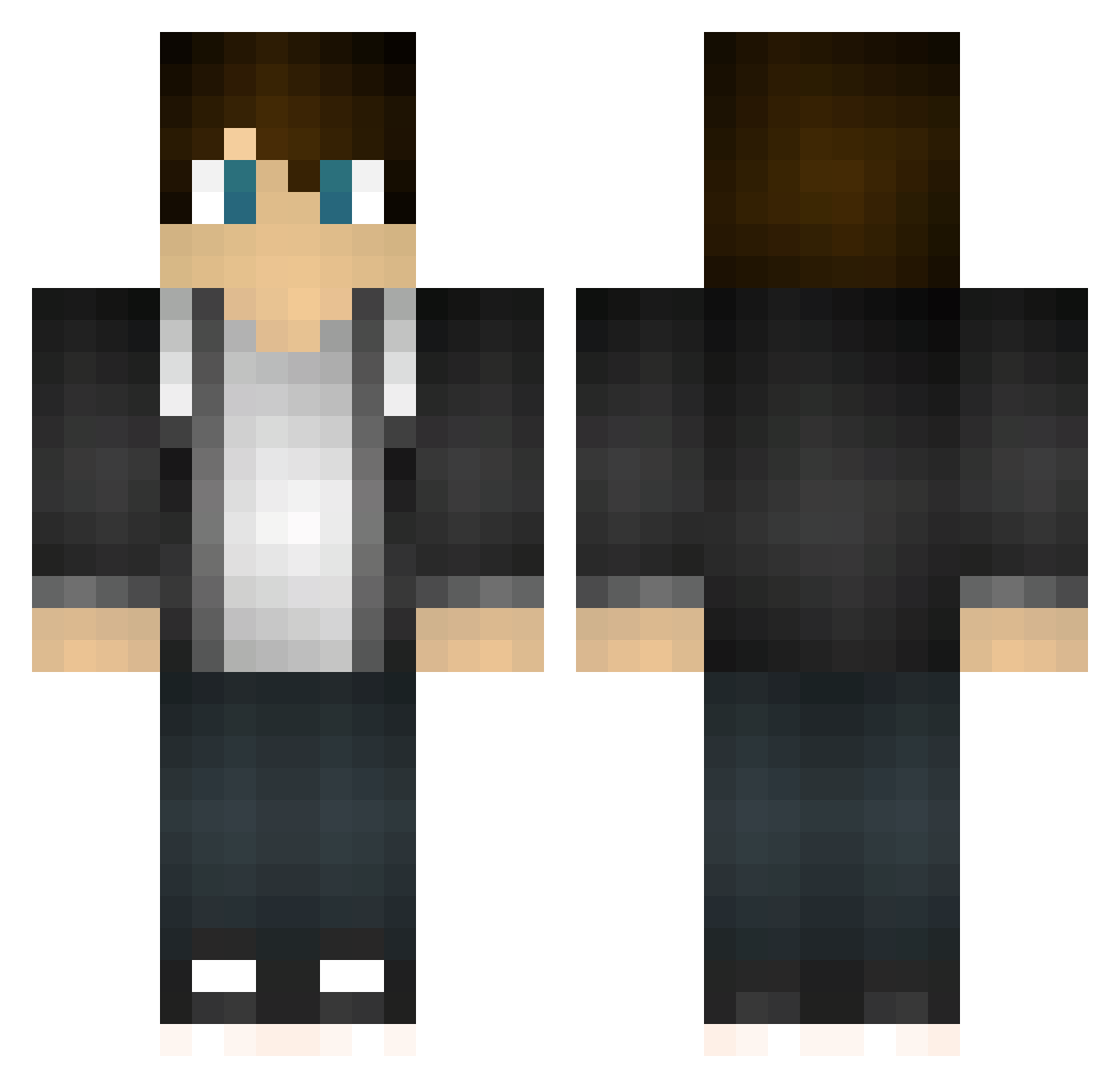
Current Minecraft skin of the player Samdz, loaded from the official Mojang API. Rotate the 3D model with your mouse or finger, then download the skin as a PNG file and use it in Minecraft: Bedrock Edition or Java Edition for free. When Samdz changes their skin, this page updates automatically and the old skin stays in the history below.
Other players with this skin (467)
Samdz was the 259th player we have seen with this skin, first spotted on 23.09.2026. The same skin was seen on these players. Open a nickname to see their current skin and skin history.
 spike1478 Darthgamer49 Solais_ Crazywy Skuld14 KevilenoBlake Galdraeth DragonKeeper1217 Bulldog_7 Gamerfinned ELIKLOL KingJeremy0481 LinusBang1 Salatfee juttob DatBoiHero Aidan_T 7_TG6Ks mrwlovesgram Megabash0r lasnik RuiCBARoca jbeyj Appelsaus Edragon500 BlazingCS Kill_IT_03 ginger_ninja17 LogicoolG700s Cellulus matty_awesome Monkk Nvanoijen DogeDogeDogeDoge xSchakal Jparker02 Mr_Clashonaut N0bodyKn0ws NicolaysGame2005 SabisGamer MaxTipTop FlashFlo23 Cookzz phantomjokers SamStrbik1 NeoLupus Bahgi Rapce heavytrooper12 TapLikeMe PatrickLynch Toshjorden MathyBR dcoopinz5 Dogan123 op3nink2 snoo11 blvkparis WaffleSpam_ Jonnemies
How to install the Samdz skin
- Press the Download button above to save the skin as a PNG file.
- Minecraft: Bedrock Edition (PE): open the Dressing Room from the main menu (or tap your character → Edit Character), go to Classic Skins → Owned, press the + (new skin) button, choose the downloaded PNG and pick the Classic (Steve) model. Works on PC and mobile; consoles cannot import custom skins.
- Minecraft: Java Edition: open the Minecraft Launcher, go to the Skins tab, click New Skin, load the PNG, pick the Classic (Steve) model and press Save & Use. You can also upload it at minecraft.net → Profile → Change Skin.
The skin does not show up after import - what should I do?
Restart Minecraft and open the Dressing Room again - imported skins sometimes appear only after a restart. Also make sure you selected the imported skin and picked the Classic (Steve) model.
Which model should I choose, Classic or Slim?
This skin is designed for the Classic (Steve) model. If you pick the wrong model, the arms of the skin will look stretched or squeezed.
Is the skin of Samdz free to download?
Yes. Press Download, save the PNG file and use it in Minecraft: Bedrock Edition or Java Edition - no payment or registration needed. The skin also works on multiplayer servers and Realms.
More skins
Looking for more? Go back to all Minecraft skins and check the top skins of the week, month and all time, or find any player's skin by nickname.