
Salvatore9751 - Minecraft Skins & Skin History
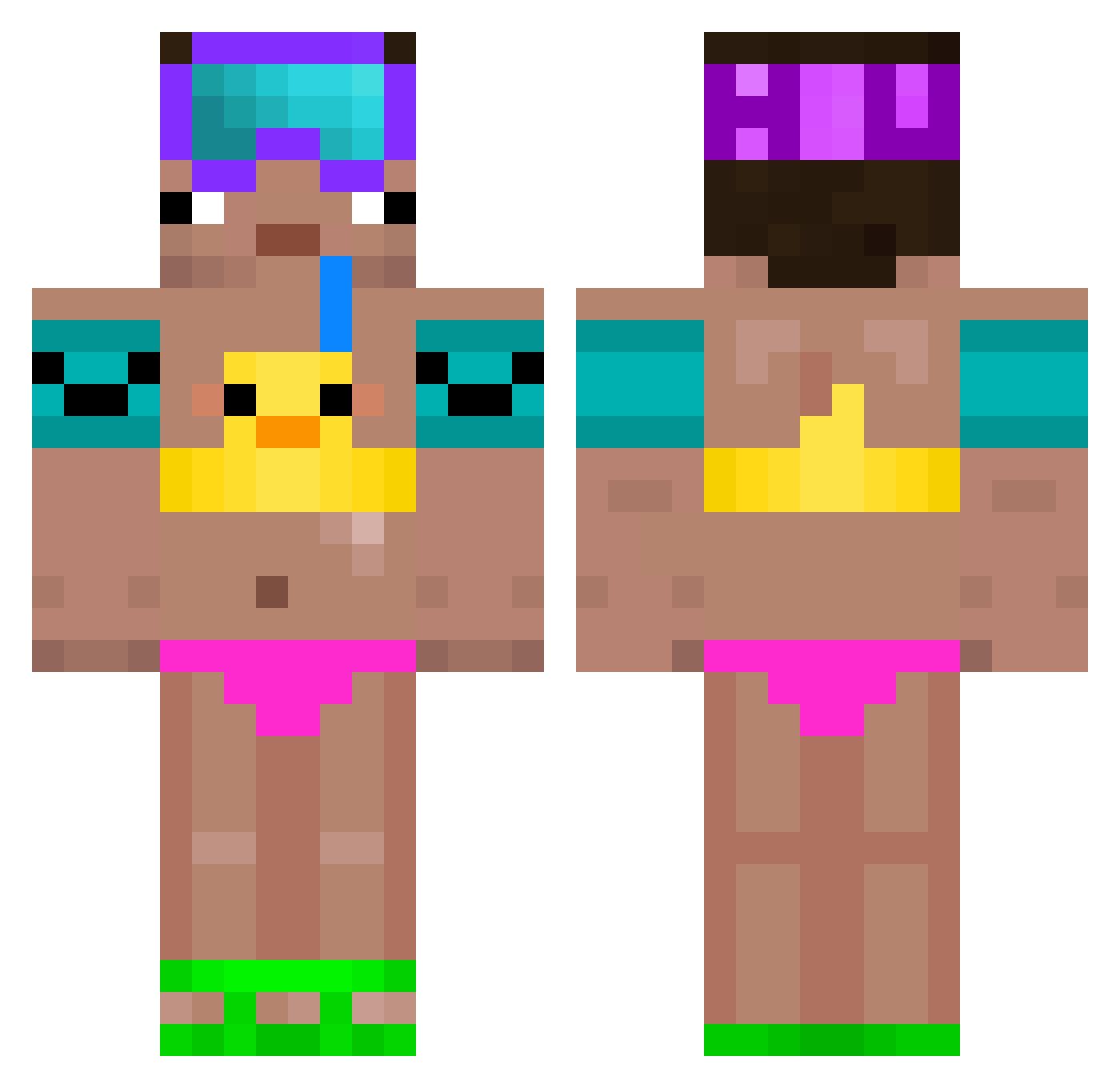
Current Minecraft skin of the player Salvatore9751, loaded from the official Mojang API. Rotate the 3D model with your mouse or finger, then download the skin as a PNG file and use it in Minecraft: Bedrock Edition or Java Edition for free. When Salvatore9751 changes their skin, this page updates automatically and the old skin stays in the history below.
Other players with this skin (64)
Salvatore9751 was the 17th player we have seen with this skin, first spotted on 15.08.2026. The same skin was seen on these players. Open a nickname to see their current skin and skin history.
 NecumPlesko
 N0_0X erni2115
 chifuyubg gastroGIG carowuc sigmasvinka flexfuryy skrr1 inconsistencyzxx ximadada iiM3Nii nitronuh bvby_ BazoxCry FelipeAvello szxmx24 max78va Akaaay Keanuxoxo SuperCh1ken21 jerrise nemson_ Nadte _wazitowaza_ Finngonnawin
 GUBBI_31 Weapons2
 k1ursa3t
 Sebersej12 Yn7E STEBY01 CaseOsprey64599 Cr4yt3 RKRS BingoLuL zaraki094 BerlinerSchnauze NotHappend_ kardanbonzai HayK1907 kispee Kvzxs TlacoyoDeChale rinyw pedritooop Kongsbak2010 Octumis972 yuki2D qu44ck przysiadnabutle NoLimitedDash E1J1M Tzi_JTeci_05_03 bozo271 LeFilou42 MrLuppo 6s3t Jay_Senju TeuFel1
More Duck Floatie Minecraft skins
How to install the Salvatore9751 skin
- Press the Download button above to save the skin as a PNG file.
- Minecraft: Bedrock Edition (PE): open the Dressing Room from the main menu (or tap your character → Edit Character), go to Classic Skins → Owned, press the + (new skin) button, choose the downloaded PNG and pick the Classic (Steve) model. Works on PC and mobile; consoles cannot import custom skins.
- Minecraft: Java Edition: open the Minecraft Launcher, go to the Skins tab, click New Skin, load the PNG, pick the Classic (Steve) model and press Save & Use. You can also upload it at minecraft.net → Profile → Change Skin.
The skin does not show up after import - what should I do?
Restart Minecraft and open the Dressing Room again - imported skins sometimes appear only after a restart. Also make sure you selected the imported skin and picked the Classic (Steve) model.
Which model should I choose, Classic or Slim?
This skin is designed for the Classic (Steve) model. If you pick the wrong model, the arms of the skin will look stretched or squeezed.
Is the skin of Salvatore9751 free to download?
Yes. Press Download, save the PNG file and use it in Minecraft: Bedrock Edition or Java Edition - no payment or registration needed. The skin also works on multiplayer servers and Realms.
More skins
Looking for more? Go back to all Minecraft skins and check the top skins of the week, month and all time, or find any player's skin by nickname.