
Saltinq - Minecraft Skins & Skin History
Current Minecraft skin of the player Saltinq, loaded from the official Mojang API. Rotate the 3D model with your mouse or finger, then download the skin as a PNG file and use it in Minecraft: Bedrock Edition or Java Edition for free. When Saltinq changes their skin, this page updates automatically and the old skin stays in the history below.
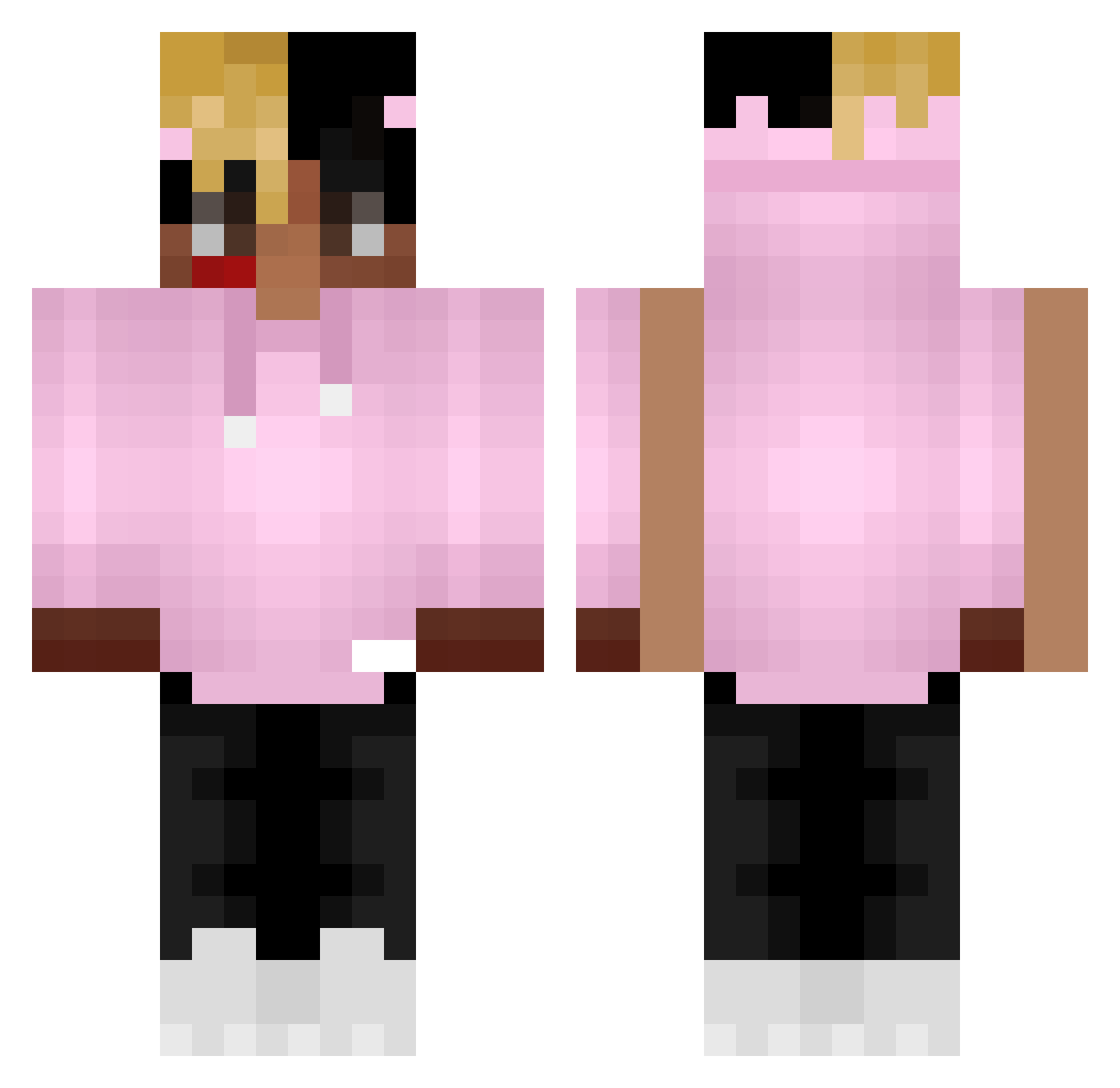
Other players with this skin (405)
Saltinq was the 389th player we have seen with this skin, first spotted on 05.11.2026. The same skin was seen on these players. Open a nickname to see their current skin and skin history.
 owenrhys8108 s_a_l mo7m7 SteelTempestNA lipstock PopYoAss LilTurddd ripJahseh 245555 ZuuhTSF YokuzaYako Disabledgamer86 igoorg10 BearHandsHands sora_glory Arcii_ pbreezy2x Shiikashi hamatoma SkitosElBuritos Mountain_Dew_off IL0VEWHENTHEYRUN TwanNemeth Holy_Craig The_Will_23 vincexo_ Jambbar Xeno_1 DreamerLSR KaiYYY Rainden_Hunter xxxtentacishot Javisine R3APZ xymi_on_top szky UnseenCowboy ANTJCV CloudyBoyWes silversparow Skidyyy Reloadiing EuSantx cxnsul Eto_Lenar whiiw Rubi11 BUCK1T1ER Dz_YaNis_Dz Manimal13 NoShanks Supersienix 342LUCAS Frostophobia Xenon_69 latterman xxxchromtation Artvrr099 Fabroccoli crackrock
More Xxxtentacion Minecraft skins
See all 444 Xxxtentacion skins
How to install the Saltinq skin
- Press the Download button above to save the skin as a PNG file.
- Minecraft: Bedrock Edition (PE): open the Dressing Room from the main menu (or tap your character → Edit Character), go to Classic Skins → Owned, press the + (new skin) button, choose the downloaded PNG and pick the Classic (Steve) model. Works on PC and mobile; consoles cannot import custom skins.
- Minecraft: Java Edition: open the Minecraft Launcher, go to the Skins tab, click New Skin, load the PNG, pick the Classic (Steve) model and press Save & Use. You can also upload it at minecraft.net → Profile → Change Skin.
The skin does not show up after import - what should I do?
Restart Minecraft and open the Dressing Room again - imported skins sometimes appear only after a restart. Also make sure you selected the imported skin and picked the Classic (Steve) model.
Which model should I choose, Classic or Slim?
This skin is designed for the Classic (Steve) model. If you pick the wrong model, the arms of the skin will look stretched or squeezed.
Is the skin of Saltinq free to download?
Yes. Press Download, save the PNG file and use it in Minecraft: Bedrock Edition or Java Edition - no payment or registration needed. The skin also works on multiplayer servers and Realms.
More skins
Looking for more? Go back to all Minecraft skins and check the top skins of the week, month and all time, or find any player's skin by nickname.