
SaiIeach - Minecraft Skins & Skin History
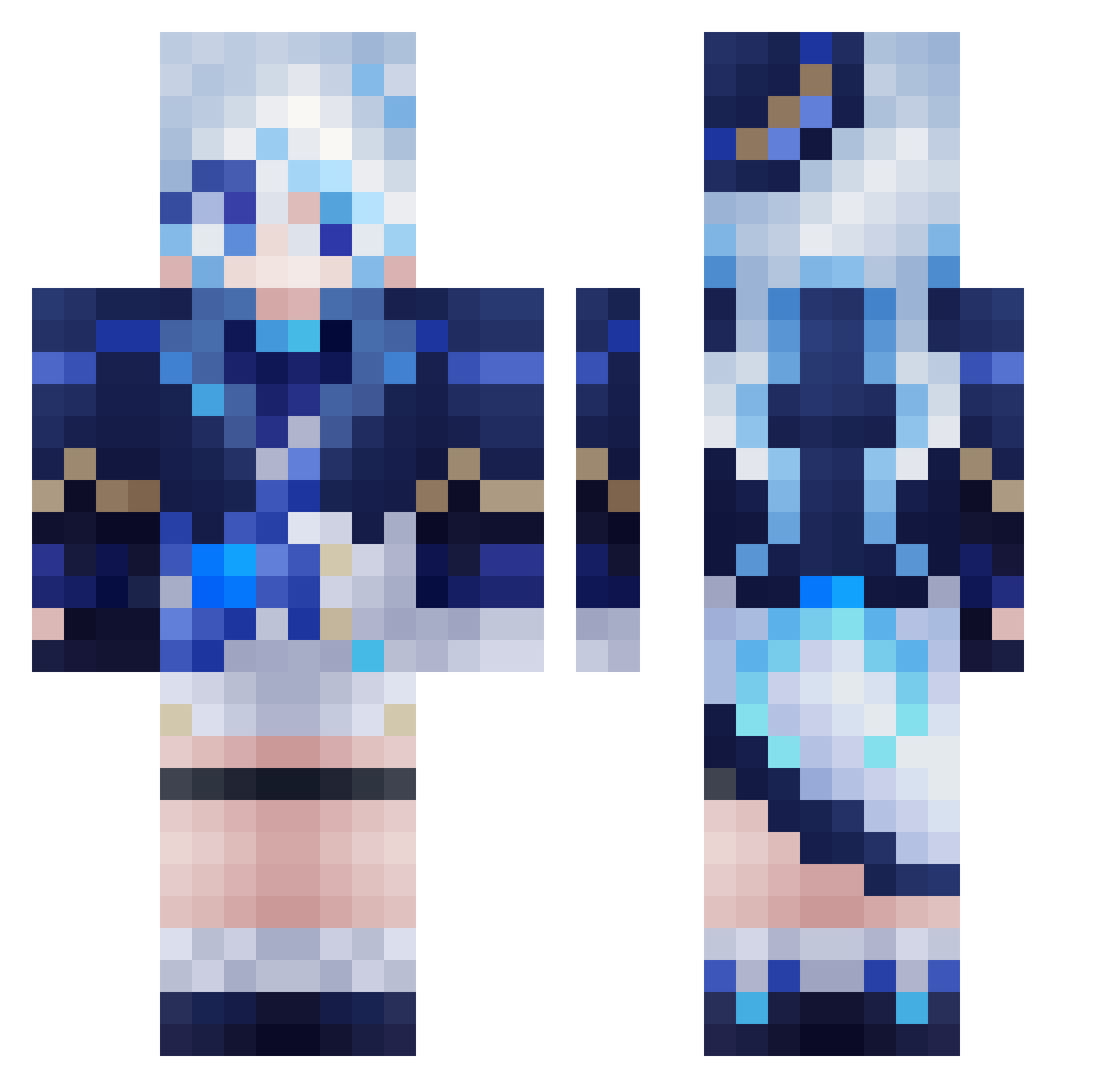
Current Minecraft skin of the player SaiIeach, loaded from the official Mojang API. Rotate the 3D model with your mouse or finger, then download the skin as a PNG file and use it in Minecraft: Bedrock Edition or Java Edition for free. When SaiIeach changes their skin, this page updates automatically and the old skin stays in the history below.
Other players with this skin (614)
SaiIeach was the 584th player we have seen with this skin, first spotted on 05.11.2026. The same skin was seen on these players. Open a nickname to see their current skin and skin history.
 MommyTate WaifuOP sprideman kostiak SuperCurno kogecha7 Baguette_Boye Catricius mariwi_ Neko_777 Shootiedud Yflytuz vvevvb MoonlightStr July7777 heisimo makkiy10 Araga_kiwi wtatt wantang817 Wahtwhy MOUZ800 hundun29 KillerQueennnn YM_MoYi mialgamer Moqiluo nekokami6 Nazu_17 SprayinRock itsKurved CY0822YL Antoya ZTYYYYY Ultramicros RWKM ETCLBE Hong0821TW Cadenza1740 Rem1st Muzqqqqqqq Kana_ban KentangOri TogawaSak1 A3ria konoleoda9 CrLkF FurinaDev X_Guo NeftoSun KGJ2 xwj816 quriousiioiii N1ghterror IAMJANGSU KENJP98 LinSenken LOVESDU Paper_sama Minmmmm
More Furina Minecraft skins
How to install the SaiIeach skin
- Press the Download button above to save the skin as a PNG file.
- Minecraft: Bedrock Edition (PE): open the Dressing Room from the main menu (or tap your character → Edit Character), go to Classic Skins → Owned, press the + (new skin) button, choose the downloaded PNG and pick the Classic (Steve) model. Works on PC and mobile; consoles cannot import custom skins.
- Minecraft: Java Edition: open the Minecraft Launcher, go to the Skins tab, click New Skin, load the PNG, pick the Classic (Steve) model and press Save & Use. You can also upload it at minecraft.net → Profile → Change Skin.
The skin does not show up after import - what should I do?
Restart Minecraft and open the Dressing Room again - imported skins sometimes appear only after a restart. Also make sure you selected the imported skin and picked the Classic (Steve) model.
Which model should I choose, Classic or Slim?
This skin is designed for the Classic (Steve) model. If you pick the wrong model, the arms of the skin will look stretched or squeezed.
Is the skin of SaiIeach free to download?
Yes. Press Download, save the PNG file and use it in Minecraft: Bedrock Edition or Java Edition - no payment or registration needed. The skin also works on multiplayer servers and Realms.
More skins
Looking for more? Go back to all Minecraft skins and check the top skins of the week, month and all time, or find any player's skin by nickname.