
SaffireBlaze - Minecraft Skins & Skin History
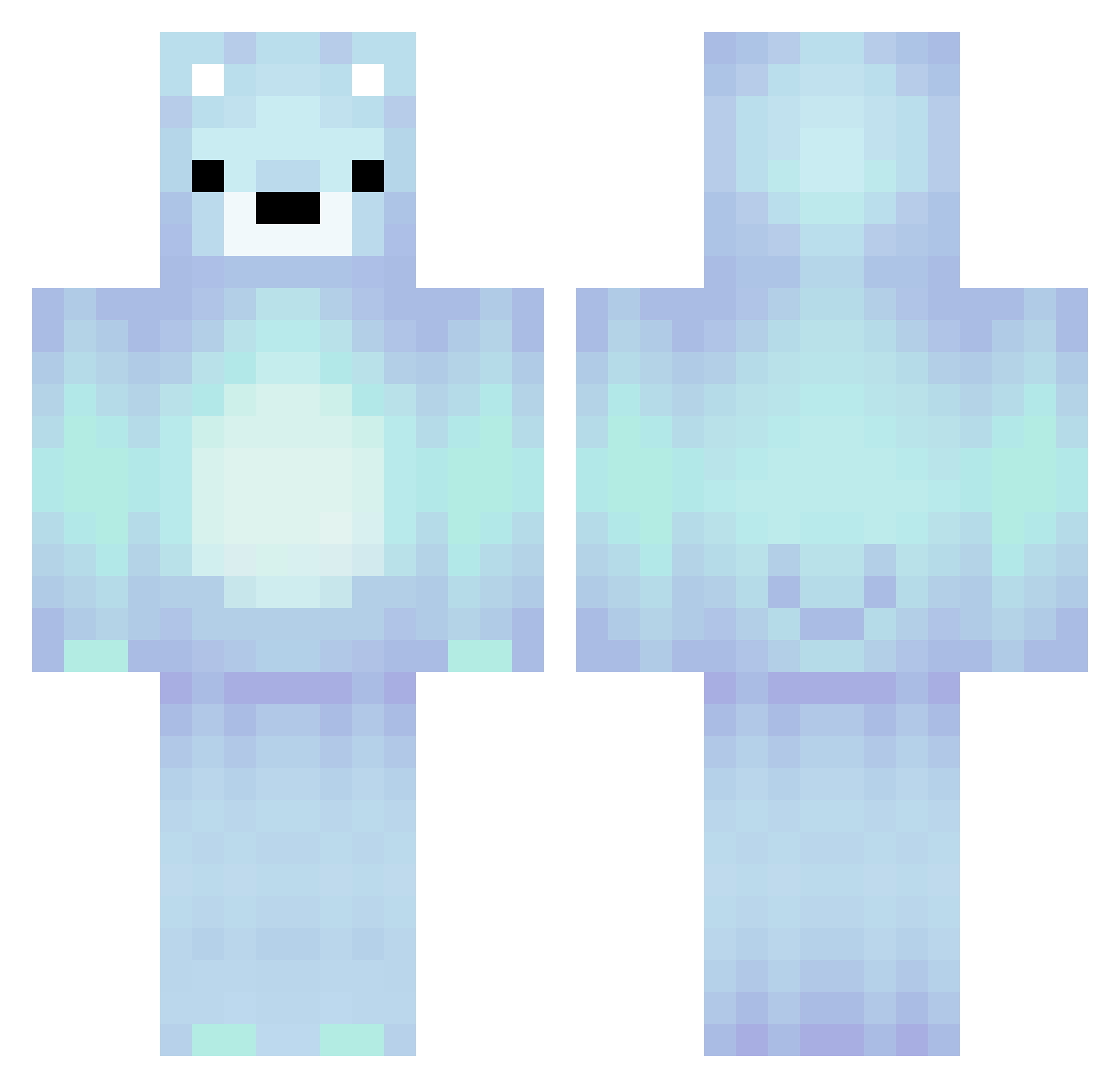
Current Minecraft skin of the player SaffireBlaze, loaded from the official Mojang API. Rotate the 3D model with your mouse or finger, then download the skin as a PNG file and use it in Minecraft: Bedrock Edition or Java Edition for free. When SaffireBlaze changes their skin, this page updates automatically and the old skin stays in the history below.
Other players with this skin (299)
SaffireBlaze was the 243rd player we have seen with this skin, first spotted on 24.10.2026. The same skin was seen on these players. Open a nickname to see their current skin and skin history.
 555xanny shmunkyy_ Mixcatt deederisbad fizzysteam Astaroth_04 GUBBYbugbug _GeorgeIsGod_ jbtt Jepmaatje UndeadKnight775 Wiegipower Auzzypooh mago7896 ojbyczqu quinquim Cha0sYang SixtyHundred John_Fishers7 1ns4n3_b0yZ K4ISA420 RW17689RW Dream098 Nuanzo KimiChen1202 Kangj2 k0ta01 ZoroFinisherYT sniperchamp6924 allypal1 rnjs_xun26 Husky386 AquaBlossom FreeBean11 Flip_Flops13 Waillibear RJC2014 JOHHNYJOE NorthFaun914167 TheIronPro308 LuciTheViking Novaliv Nikoooo0123 AlphaEmu2247 XDanshPRO Patryk3003 ValRaketa freakinjerk ELBiiLal pasir_p21mhgqmw8 BagelOpsSix Wasteland_Rat CN_Sp10 alphabet_soup__ Codyc21 Akhisa mucie AnddieFromUni daikenngouac Noelle1108
More Polar Bear Minecraft skins
How to install the SaffireBlaze skin
- Press the Download button above to save the skin as a PNG file.
- Minecraft: Bedrock Edition (PE): open the Dressing Room from the main menu (or tap your character → Edit Character), go to Classic Skins → Owned, press the + (new skin) button, choose the downloaded PNG and pick the Classic (Steve) model. Works on PC and mobile; consoles cannot import custom skins.
- Minecraft: Java Edition: open the Minecraft Launcher, go to the Skins tab, click New Skin, load the PNG, pick the Classic (Steve) model and press Save & Use. You can also upload it at minecraft.net → Profile → Change Skin.
The skin does not show up after import - what should I do?
Restart Minecraft and open the Dressing Room again - imported skins sometimes appear only after a restart. Also make sure you selected the imported skin and picked the Classic (Steve) model.
Which model should I choose, Classic or Slim?
This skin is designed for the Classic (Steve) model. If you pick the wrong model, the arms of the skin will look stretched or squeezed.
Is the skin of SaffireBlaze free to download?
Yes. Press Download, save the PNG file and use it in Minecraft: Bedrock Edition or Java Edition - no payment or registration needed. The skin also works on multiplayer servers and Realms.
More skins
Looking for more? Go back to all Minecraft skins and check the top skins of the week, month and all time, or find any player's skin by nickname.