
Saenz21 - Minecraft Skins & Skin History
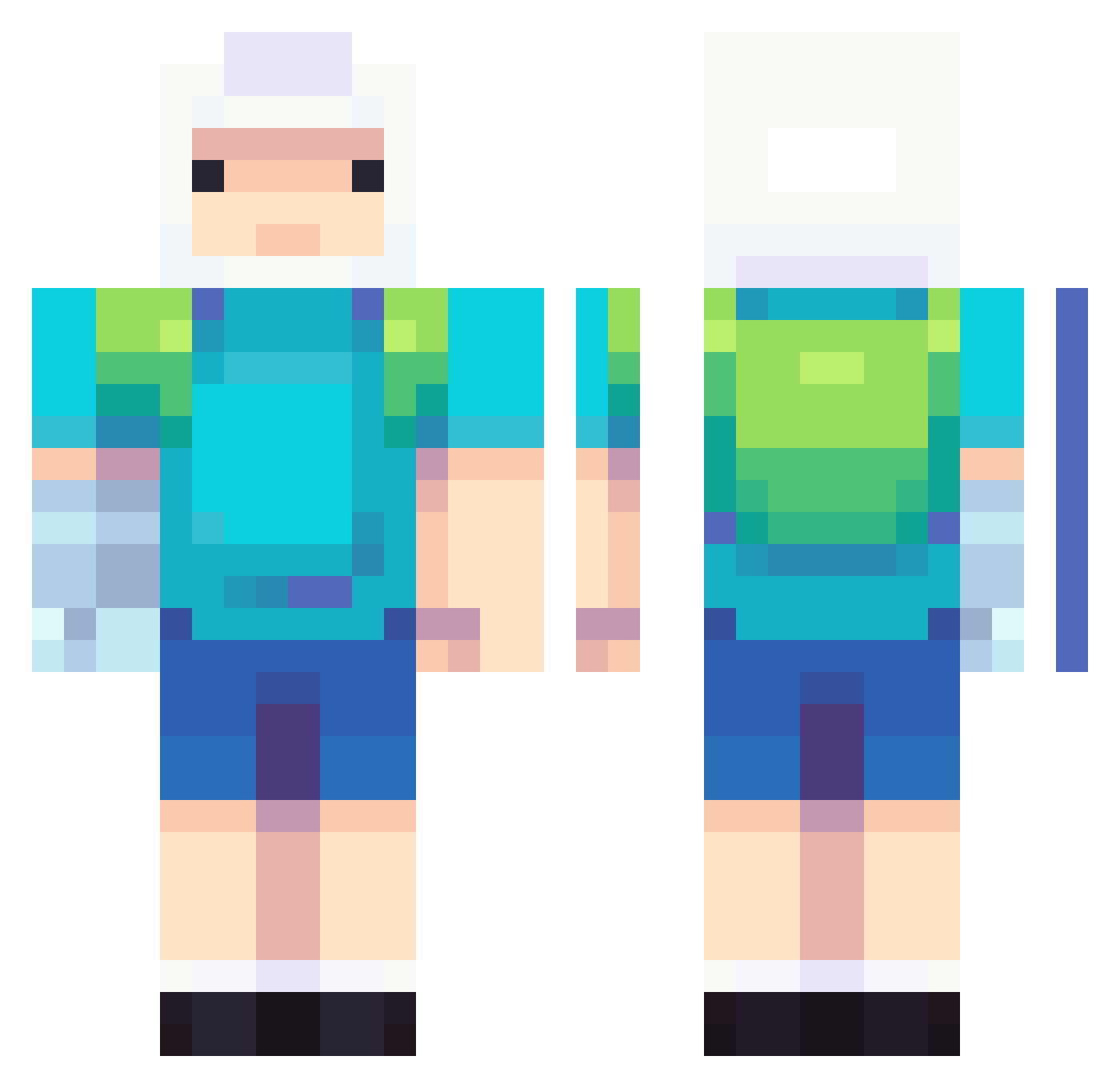
Current Minecraft skin of the player Saenz21, loaded from the official Mojang API. Rotate the 3D model with your mouse or finger, then download the skin as a PNG file and use it in Minecraft: Bedrock Edition or Java Edition for free. When Saenz21 changes their skin, this page updates automatically and the old skin stays in the history below.
Other players with this skin (643)
Saenz21 was the 106th player we have seen with this skin, first spotted on 09.08.2026. The same skin was seen on these players. Open a nickname to see their current skin and skin history.
 ToxicLord44 Barfff Kira_115 Heinovs BotBellyJeb DikoVen Mikroin FinnTheGroyp BAEBORI rodri_el_pro jill112617 Jackalius STASIEWSKI spargul Sacranio lilpeep2005 zdener eduvvcc Evolusher117 acbiegel jaeho1015 me_1014_ claribela sandymcsanderson water041 Nicky2x headlock616 Void2014x
 modfra33 JustDC59 KSH_usks Nesquack08
 odiento FayotaBeyota e_chaemin gabriel_iv95 Ryo0410 ArielS01 Naniel2202 setshaw GLOBAL356 TengoHambre666 mertgldg wareVix BachanF1 gamrprodigy ReverseNormie Helkujo JCamiloGM123 PPjaisri Lolkinhas DeOnLyBaKa Secialone Xentozz56 rayyhoffman Jadex21 AichiJC __DuckSandwich__ Angeboy TobyWobey
More Finn The Human Minecraft skins
See all 404 Finn The Human skins
How to install the Saenz21 skin
- Press the Download button above to save the skin as a PNG file.
- Minecraft: Bedrock Edition (PE): open the Dressing Room from the main menu (or tap your character → Edit Character), go to Classic Skins → Owned, press the + (new skin) button, choose the downloaded PNG and pick the Classic (Steve) model. Works on PC and mobile; consoles cannot import custom skins.
- Minecraft: Java Edition: open the Minecraft Launcher, go to the Skins tab, click New Skin, load the PNG, pick the Classic (Steve) model and press Save & Use. You can also upload it at minecraft.net → Profile → Change Skin.
The skin does not show up after import - what should I do?
Restart Minecraft and open the Dressing Room again - imported skins sometimes appear only after a restart. Also make sure you selected the imported skin and picked the Classic (Steve) model.
Which model should I choose, Classic or Slim?
This skin is designed for the Classic (Steve) model. If you pick the wrong model, the arms of the skin will look stretched or squeezed.
Is the skin of Saenz21 free to download?
Yes. Press Download, save the PNG file and use it in Minecraft: Bedrock Edition or Java Edition - no payment or registration needed. The skin also works on multiplayer servers and Realms.
More skins
Looking for more? Go back to all Minecraft skins and check the top skins of the week, month and all time, or find any player's skin by nickname.