
SZerEMerE13 - Minecraft Skins & Skin History
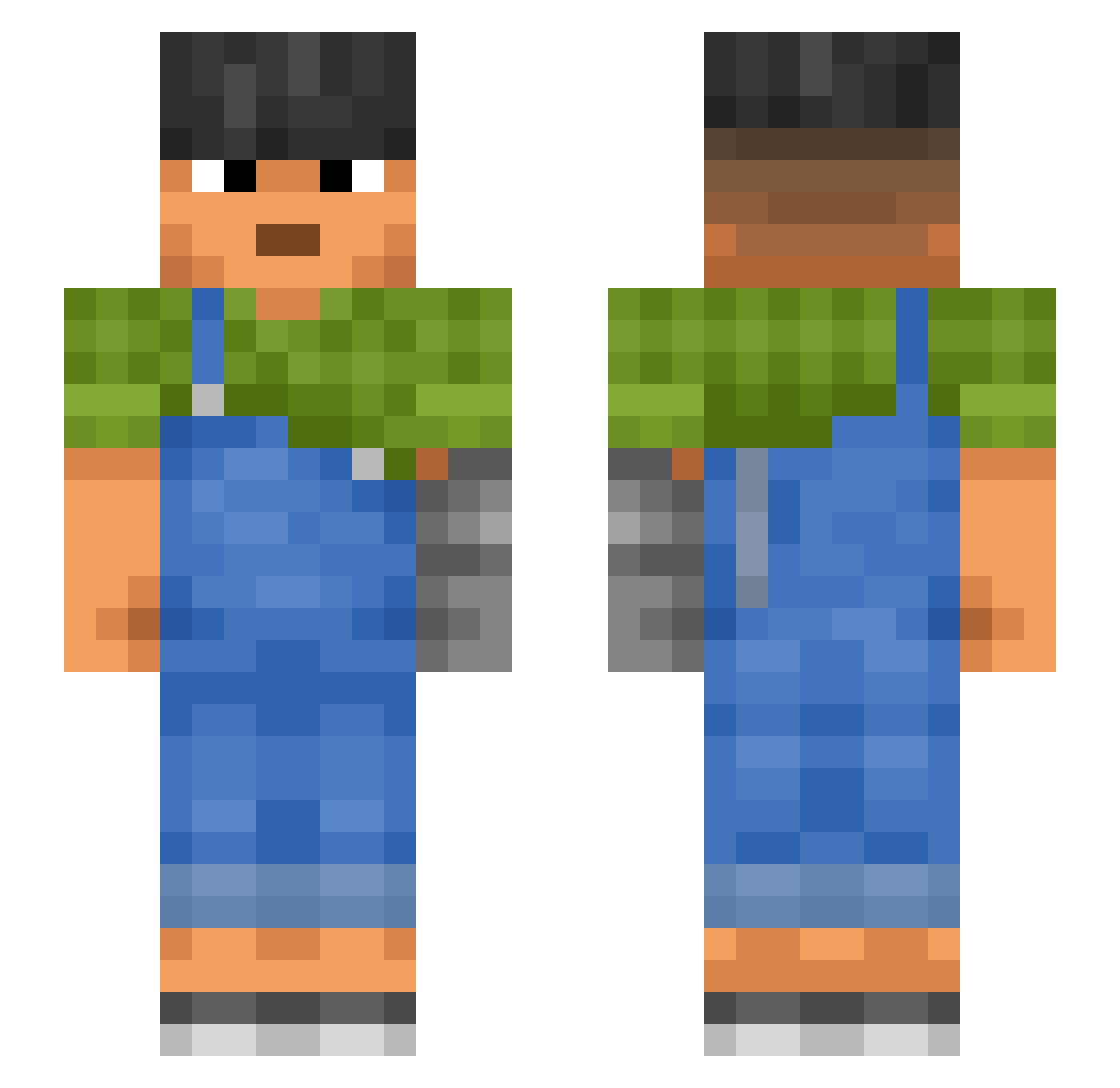
Current Minecraft skin of the player SZerEMerE13, loaded from the official Mojang API. Rotate the 3D model with your mouse or finger, then download the skin as a PNG file and use it in Minecraft: Bedrock Edition or Java Edition for free. When SZerEMerE13 changes their skin, this page updates automatically and the old skin stays in the history below.
Other players with this skin (1187)
SZerEMerE13 was the 1023rd player we have seen with this skin, first spotted on 05.11.2026. The same skin was seen on these players. Open a nickname to see their current skin and skin history.
 Noah_NLR Cholo_Juanito yester Branial A__high_handicap Coacher HHHCSN Traversed miseryyyyyyy iggypop7 Entally razoredge Hss20067 Fedee306 Rathskeller olivet Bim3665 Precures JacobKK2 unlearnt herby styloid revue Baumbefruchter avocatz Och opas hightop Rainbird1 spasmodically SkyNibor KikiMind Argotic FiddleD MarKiuZ_xd Portify ReiJu3x NonContradiction Xuilui LeemoneQ bacano7036 Rugous Saphenous parkin Untankable Aseity p11ow piuupiuu OneWiseOne _TEMHOTA_ DoctorDom guiles T0PKlNG dryers bitstone lyuttttt elain rototiller Caulfield__ Unhatched
More Prosthetic Arm Minecraft skins
See all 84 Prosthetic Arm skins
How to install the SZerEMerE13 skin
- Press the Download button above to save the skin as a PNG file.
- Minecraft: Bedrock Edition (PE): open the Dressing Room from the main menu (or tap your character → Edit Character), go to Classic Skins → Owned, press the + (new skin) button, choose the downloaded PNG and pick the Slim (Alex) model. Works on PC and mobile; consoles cannot import custom skins.
- Minecraft: Java Edition: open the Minecraft Launcher, go to the Skins tab, click New Skin, load the PNG, pick the Slim (Alex) model and press Save & Use. You can also upload it at minecraft.net → Profile → Change Skin.
The skin does not show up after import - what should I do?
Restart Minecraft and open the Dressing Room again - imported skins sometimes appear only after a restart. Also make sure you selected the imported skin and picked the Slim (Alex) model.
Which model should I choose, Classic or Slim?
This skin is designed for the Slim (Alex) model. If you pick the wrong model, the arms of the skin will look stretched or squeezed.
Is the skin of SZerEMerE13 free to download?
Yes. Press Download, save the PNG file and use it in Minecraft: Bedrock Edition or Java Edition - no payment or registration needed. The skin also works on multiplayer servers and Realms.
More skins
Looking for more? Go back to all Minecraft skins and check the top skins of the week, month and all time, or find any player's skin by nickname.